
PacketDump
Java mod listed for Minecraft 26.x. Downloads from the MC Java Mods app on Android.
⬇ Download on Modrinth
PacketDump
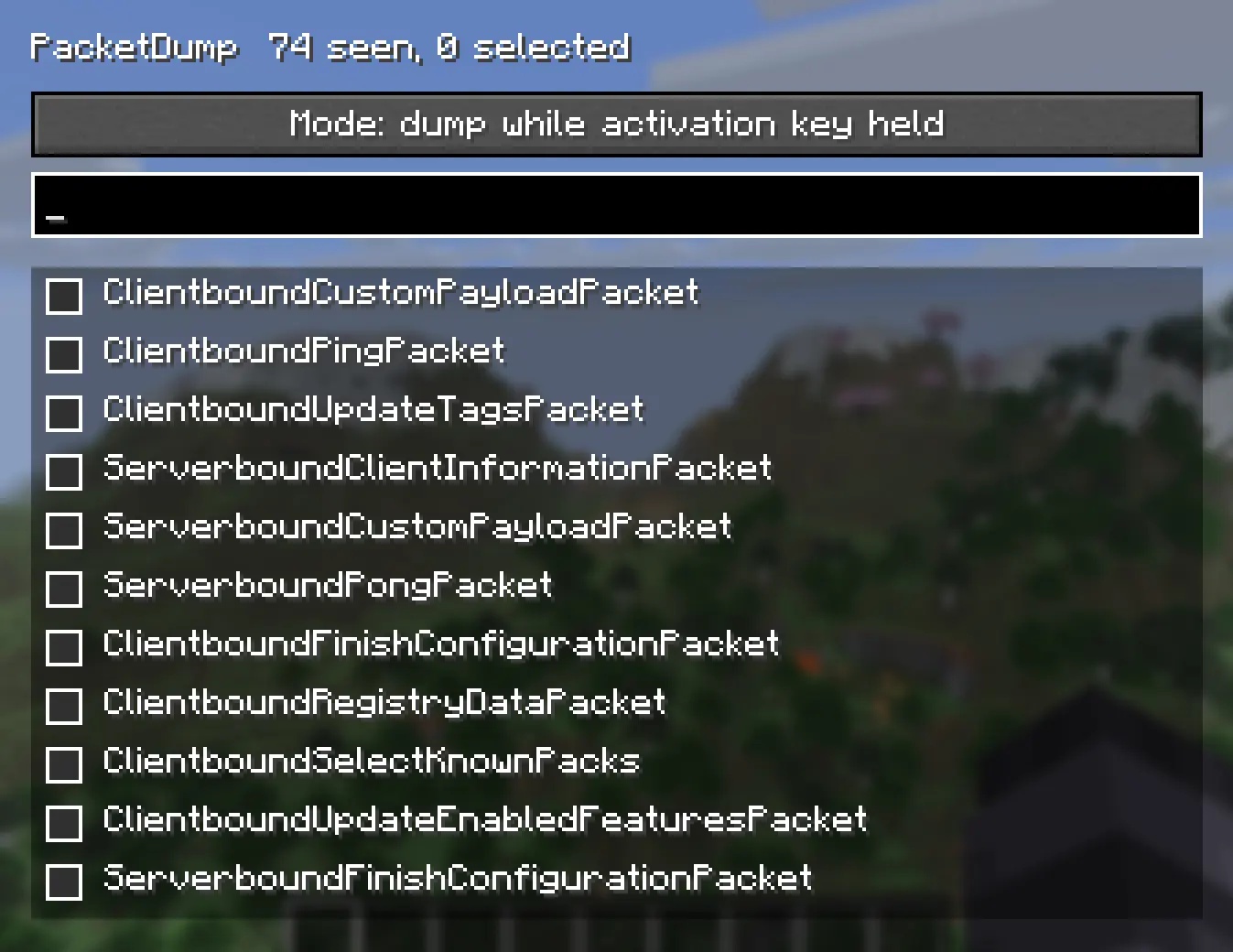
A simple packet dumping mod for Minecraft.
PacketDump lets you choose exactly which packets you want to monitor, then dumps every instance of those packets while the dumper is active inside logs. It's useful for debugging, reverse engineering, learning how the protocol works, or just seeing what's happening between the client and server.
Features
- Select individual packet types from an easy to use GUI
- Dump only the packets you care about
- Logs packet data to the game log
- Hold F9 to dump packets only while the key is held
- Lightweight with minimal overhead when not in use Controls
Right Shift: Open the PacketDump menu
F9: Hold to activate packet dumping (default keybind)
Whether you're developing a mod, tracking down a networking issue, or just curious about Minecraft's packets, PacketDump makes it easy to inspect network traffic without digging through every packet the game sends.
No complicated setup. Open the menu with Right Shift, choose the packets you want to monitor, hold F9, and start logging.
- Edition: Minecraft Java
- File type: .jar
- Minecraft version listed: 26.2
- How to install: Install the matching mod loader (Forge, Fabric or NeoForge) for your Minecraft version. → Download the .jar. → Put it in the .minecraft/mods folder and launch that loader profile.
- Where to get it: Opens on Modrinth — not every file is mirrored on our own servers.
Install steps are the general flow for this file type — How to install Minecraft Java mods & modpacks walks through it step by step.
- Ships as packetdump-1.1.0+26.2.jar — drop this file into the mods folder
- Download size: 69 KB
- Download link checked 25 Oct 2026 — working
These come from our own check of the pack file, not from the source page.