
Artilide
Artilide is a modpack that attempts to transform Minecraft's balancing and base mechanics to keep survival aspects for late game, along with overhauling…
⬇ Download on Modrinth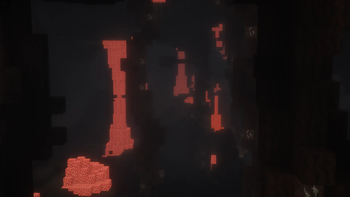
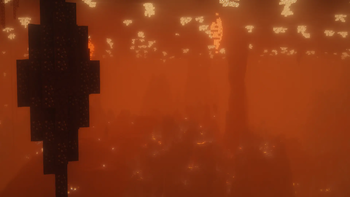
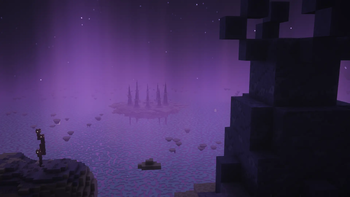
Introduction
Artilide is a modpack that attempts to transform Minecraft's balancing and base mechanics to keep survival aspects for late game, along with overhauling exploration as a whole. Many things such as Netherite and enchanting have been changed to reflect this.
Main Gameplay
The primary changes in gameplay are slowing down progression, heavily nerfing late game, and making earlier game a little easier.
This is all done to make the game have more survival aspects later on, instead of the player becoming a god that's invincible. These changes encourage creativity still, but add a challenge to it that a survival game should impose.
Multiplayer Emphasis
This modpack is designed around multiplayer, so while singleplayer will work, I highly recommend joining the official server bundled with the modpack.
The server provides a different experience such as warps to shops, PvP toggling, and more quality of life features not provided in the base modpack.
Alot of these features go hand to hand with the server's optional lore, which essentially means anybody can opt-in to participate in a community made story of what's happening in the Artilide server.
Future Development
As of the time of writing this, Artilide is currently in Season 2. I will be maintaining and updating the modpack as long as there is demand to do so, with potentially minor content updates, but I at the current moment do not have a plan to make a Season 3.
The reason for the lack of season 3 is because I have plans to make mods myself in the future for further control and hopefully create the experience I always wanted to make in Minecraft. This does not mean a season 3 will never happen, it just means it's not on my to do list at the moment.
- Edition: Minecraft Java
- File type: .jar
- Minecraft version listed: 1.21.1
- How to install: Install the matching mod loader (Forge, Fabric or NeoForge) for your Minecraft version. → Download the .jar. → Put it in the .minecraft/mods folder and launch that loader profile.
- Where to get it: Opens on Modrinth — not every file is mirrored on our own servers.
Install steps are the general flow for this file type — How to install Minecraft Java mods & modpacks walks through it step by step.
- Downloads as Artilide-26w29a.mrpack
- Download size: 35.1 MB
- Download link checked 24 Aug 2026 — working
These come from our own check of the pack file, not from the source page.