
Frosty's Sorting Depot
I don't know my version or loader
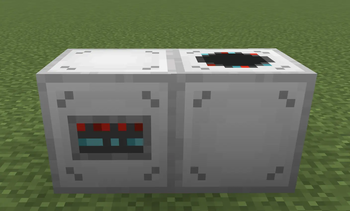
Frosty's Sorting Depot
Mechanical item sorting that anyone can set up in five minutes. No power. No pipes. No fuss.
Sorting Depot adds a lightweight, fully mechanical sorting network to Minecraft. Feed items into a Depot Controller and they route themselves into the right inventories based on Filter Cards and Priority Stamps — and it works with any storage block, vanilla or modded, that exposes the standard NeoForge item capability (chests, barrels, shulker boxes, Create vaults, Mekanism crates, and more).
No energy systems. No conduits of its own. Just place, link, and sort.
How it works
- Place a Depot Controller. Items pushed into its top — by a hopper, dropper, pipe, or an inventory sitting directly above it — enter its buffer.
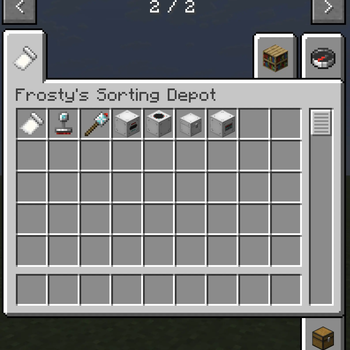
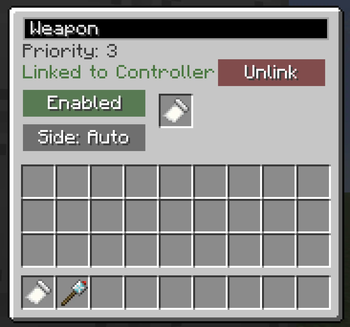
- Put a Linker Node against a chest (or any inventory) and drop a Filter Card inside it.
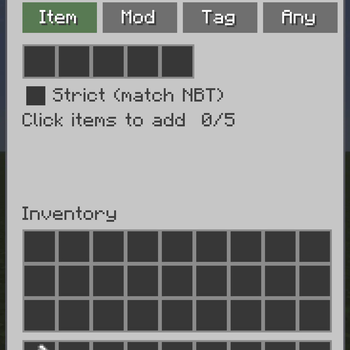
- Configure the card by right-clicking open a new GUI: Item mode binds up to 5 items, Tag mode binds up to 3 of the items' tags (e.g.
#minecraft:logs), and Overflow mode catches everything. - Wire it up with the Linker tool: right-click the node, then right-click the Controller.
- Done. Items flow to the first matching destination by priority (set with a Priority Stamp), and anything unmatched falls into the Overflow Chest — never lost, never voided.
Features
- 🧭 Depot Controller — the hub. Routes ~4× a hopper's speed and pulls from the inventory above it.
- 🏷️ Filter Cards — Item, Tag, and Overflow modes, configured in-world.
- 🔢 Priority Stamps — 1–5 priority per destination; higher fills first.
- 📦 Overflow Chest — a real double-able, animated chest that catches the unmatched.
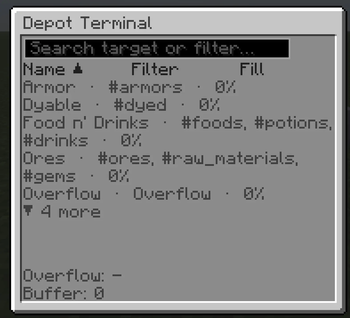
- 🖥️ Depot Terminal — a dashboard showing every destination's filter and fill at a glance.
- 🔌 Comparator output — read how full the Controller's buffer is for redstone automation.
- ♻️ Never voids items — if nothing can take an item, it waits safely in the buffer.
- 🤝 Cross-mod by design — built entirely on the standard item-transfer capability.
Requirements
- Minecraft 26.2 · NeoForge
- No dependencies.
Version 1.0.0 — feedback and bug reports very welcome!
- Edition: Minecraft Java
- File type: .jar
- Minecraft versions listed: 1.21, 1.21.1
- How to install: Install the matching mod loader (Forge, Fabric or NeoForge) for your Minecraft version. → Download the .jar. → Put it in the .minecraft/mods folder and launch that loader profile.
- Where to get it: Opens on Modrinth — not every file is mirrored on our own servers.
Install steps are the general flow for this file type — How to install Minecraft Java mods & modpacks walks through it step by step.
- Ships as frostyssortingdepot-1.4.0-1.21.1.jar — drop this file into the mods folder
- Download size: 180 KB
- Download link checked 25 Aug 2026 — working
These come from our own check of the pack file, not from the source page.