
ModChecking
I don't know my version or loader
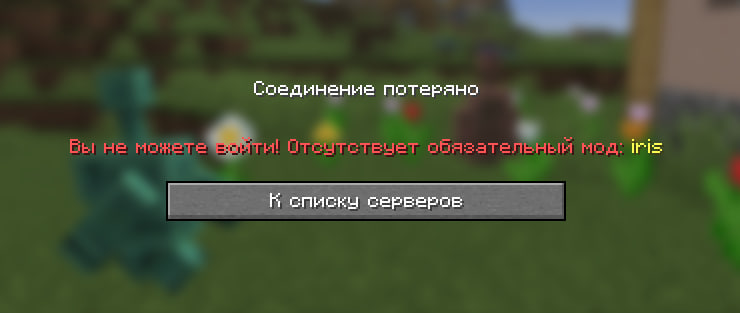

A unique combination of a mod and a server-side plugin to enforce mandatory mods.
The main idea and methods of application:
This is a client mod and a server plugin. It is very useful for servers that do not have mods, but you want to have client mods on the server. Access to the server is only allowed for the Fabric client and with a list of specific mods (at the discretion of the server owner).
registration of the list of required mods will be done by modid.
what if?
if the player logs in without the required mod, it will require them to install it
if the player logs in with a mod and the mods in the list, they will successfully log in to the server and be able to play
Ask your questions and suggestions in person, and have a nice game!
- Edition: Minecraft Java
- File type: .jar
- Minecraft versions listed: 1.21.1, 1.21.2, 1.21.3
- How to install: Install the matching mod loader (Forge, Fabric or NeoForge) for your Minecraft version. → Download the .jar. → Put it in the .minecraft/mods folder and launch that loader profile.
- Where to get it: Opens on Modrinth — not every file is mirrored on our own servers.
Install steps are the general flow for this file type — How to install Minecraft Java mods & modpacks walks through it step by step.
- Ships as modcheck-client-1.0.0.jar — drop this file into the mods folder
- Download size: 74 KB
- Download link checked 15 Sept 2026 — working
These come from our own check of the pack file, not from the source page.