
NS Visual
A carefully crafted Fabric modpack that enhances Minecraft with stunning visuals, smooth animations, optimized performance, and preserves the vanilla…
⬇ Download on Modrinth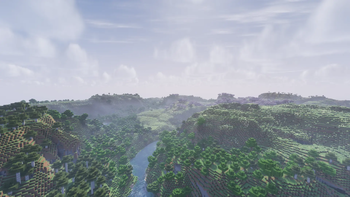
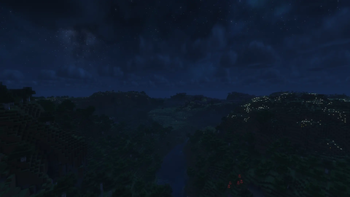
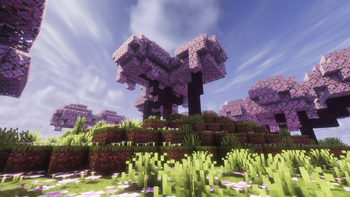
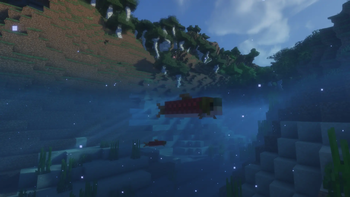
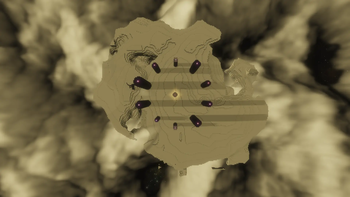

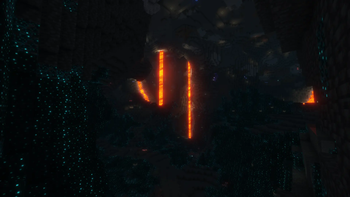
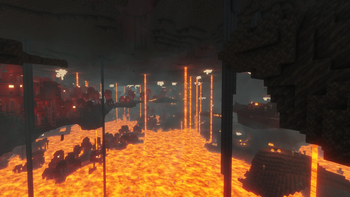
NS Visual is a carefully crafted Fabric client-side modpack designed to elevate the Minecraft experience with enhanced visuals, immersive animations, and optimized performance while preserving the game's original vanilla feel.
Unlike large modpacks that add unnecessary content, NS Visual focuses on quality over quantity. Every mod has been carefully selected, tested, and configured to ensure maximum compatibility, stability, and smooth gameplay.

- Enhanced visuals and atmosphere
- Smooth and immersive player & entity animations
- Optimized FPS and overall performance
- Carefully selected Quality of Life improvements
- Preserves the vanilla Minecraft experience
- Fully compatible with multiplayer servers
- Stable and optimized configuration

Minimum
- CPU: Intel Core i5-4460 / AMD Ryzen 3 1200
- GPU: NVIDIA GTX 750 Ti / AMD RX 460 (or equivalent)
- RAM: 8 GB (Allocate 4 GB to Minecraft)
- Storage: 1 GB of free space
- Java: The version required by your Minecraft version
Recommended
- CPU: Intel Core i5-10400F / AMD Ryzen 5 3600 or better
- GPU: NVIDIA GTX 1660 / RTX 2060 / AMD RX 6600 or better
- RAM: 16 GB (Allocate 6 GB to Minecraft)
- Storage: SSD recommended
- Display: 1080p or higher
🎯 Who is this modpack for?
NS Visual is perfect for players who want Minecraft to look and feel better without changing its core gameplay. Whether you're building, exploring, recording content, or simply enjoying the game, this modpack delivers a cleaner, smoother, and more immersive experience.
📌 Notes
- This is a client-side modpack.
- No server installation is required.
- Compatible with most vanilla and Fabric multiplayer servers, as long as the server does not require additional server-side mods.
- Shader support is available for users with capable hardware.
- Edition: Minecraft Java
- File type: .jar
- Minecraft version listed: 1.21.11
- How to install: Install the matching mod loader (Forge, Fabric or NeoForge) for your Minecraft version. → Download the .jar. → Put it in the .minecraft/mods folder and launch that loader profile.
- Where to get it: Opens on Modrinth — not every file is mirrored on our own servers.
Install steps are the general flow for this file type — How to install Minecraft Java mods & modpacks walks through it step by step.
- Downloads as NS Visual 1.0.2.mrpack
- Download size: 188 KB
- Download link checked 25 Aug 2026 — working
These come from our own check of the pack file, not from the source page.