
Anti Xray++
Beyond Anti-Xray. Protects your server from Xray, Ore ESP, Block Markers, and Highlight Mods by never exposing hidden block data.
⬇ Download on Modrinth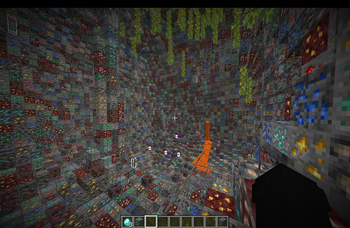
Anti Xray++
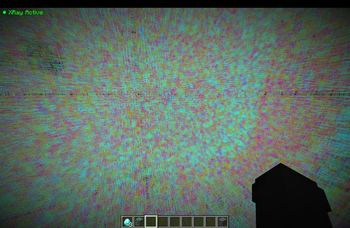
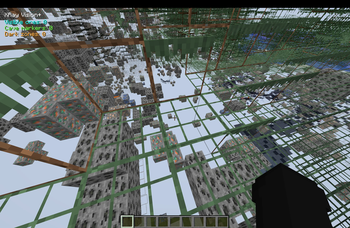
Anti Xray++ is an advanced Paper server plugin designed to protect your server from more than just traditional xray. It prevents Xray resource packs, Ore ESP, Block ESP, Block Markers, Highlight Mods, and other block-scanning clients by obfuscating hidden block data before it reaches the player.
Unlike traditional anti-xray systems that mainly stop basic xray packs, Anti Xray++ is built to defend against modern client-side block detection while remaining lightweight and configurable.
Features
- 🛡️ Blocks traditional Xray resource packs
- 👁️ Prevents Ore ESP and Block ESP
- 🎯 Defeats Block Markers and Highlight Mods
- 💎 Protects ores, containers, spawners, and other valuable blocks
- ⚡ Lightweight and optimized for Paper servers
- ⚙️ Easy configuration and live reloading
Installation
- Use a Paper 1.21+ server.
- Place:
antixrayplusplus-paper-1.0.0.jar
inside your server's plugins folder.
- Start the server once.
The plugin will automatically generate:
config/antixrayplusplus.json
config/paper-world-defaults.yml
<world>/paper-world.yml
Stop the server completely.
Start it again.
Note: The restart is required because Paper loads Anti-Xray settings when each world starts.
Commands
/antixrayplusplus status
/antixrayplusplus reload
/antixrayplusplus debug on
/antixrayplusplus debug off
All commands are available to server operators by default.
Recommended
For the best compatibility, install ProtocolLib alongside Anti Xray++ for enhanced packet handling.
This plugin only works on Paper 1.21+ servers. It is not compatible with Fabric, Forge, Vanilla, or Spigot-only servers.
Why Anti Xray++?
Most anti-xray plugins only stop basic xray resource packs.
Anti Xray++ goes further by preventing advanced client-side block detection techniques, helping keep hidden resources truly hidden until players discover them naturally.
- Edition: Minecraft Java
- File type: .jar
- Minecraft versions listed: 1.21, 1.21.1, 1.21.2
- How to install: Install the matching mod loader (Forge, Fabric or NeoForge) for your Minecraft version. → Download the .jar. → Put it in the .minecraft/mods folder and launch that loader profile.
- Where to get it: Opens on Modrinth — not every file is mirrored on our own servers.
Install steps are the general flow for this file type — How to install Minecraft Java mods & modpacks walks through it step by step.
- Ships as antixrayplusplus-paper-bukkit-1.21-26.2.jar — drop this file into the mods folder
- Download size: 338 KB
- Download link checked 25 Aug 2026 — working
These come from our own check of the pack file, not from the source page.