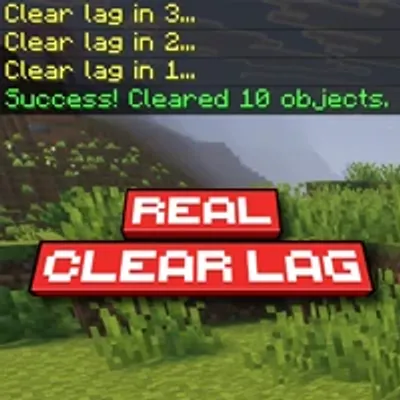
Real Clear Lag
Bedrock add-on listed for Minecraft 1.21–26.x (behavior pack only). File opened and checked on 3 Oct 2026; installs from the MC Bedrock Mods app on Android.
A simple, plug-and-play addon for automated lag reduction in Minecraft Bedrock that automatically clears dropped items, experience orbs, and stray arrows…
I don't know my version


🧹 Real Clear Lag – The Simple Auto-Cleaner Addon 🧹
Real Clear Lag (RCL) is built for quick, automated lag reduction in Minecraft Bedrock Edition. No complicated setups, no command blocks, and no UI menus—just apply the pack and let it run! The addon automatically handles the scheduled clearing of dropped items, XP orbs, and stray arrows to keep your world running smoothly. Simple, and zero hassle. ✨
🛠️ Features

A simple 3-second chat countdown followed by an instant lag sweep!
- Plug & Play: No Experimental Toggles required. Just activate and play!
- Achievement Friendly: Play without worries! This addon won't disable achievements.
- Fully Automated: Clears lag-inducing entities automatically every 20 minutes.
- Smart Countdown: Warns all players with a clean 3-second chat countdown before clearing the lag.
- Multi-Dimension Support: Seamlessly cleans up the Overworld, Nether, and The End at the same time.
- Targeted Cleaning: Specifically removes dropped items, experience orbs, and stray arrows.
- Performance Optimized: Runs strictly via the latest Minecraft Script API.
- Multiplayer Ready: Optimized for Singleplayer, Multiplayer, Realms, and Dedicated Servers.
⚙️ Technical Details
- ✅ Plug & Play: No "Experimental Toggles" required!
- ✅ Universal: Works on Singleplayer, Multiplayer, Realms, and Dedicated Servers.
- ⚙️ Behavior Only: This is a pure script-based add-on. No resource pack is needed!
📥 Quick Install
- Grab the
.mcpackfile. - Open it with Minecraft.
- Enable the Behavior Pack in your world settings.
- 🧹 Start playing lag-free!
📜 License & Credits
Creator:
- Papa Alsa | YouTube: @alsahonggo
Licensed under CC BY-NC-ND 4.0.
⚠️ Permission: Modifications, commercial use (including monetized link shorteners), and reuploads on other websites are strictly prohibited. Don't be that guy who steals other people's work.
"Less lag. More playing!"
- Edition: Minecraft Bedrock
- File type: .mcpack or .mcaddon
- Minecraft versions listed: 26.50, 26.40, 26.30
- How to install: Download the .mcpack or .mcaddon file. → Open it — Minecraft imports it. → In your world: Behavior Packs → Available → Activate, then the same under Resource Packs.
- Where to get it: Opens on CurseForge — not every file is mirrored on our own servers.
Install steps are the general flow for this file type — How to install Minecraft Bedrock addons & mods walks through it step by step.
- Save it as Real Clear Lag v1.1.0.mcaddon before opening — it downloads as .mcpack, but it is a .mcaddon pack
- Manifest requires Minecraft 1.21.100 or newer
- Complete pack — everything it depends on is inside the file
- Download size: 70 KB
- Download link checked 5 Oct 2026 — working
These come from our own check of the pack file, not from the source page.