
Tab Atelier
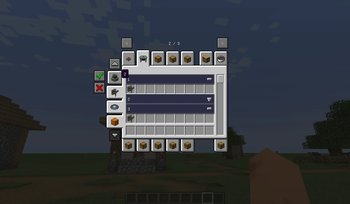
Tab Atelier is a visual editor for Minecraft Creative Mode tabs, built around Fancy Tab Sections.
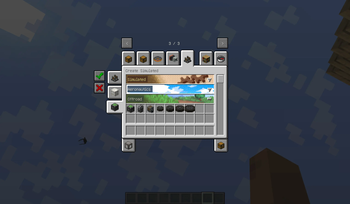
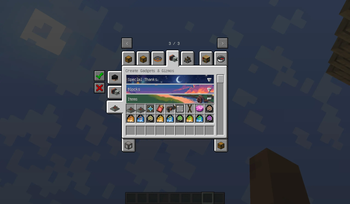
Create your own tabs, organize items into draggable sections, customize titles, colors, icons, and section backgrounds, then apply the layout directly in-game.
Features
- Create and edit custom Creative Mode tabs
- Add, remove, reorder, and populate sections with a chest-like GUI
- Edit existing mod tabs or restore their original layout
- Switch between grouped sections and a normal flat item list
- Customize tab names, tab icons, section titles, text colors, and backgrounds
- Use static or animated section background textures
- Hide unwanted Creative Mode tabs and restore them later
- Undo and redo item-layout changes
- Import another tab's items and sections into your own layout
Compatibility
- Required: Fancy Tab Sections
- Optional: Filters API
- Optional: Create Aeronautics
- Optional: Create Aeronautics: Gadgets & Gizmos
When Filters API is installed, its section buttons can control Tab Atelier sections without replacing the section-based item layout.
Usage
Press O in-game to open Tab Atelier.
Some Creative Mode tab changes may require a game restart to appear everywhere.
Quick facts
- Edition: Minecraft Java
- File type: .jar
- Minecraft version listed: 26.2
- How to install: Install the matching mod loader (Forge, Fabric or NeoForge) for your Minecraft version. → Download the .jar. → Put it in the .minecraft/mods folder and launch that loader profile.
- Where to get it: Opens on Modrinth — not every file is mirrored on our own servers.
Install steps are the general flow for this file type — How to install Minecraft Java mods & modpacks walks through it step by step.
Verified by MCModsHub
- Ships as TabAtelier-26.2-0.6.0.jar — drop this file into the mods folder
- Download size: 164 KB
- Download link checked 26 Aug 2026 — working
These come from our own check of the pack file, not from the source page.