
Sound Indicators
Java mod listed for Minecraft 26.x. Downloads from the MC Java Mods app on Android.
Adds a fortnite style sound visibilty option allowing you to see from which direction specific sounds came from including block breaks, footsteps, and…
I don't know my version or loader

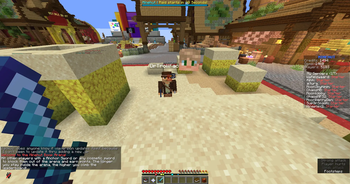

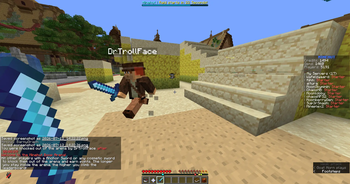
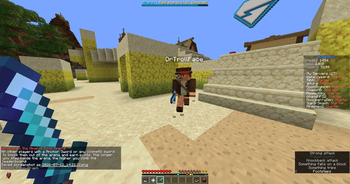
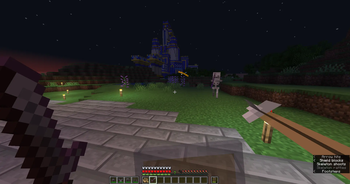
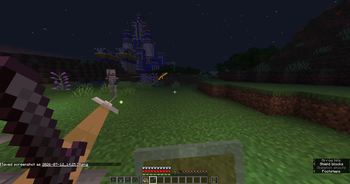
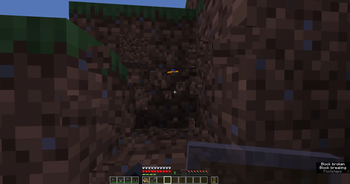
Adds fortnite style visible sound having certain sounds show around the crosshair telling you wehre they are, this includes:
- footsteps
- block breaks
- projectiles bieng shot
This is mainly a accessibility setting for those who cannot hear properly or who do not have directional headphones and is in no way designed as a unfair advantage in pvp and/or chasing other players in tunnels.
Everything is configurable in the config and textures can be changed with a texture pack. (i might release official texture packs for the mod at some point for different textures for each sound)
- Edition: Minecraft Java
- File type: .jar
- Minecraft versions listed: 26.1, 26.1.1, 26.1.2
- How to install: Install the matching mod loader (Forge, Fabric or NeoForge) for your Minecraft version. → Download the .jar. → Put it in the .minecraft/mods folder and launch that loader profile.
- Where to get it: Opens on Modrinth — not every file is mirrored on our own servers.
Install steps are the general flow for this file type — How to install Minecraft Java mods & modpacks walks through it step by step.
- Ships as soundindicators-26.1-1.0.1.jar — drop this file into the mods folder
- Download size: 26 KB
- Download link checked 6 Oct 2026 — working
These come from our own check of the pack file, not from the source page.