
Drone Logistics
Automate item hauling with flying drones. Place terminals, link a storage and a drone, then order items from another storage; the drone flies over, grabs…
⬇ Download on Modrinth
Drone Logistics
Automated item delivery between your storages using flying delivery drones. Built for Minecraft Forge 1.20.1.
Overview
Drone Logistics turns hauling resources between bases into an automated task. Instead of running chests back and forth, you build a network of terminals, attach storages and a drone to them, and order the items you need. A drone then flies to the other storage, picks up the cargo and brings it back to you.
Core parts
- Logistics Terminal. A control block where you browse your storages, place orders and collect deliveries.
- Linking Tool. Used to select a storage area (any chests and containers inside it) and to attach the storage and the drone to a terminal.
- Delivery Drone. A flying entity that physically travels from your terminal to the target storage and back.
How to play
- Craft and place terminals where you need them.
- With the Linking Tool, middle-click two blocks to mark the storage area, then Shift plus right-click a terminal to create and attach the storage.
- Right-click a drone with the Linking Tool to select it, then right-click your terminal to attach the drone.
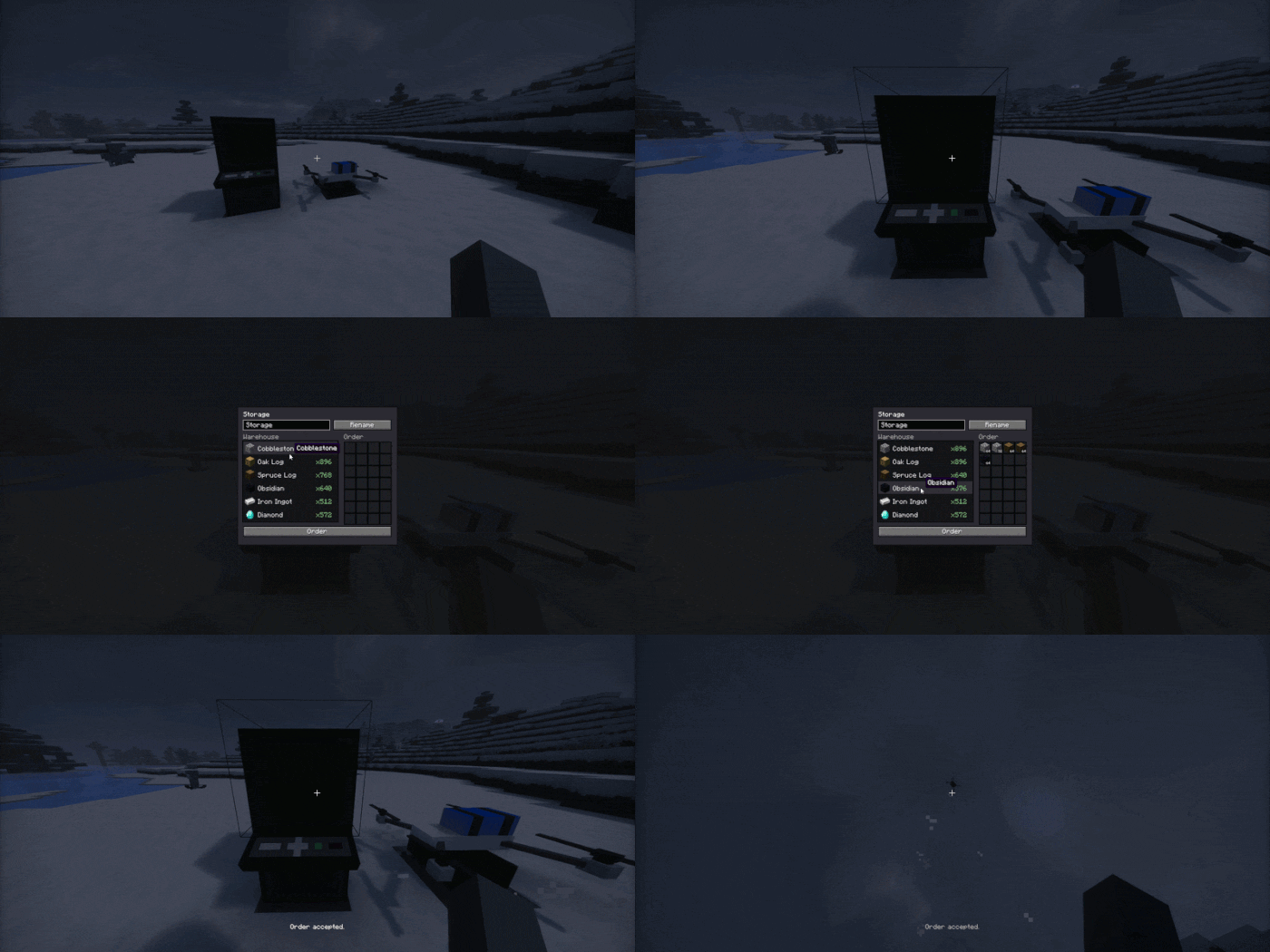
- Open the terminal, pick another of your storages, add the items you want to the order and press Order.
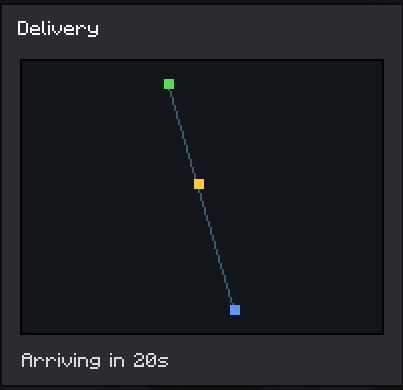
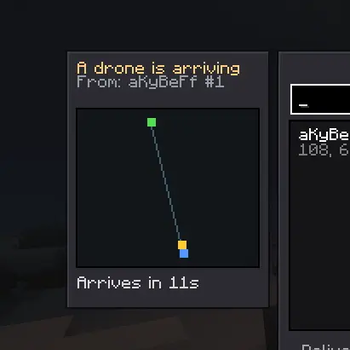
- The drone flies out, collects the cargo and brings it to your terminal buffer. You can watch the route and the arrival time on the map, and the receiving storage shows an incoming drone panel.
Anti dupe and reservation
When you place an order, the items are immediately taken out of the target storage and held by the order, so they cannot be stolen while the drone is in transit. A terminal that has an active delivery cannot be broken until the delivery finishes.
Crafting
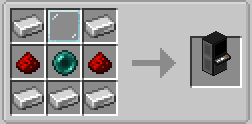
Logistics Terminal:
Linking Tool:
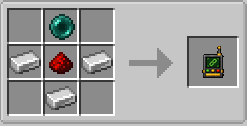
Delivery Drone:
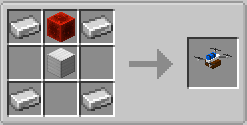
Languages
English and Russian are included.
- Edition: Minecraft Java
- File type: .jar
- Minecraft version listed: 1.21.4
- How to install: Install the matching mod loader (Forge, Fabric or NeoForge) for your Minecraft version. → Download the .jar. → Put it in the .minecraft/mods folder and launch that loader profile.
- Where to get it: Opens on Modrinth — not every file is mirrored on our own servers.
Install steps are the general flow for this file type — How to install Minecraft Java mods & modpacks walks through it step by step.
- Ships as dronelogistics-1.0.0.jar — drop this file into the mods folder
- Download size: 570 KB
- Download link checked 26 Aug 2026 — working
These come from our own check of the pack file, not from the source page.