
FunTime Auto Event
Java mod listed for Minecraft 1.21. Downloads from the MC Java Mods app on Android.
⬇ Download on Modrinth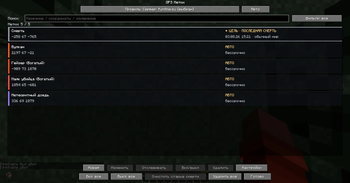
📌 FT Auto Event (GPS Markers)
A smart, automated waypoint system that tracks server events from chat messages and places temporary, floating 3D markers in your world, guiding you directly to the action!
✨ Features
- 💬 Automatic Chat Detection — Instantly parses chat messages for major server events (like Mystic Beacon, Airdrop, Meteor Shower, Volcano, etc.) and extracts their coordinates.
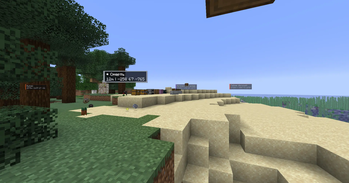
- 📍 Floating 3D Waypoints — Displays beautiful, color-coded, on-screen GPS markers directly in your field of view pointing to the active events.
- ⏱️ Lifetime Tracking — Automatic markers have a built-in timer, expiring and disappearing when the event ends to keep your screen clutter-free.
- 🎨 Color-Coded Events — Each event type is highlighted with a specific, easily recognizable color (e.g., Purple for Meteor Shower, Red for Volcano).
- 🖥️ Interactive HUD Menu — A sleek in-game UI to manage, toggle, and view your current active markers.
- 🖱️ Clickable Chat Coordinates — Any coordinates sent in chat (from the server or players) become clickable! Click on them to instantly open the "New Marker" screen with pre-filled X, Y, and Z.
- 🧹 Delete All Button — Quickly clear all your active markers with a single click in the Marker Menu.
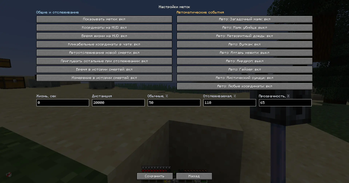
- ⚙️ Highly Customizable — Easily adjust marker scale (down to 10%), maximum render distance, and individually toggle which event types or features you want to use.
⚙️ How it works
The mod actively listens to incoming server chat messages and looks for specific coordinate patterns related to global events. Once a match is detected, it automatically creates a temporary waypoint pointing to those coordinates. The markers are rendered smoothly in the 3D world, scaling dynamically and providing you with the exact distance and direction to the event.
🛠️ Configuration & Commands
- Hotkeys: Press
G(default) to open the interactive Marker Menu. - Config: A
gpsmarkers.jsonfile is automatically generated in yourconfigfolder. Here you can tweak settings such as:showMarkers,showCoordinates,showLifetimetoggles- Toggle
Clickable Chat Coordinates maxRenderDistance(default: 20,000 blocks)markerScalePercent(from 10% to 200%)- Toggle automatic detection for specific events (e.g.,
mystic_beacon,airdrop, etc.)
🚀 Installation
- Install Fabric Loader for Minecraft 1.21.4 or 1.21.11.
- Install the necessary dependencies:
- Fabric API
📩 For questions and bug reports: Telegram / Discord — @b1nt1n
- Edition: Minecraft Java
- File type: .jar
- Minecraft version listed: 1.21.11
- How to install: Install the matching mod loader (Forge, Fabric or NeoForge) for your Minecraft version. → Download the .jar. → Put it in the .minecraft/mods folder and launch that loader profile.
- Where to get it: Opens on Modrinth — not every file is mirrored on our own servers.
Install steps are the general flow for this file type — How to install Minecraft Java mods & modpacks walks through it step by step.
- Ships as ft-auto-event-1.3.2.jar — drop this file into the mods folder
- Download size: 167 KB
- Download link checked 6 Oct 2026 — working
These come from our own check of the pack file, not from the source page.