
Camera Utils (Neoforge Port)
Java mod listed for Minecraft 1.21. Downloads from the MC Java Mods app on Android.
⬇ Download on Modrinth
THIS IS AN UNOFFICIAL MOD PORT FOR NEOFORGE!!!
Features
- Dynamic zoom
- Camera detaching
- Adjustable third person distance
- Two customizable third person perspectives
- Advanced cinematic camera controls
- Movement smoothing
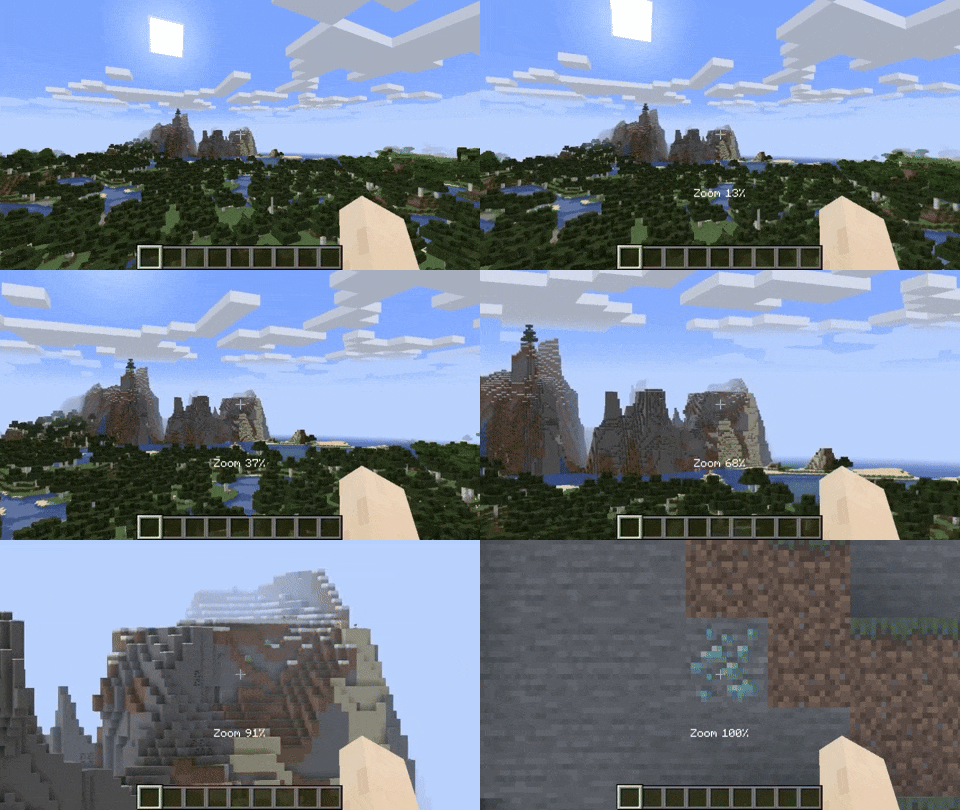
Dynamic Zoom
By default the zoom key is bound to Z. Holding the zoom key and scrolling dynamically adjusts the zoom value.
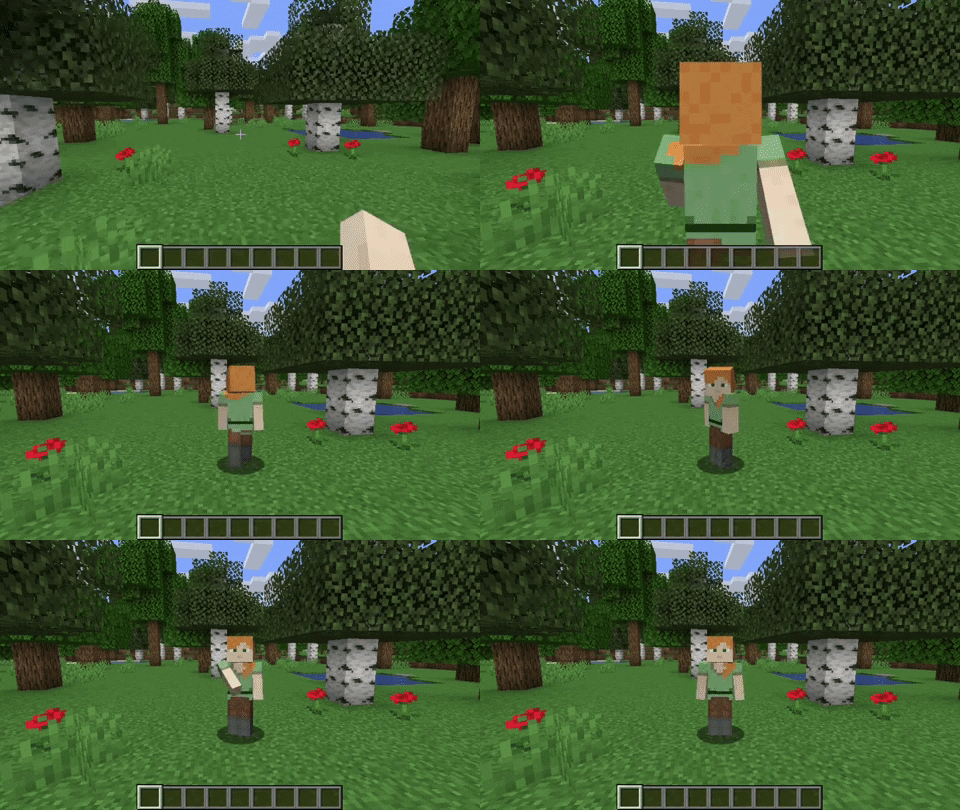
Camera Detaching
By hitting the detach camera button, the players camera is locked to the current position. You can still control the player like before, just from another point of view. By pressing RIGHT ALT in combination with the detach camera key, the camera goes back to the position, the camera was last detached.
Adjustable Third Person Distance
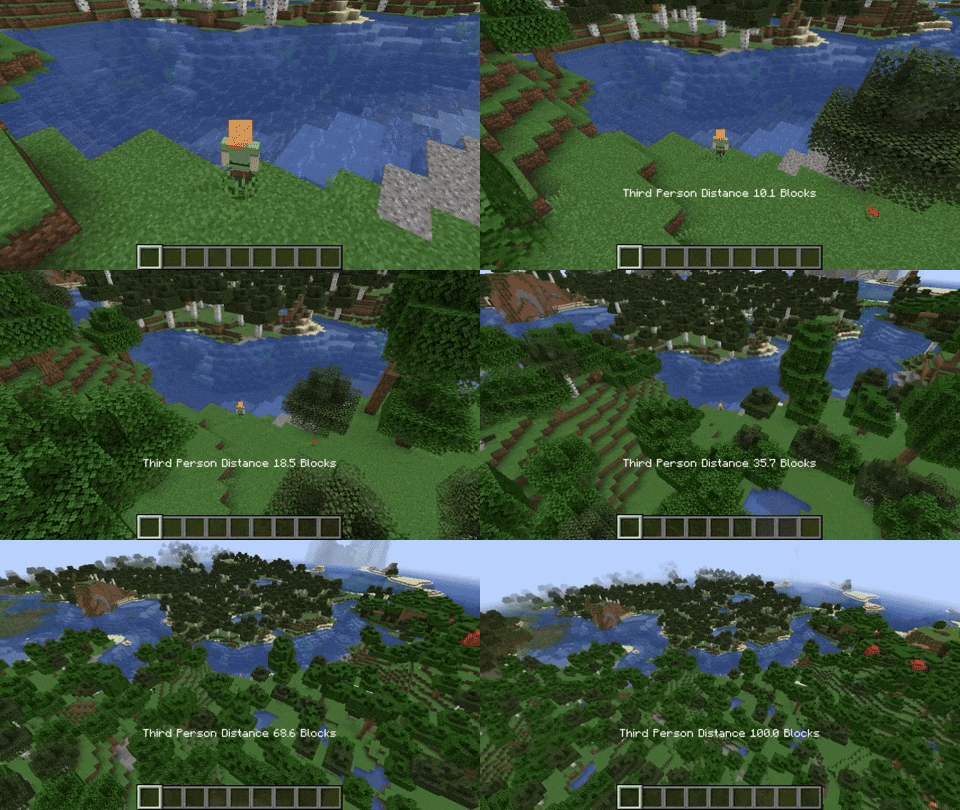
When holding the third person distance modifier in third person, you are able to scroll out up to 100 blocks away from the player.
Customizable Third Person Perspectives
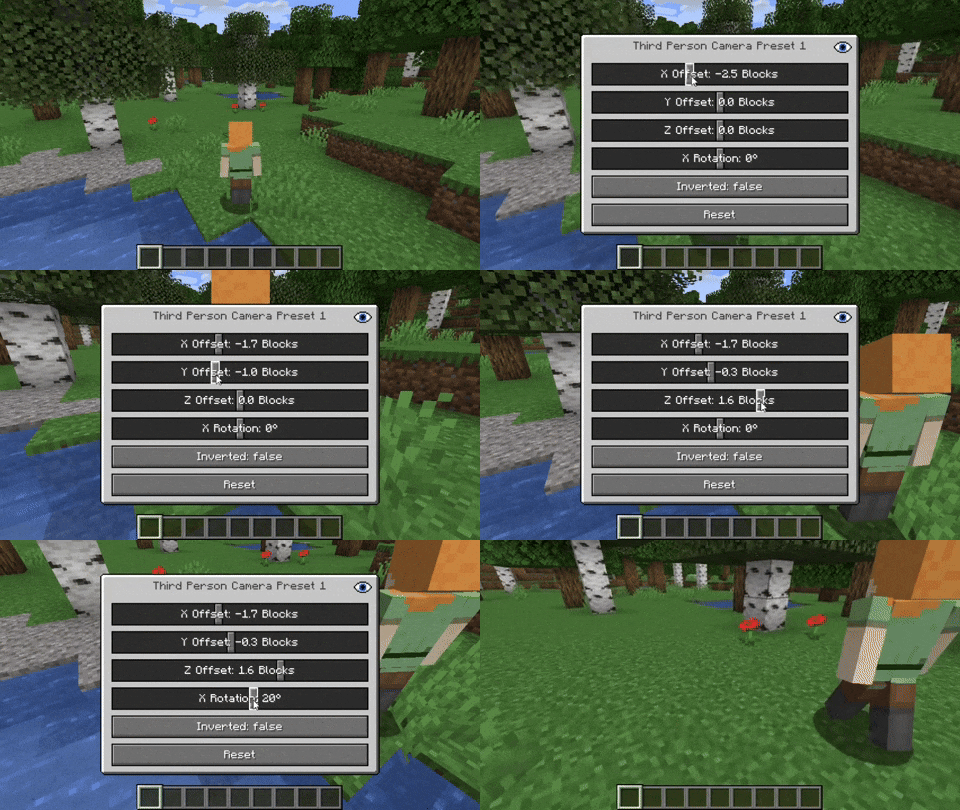
This mod allows for two custom third person perspectives. These are bound to F6 and F7 by default. These can be modified by pressing RIGHT ALT and F6 or F7 respectively.
Advanced Cinematic Camera Controls
By pressing RIGHT ALT and the cinematic camera button, you can adjust the properties of the cinematic camera.
THIS IS AN UNOFFICIAL MOD PORT FOR NEOFORGE!!!
- Edition: Minecraft Java
- File type: .jar
- Minecraft version listed: 1.21.1
- How to install: Install the matching mod loader (Forge, Fabric or NeoForge) for your Minecraft version. → Download the .jar. → Put it in the .minecraft/mods folder and launch that loader profile.
- Where to get it: Opens on Modrinth — not every file is mirrored on our own servers.
Install steps are the general flow for this file type — How to install Minecraft Java mods & modpacks walks through it step by step.
- Ships as camerautils-0.4.7.jar — drop this file into the mods folder
- Download size: 105 KB
- Download link checked 6 Oct 2026 — working
These come from our own check of the pack file, not from the source page.