
SlotStacked
Java mod listed for Minecraft 1.21. Downloads from the MC Java Mods app on Android.
SlotStacked adds a Half-Life-inspired inventory HUD that lets you hold a hotbar number key to reveal and swap items from the three inventory rows directly…
⬇ Download on ModrinthSlotStacked

SlotStacked transforms your hotbar into a vertical inventory system heavily inspired by Half-Life's weapon selection. Hold any hotbar number key for a configurable delay, and a column of three inventory slots will appear above it, displaying the items directly above that hotbar position. Use arrow keys (or scroll wheel, your choice) to highlight slots in the column, then release the key to instantly swap the highlighted item into your hotbar.
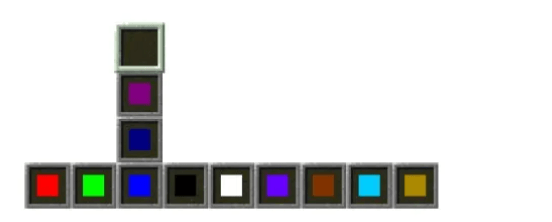
The mod is entirely client-side.
Using Cloth Config, you can choose to navigate inventory columns using either the mouse scroll wheel or keyboard keys. If you select the keyboard option, the keybinds can be customized in the Controls menu.
You can also configure the delay before the inventory slot column appears
Huge credit to William48822 for the idea.
- Edition: Minecraft Java
- File type: .jar
- Minecraft version listed: 1.21.1
- How to install: Install the matching mod loader (Forge, Fabric or NeoForge) for your Minecraft version. → Download the .jar. → Put it in the .minecraft/mods folder and launch that loader profile.
- Where to get it: Opens on Modrinth — not every file is mirrored on our own servers.
Install steps are the general flow for this file type — How to install Minecraft Java mods & modpacks walks through it step by step.
- Ships as halflife-hud-neoforge-1.2.0.jar — drop this file into the mods folder
- Download size: 20 KB
- Download link checked 7 Oct 2026 — working
These come from our own check of the pack file, not from the source page.