
Finger Pointer
A useful cosmetic mod that allows you to quickly point out distant blocks to your friends using an animated 3D finger.
⬇ Download on Modrinth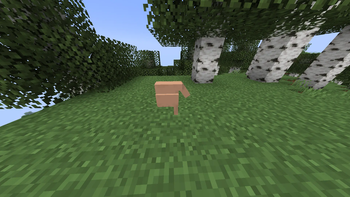
Are you playing with friends and tired of trying to explain exactly where that ore, chest, or dungeon is? This mod solves your problem! Now you can literally point your finger at any spot in the world. How it works: Aim at any block (the mod works at a massive distance—up to 100 blocks away). Press and hold the Middle Mouse Button (MMB)—a smooth 3D animation of a giant pointing finger will instantly appear at that spot, visible to all players on the server. Release the mouse wheel—and the pointer disappears immediately, keeping the world clean.
- Edition: Minecraft Java
- File type: .jar
- Minecraft versions listed: 1.20.1, 1.20.2, 1.20.3
- How to install: Install the matching mod loader (Forge, Fabric or NeoForge) for your Minecraft version. → Download the .jar. → Put it in the .minecraft/mods folder and launch that loader profile.
- Where to get it: Opens on Modrinth — not every file is mirrored on our own servers.
Install steps are the general flow for this file type — How to install Minecraft Java mods & modpacks walks through it step by step.
- Ships as fingerpoint-1.0.0.jar — drop this file into the mods folder
- Download size: 26 KB
- Download link checked 27 Aug 2026 — working
These come from our own check of the pack file, not from the source page.