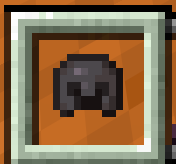
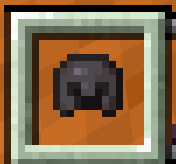

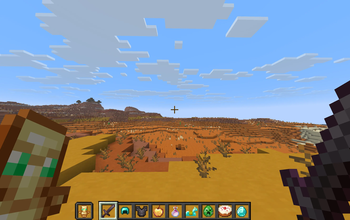
Transparent Vanilla Hotbar is a tiny UI resource pack that makes hotbar slots transparent, leaving only a clean frame around them.
It helps you see more of the world while keeping the vanilla-style borders and support the "Default Dark Mode" resource pack.
If your are using "Default Dark Mode" Resource Packs, please move my resource pack "Transparent Vanilla Hotbar" above it, Otherwise, it won't work.
Features:
• Turns hotbar slots into clear, see‑through frames
• Keeps the original gray border so the slot layout is still easy to read
• Nice for minimal UIs, screenshots, and players who like a cleaner screen
• Very lightweight: only edits the slot textures, no gameplay changes
License / Permissions:
•The Hotbar texture in this pack is my own edit of the vanilla asset.
•Do not re‑upload this pack to other sites.
•You may use it in videos or modpacks; a credit link is appreciated but not required.
- Edition: Minecraft Java
- File type: .zip (resource pack)
- Minecraft version listed: 26.2
- How to install: Download the .zip resource pack — do not unzip it. → Put it in .minecraft/resourcepacks. → Enable it in Options → Resource Packs.
- Where to get it: Opens on Modrinth — not every file is mirrored on our own servers.
Install steps are the general flow for this file type — How to install Minecraft Java resource packs walks through it step by step.
- Downloads as Transparent_Vanilla_Hotbar_DARK_.zip
- Download size: 239 KB
- Download link checked 17 Sept 2026 — working
These come from our own check of the pack file, not from the source page.