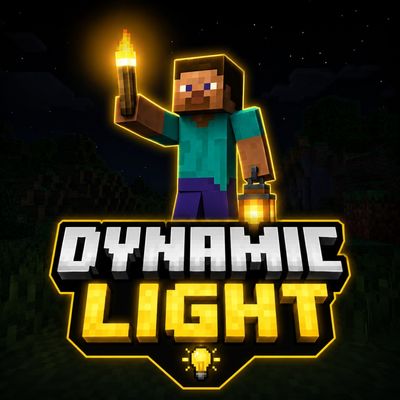
DYNAMIC LIGHT BY BAKU
Dynamic Light adds moving light around your player while holding torches, lanterns, and other glowing items. Supports main hand and off-hand for a…
⬇ Download on CurseForge

🔥 Dynamic Light – Moving Light in Minecraft Bedrock
Explore dark caves, forests, mines, and underground structures without constantly placing torches. Dynamic Light creates a moving light source around the player whenever a supported glowing item is held.
The light follows your movement automatically, helping you see nearby blocks, ores, mobs, and pathways while keeping the experience simple and natural.
✨ Main Features
- 🔥 Moving light that follows the player.
- 🖐️ Supports items held in the main hand.
- 🤚 Supports compatible items held in the off-hand.
- 🌙 Useful during nighttime exploration.
- ⛏️ Makes cave mining easier and more comfortable.
- 💡 Light automatically disappears when the glowing item is removed.
- 🎮 Designed for Survival and Creative gameplay.
- 👥 Supports multiple players using glowing items.
🏮 Supported Light Items
- 🔥 Torch
- 🔵 Soul Torch
- 🏮 Lantern
- 💙 Soul Lantern
- 🟨 Glowstone
- 🌊 Sea Lantern
- 🍄 Shroomlight
- 🐸 Froglights
- 🎃 Jack o’Lantern
- 🪣 Lava Bucket
- 🫐 Glow Berries
- 🔦 End Rod
- 🌟 Beacon
- ✨ Additional glowing items
⚙️ How It Works
Simply hold a supported glowing item in your hand. The addon detects the item and creates an invisible light source near your position. As you move, the light also moves with you.
When you switch to another item or remove the glowing item, the temporary light source is automatically cleared.
📥 Installation
- Download the .mcaddon or .mcpack file.
- Open the downloaded file using Minecraft.
- Wait for the pack import to finish.
- Create a new world or edit an existing world.
- Activate the pack from the Behavior Packs section.
- Enter the world and hold a supported glowing item.
⚠️ Important Information
- This addon uses script-based functionality to create moving light.
- Keep the pack enabled while playing.
- Performance may depend on the device and the number of players using dynamic light.
- Do not combine it with other addons that frequently replace blocks around the player.
- Back up important worlds before testing new addons.
🎯 Recommended For
- ⛏️ Cave exploration
- 💎 Mining adventures
- 🌙 Night survival
- 🏰 Dark structures
- 🧟 Mob hunting
- 🗺️ Adventure maps
Dynamic Light makes Minecraft exploration brighter, smoother, and more convenient without requiring you to place a torch every few blocks.
Created by BakuTheBuilder
- Edition: Minecraft Bedrock
- File type: .mcpack or .mcaddon
- Minecraft versions listed: 26.10, 26.11, 26.12
- How to install: Download the .mcpack or .mcaddon file. → Open it — Minecraft imports it. → In your world: Behavior Packs → Available → Activate, then the same under Resource Packs.
- Where to get it: Opens on CurseForge — not every file is mirrored on our own servers.
Install steps are the general flow for this file type — How to install Minecraft Bedrock addons & mods walks through it step by step.
- Pack type: .mcaddon — behaviour and resource pack in one file
- Manifest requires Minecraft 1.21.100 or newer
- Complete pack — everything it depends on is inside the file
- Download size: 153 KB
- Download link checked 27 Aug 2026 — working
These come from our own check of the pack file, not from the source page.