AddonsBedrock
TC Item Pickup Notice – Loot Notifications
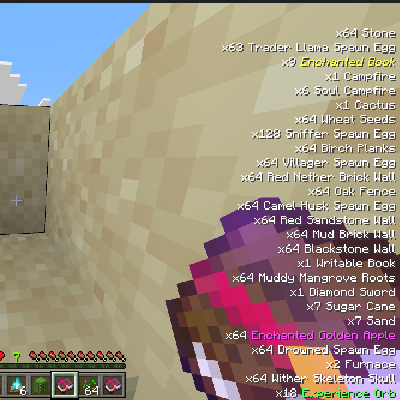
Adds clean, RPG-style pickup notifications that slide into the bottom-right corner, letting you see collected items at a glance.
⬇ Download on CurseForge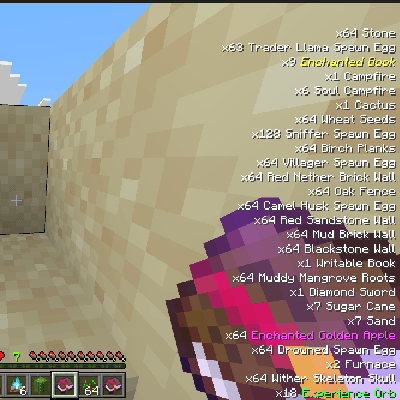
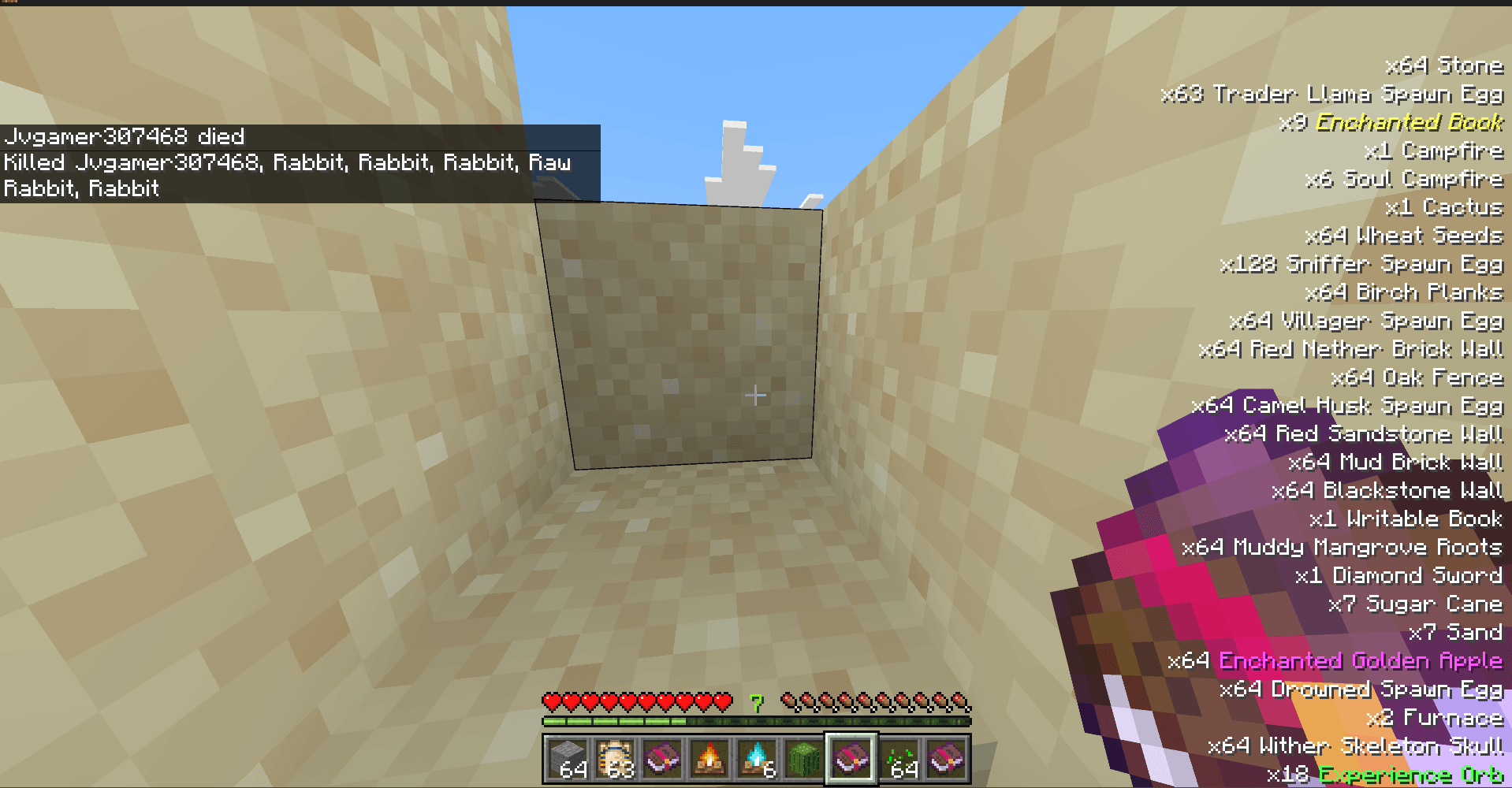
- RPG-Style Notifications: Get a beautiful popup showing the name and exact quantity of every item you obtain.
- Works with Everything: The popup appears not just when picking items off the ground, but also when you loot chests, craft items, trade with villagers, or receive items via commands!
- Color-Coded Rarity: Important items (like Enchanted Books, Diamond Gear, or Boss Drops) are highlighted with special colors so they stand out instantly.
- Smart Stacking: Picks up 64 cobblestone at once? The UI smoothly updates to show "x64" instead of spamming your screen.
- Clean & Unobtrusive: The UI stays neatly tucked in the corner and won't block your crosshair or interrupt your gameplay. It also perfectly co-exists with server
/titleannouncements!
Quick facts
- Edition: Minecraft Bedrock
- File type: .mcpack or .mcaddon
- Minecraft versions listed: 1.21.130, 1.21.131, 1.21.132
- How to install: Download the .mcpack or .mcaddon file. → Open it — Minecraft imports it. → In your world: Behavior Packs → Available → Activate, then the same under Resource Packs.
- Where to get it: Opens on CurseForge — not every file is mirrored on our own servers.
Install steps are the general flow for this file type — How to install Minecraft Bedrock addons & mods walks through it step by step.
Verified by MCModsHub
- Pack type: .mcaddon — behaviour and resource pack in one file
- Download size: 1017 KB
- Download link checked 27 Aug 2026 — working
These come from our own check of the pack file, not from the source page.