
Dziobakowsky Pack - Ores
Java mod listed for Minecraft 26.x. Downloads from the MC Java Mods app on Android.
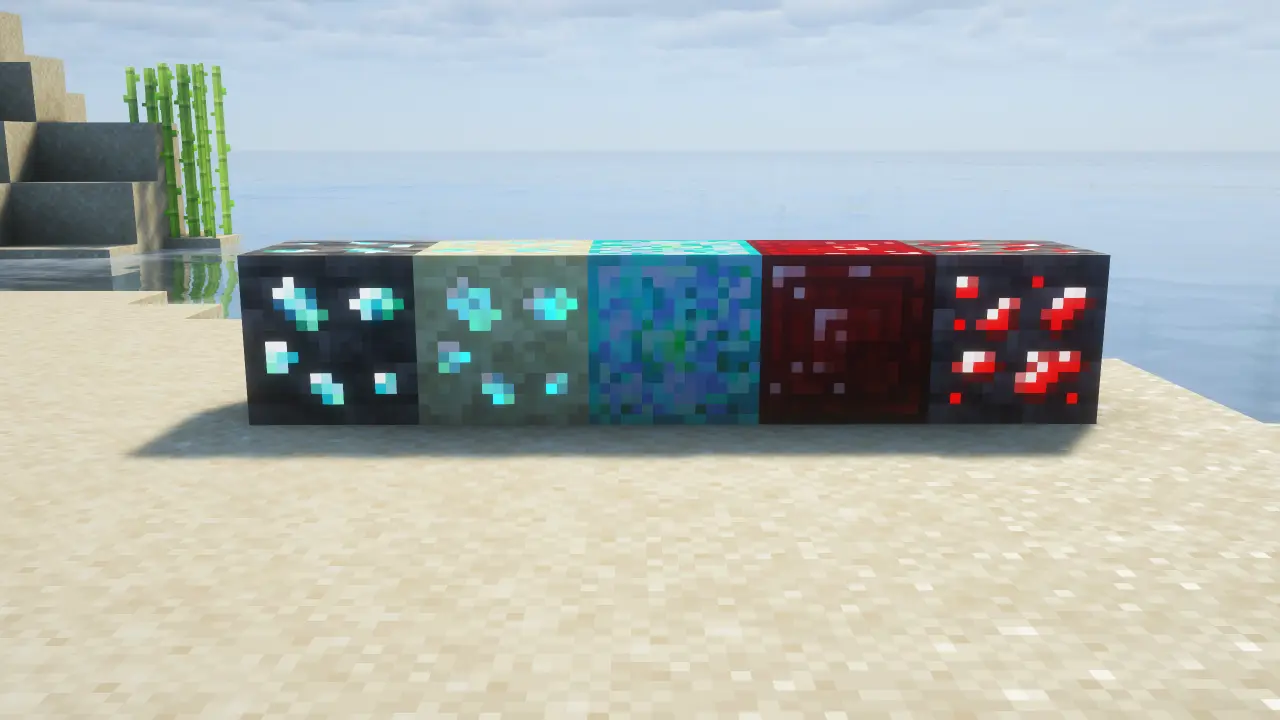
This mod add 2 new ores to add depth to the game.Ruby and Opal.Ruby is golden with better durability and Opal is better than Netherite.
⬇ Download on Modrinth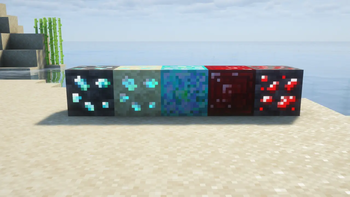
💎 Dziobakowsky Pack - Ores
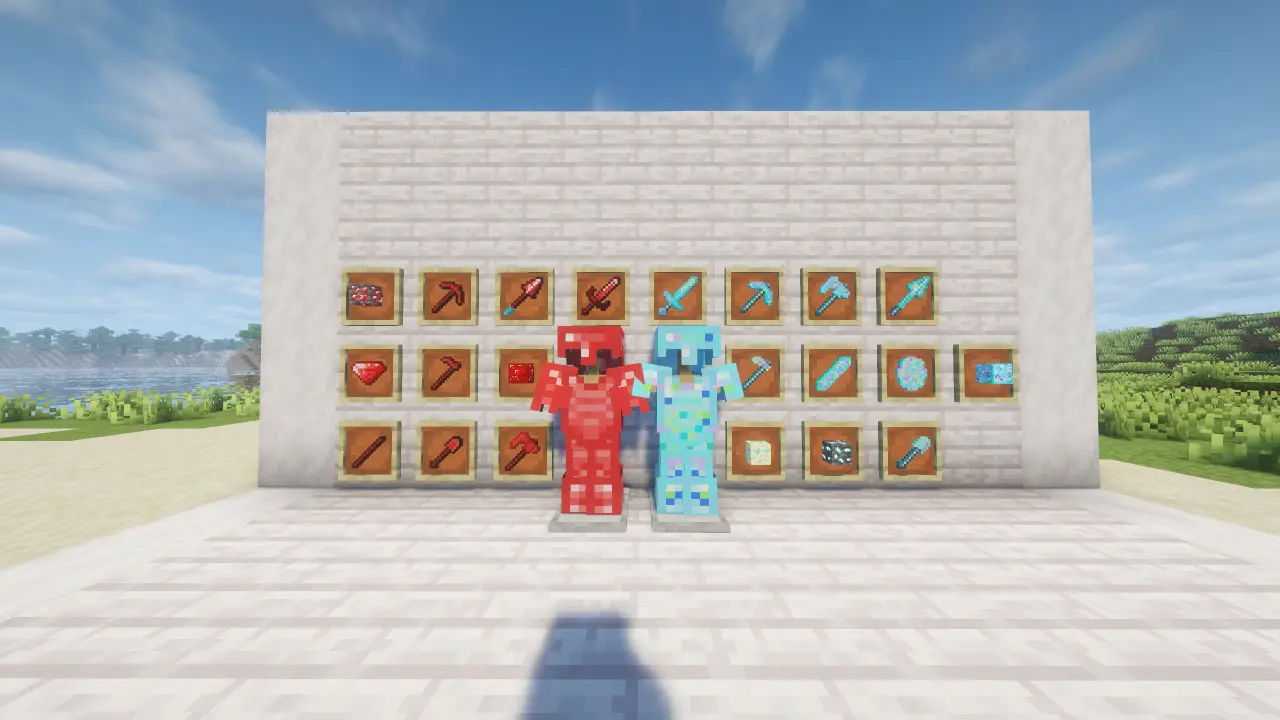
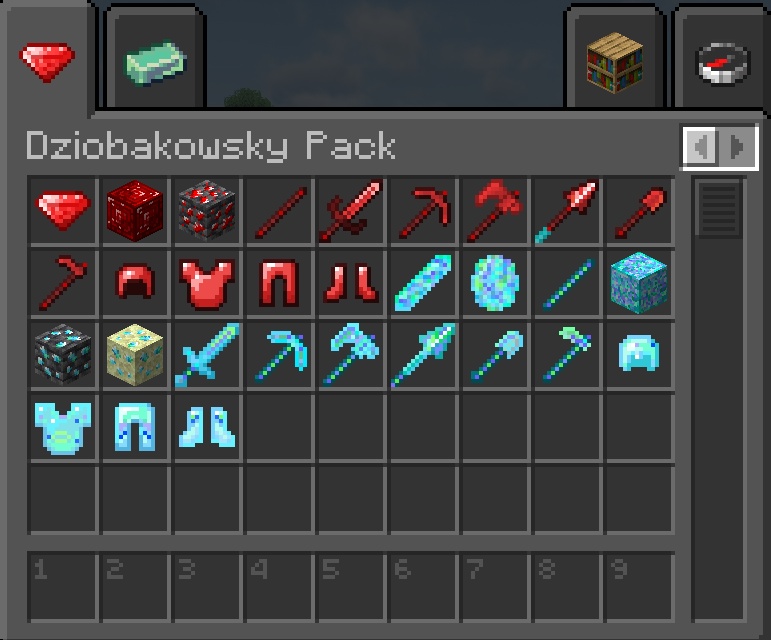
Welcome to Dziobakowsky Pack - Ores! This mod introduces two unique, fully-fleshed-out end-game materials to enhance your survival experience, complete with full armor sets, tools, and custom world generation.
✨ Features
🔴 Ruby: A high-speed, tier-based material. It sits right between Iron and Diamond in terms of durability but features incredible mining speed and tool efficiency. Perfect for fast-paced players!
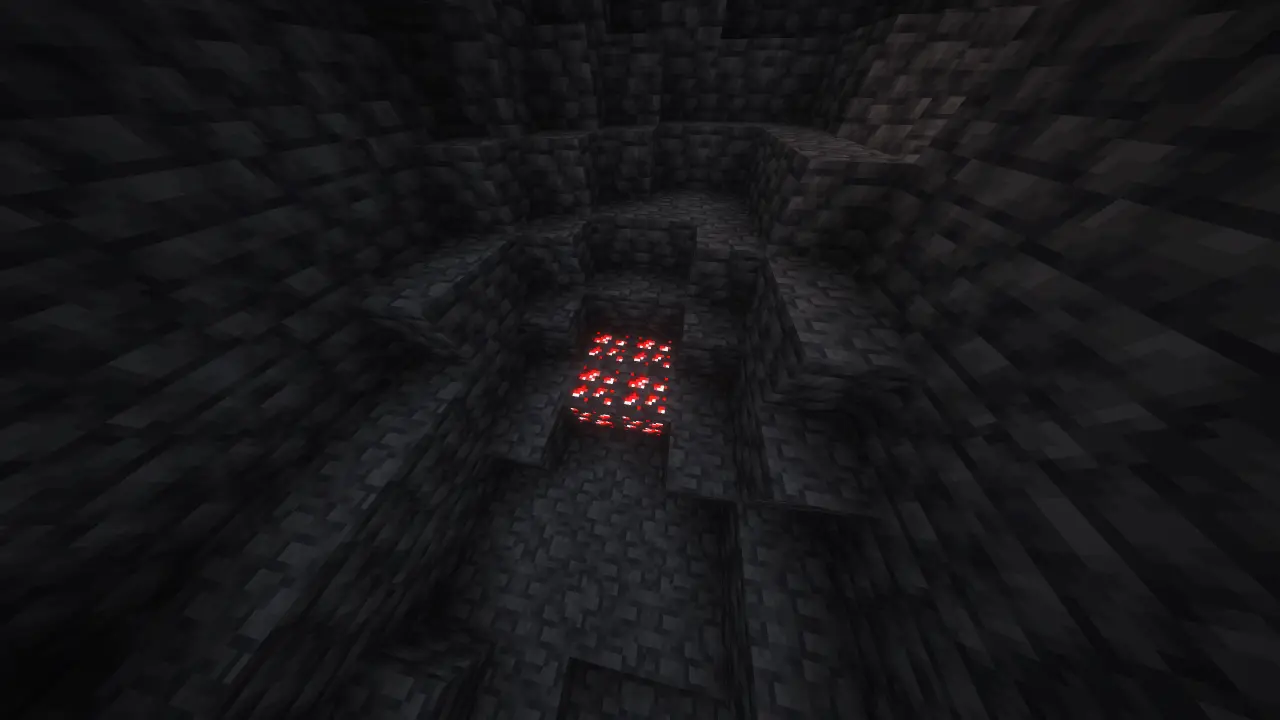
Ruby Ore generates between level y: 0 -> -64 and drop Ruby
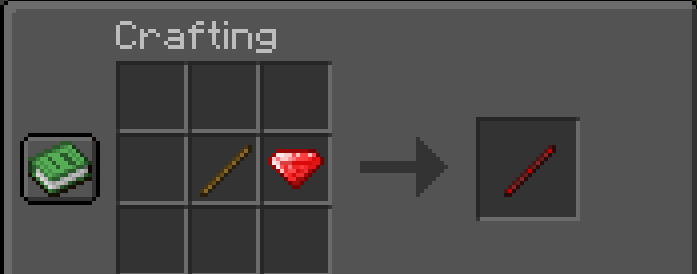
Here's how to craft new Ruby Stick
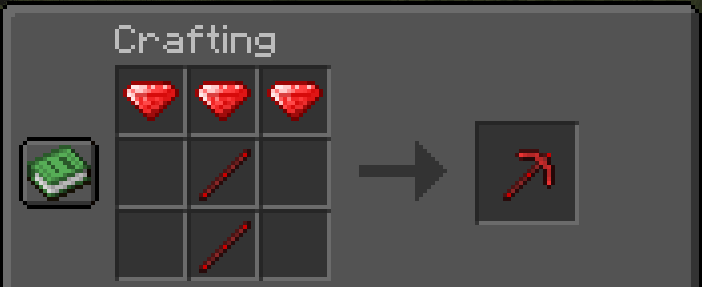
Here's how to craft new Ruby Pickaxe and other tools etc.
🔵 Opal: A magnificent, neon-glowing end-game material that surpasses Netherite. It features extreme durability, powerful stats, and deepslate ore generation to bring fresh depth and excitement back to your mining trips.
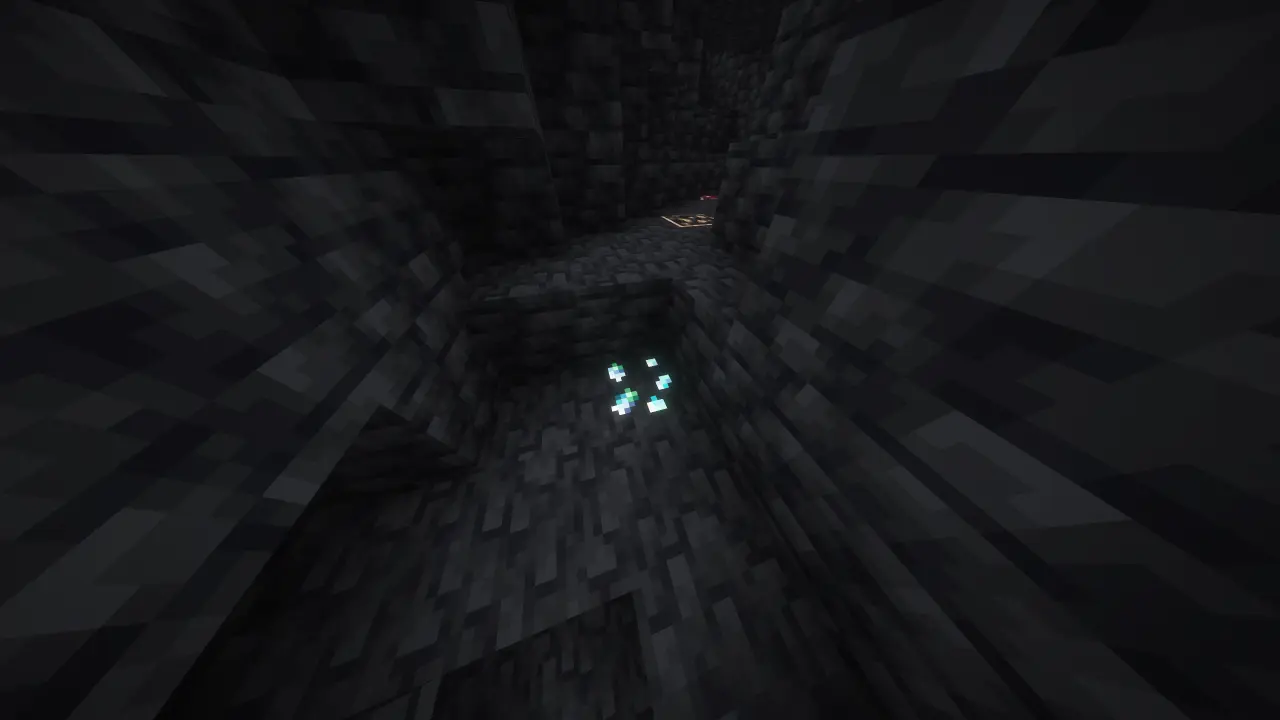
Overworld: Opal Ore generates between level y: -32 -> -64 and drop Opal Shard
End: Opal Ore generates between level y: 100 -> 0 and drop Opal
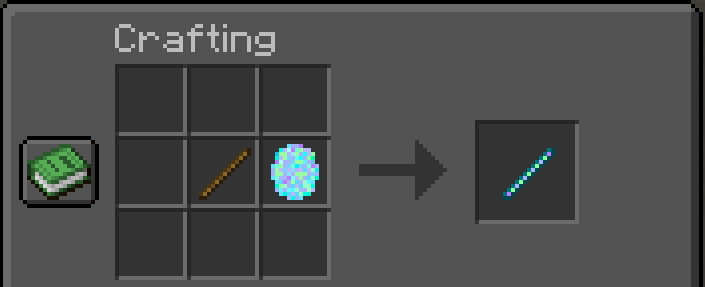
Here's how to craft new Opal Stick
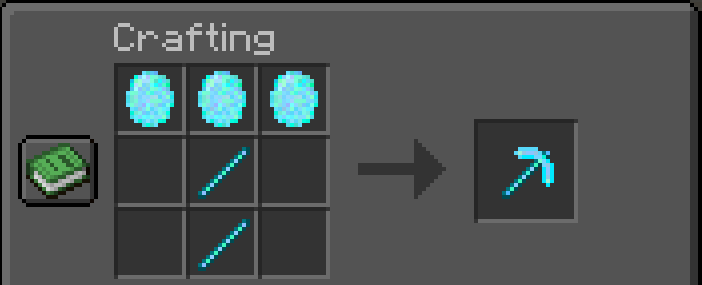
Here's how to craft new Opal Pickaxe and other tools etc.
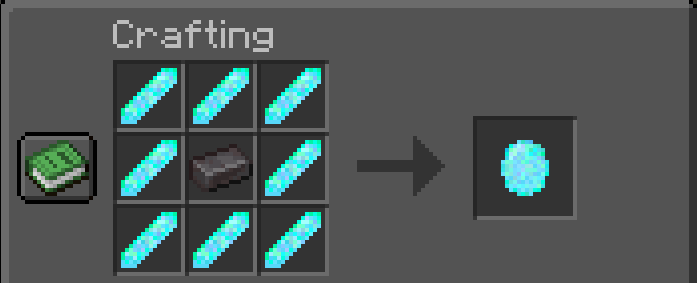
Here's how to craft new Opal Shard
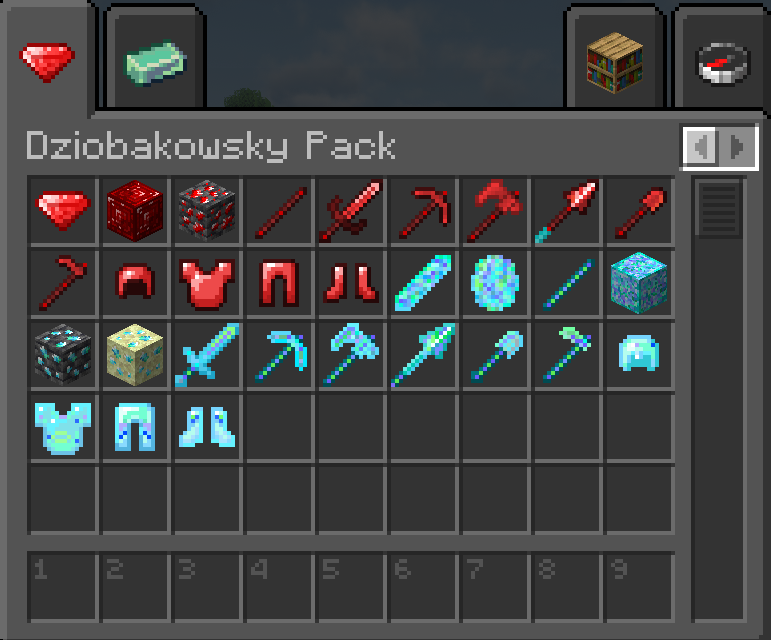
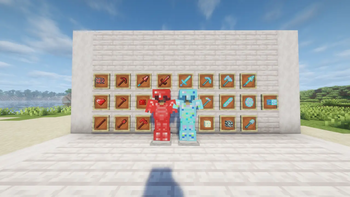
🛡️ What's Included?
For both Ruby and Opal, you will find:
Full Sets of Armor (Helmet, Chestplate, Leggings, Boots)
Complete Toolsets (Sword, Pickaxe, Axe, Shovel, Hoe)
Custom Blocks,new sticks for both ores.
 !
!
⚙️ Requirements
Mod Loader: Fabric
Glowing ores support
This mod supports glowing ores on Complementary Shaders.
Go to Complementary Shaders .zip file
Open "shaders" folder
Open "block.properties" file
Search for: "block.10024="
Put this:
block.10024=dziobakowsky_pack:deepslate_ruby_ore dziobakowsky_pack:deepslate_opal_ore dziobakowsky_pack:endstone_opal_ore
- Save and turn on glowing ores in shaders settings.
Only checked Complementary
Dependency: Fabric API (Required)
- Edition: Minecraft Java
- File type: .jar
- Minecraft versions listed: 26.1, 26.1.1, 26.1.2
- How to install: Install the matching mod loader (Forge, Fabric or NeoForge) for your Minecraft version. → Download the .jar. → Put it in the .minecraft/mods folder and launch that loader profile.
- Where to get it: Opens on Modrinth — not every file is mirrored on our own servers.
Install steps are the general flow for this file type — How to install Minecraft Java mods & modpacks walks through it step by step.
- Ships as dziobakowsky_pack-1.0.0.jar — drop this file into the mods folder
- Download size: 166 KB
- Download link checked 8 Oct 2026 — working
These come from our own check of the pack file, not from the source page.