
Tinu's PvP Pack
A clean PvP resource pack for Minecraft 1.21.11 that refreshes combat textures while keeping the vanilla style. Features improved swords, armor, bows, end…
⬇ Download on Modrinth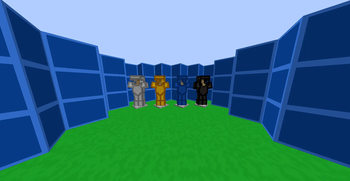
Tinu's PvP Pack
Made for Minecraft 1.21.11
Tinu's PvP Pack is a clean, modern resource pack made for players who want a better PvP experience without completely changing Minecraft's vanilla look. It improves the appearance of many PvP-related items and blocks while keeping the game familiar and easy to play.
Whether you're playing Crystal PvP, Sword PvP, Survival, or on SMPs, this pack is designed to make combat feel cleaner and more enjoyable.
Why use this pack?
- 🎯 Improves visibility during PvP.
- ⚡ Keeps the vanilla style while refreshing important textures.
- 🛡️ Makes combat items easier to recognize.
- 💎 Gives PvP essentials a cleaner and more modern appearance.
- 🎮 Works well for both competitive and casual players.
- 📦 Lightweight and easy to use with no gameplay changes.
Features
- ⚔️ Custom PvP sword textures
- 🛡️ Updated armor textures
- 🍎 Improved Golden Apple texture
- 💎 Custom End Crystal texture
- 🏹 Enhanced Bow textures
- 🔨 Custom Mace model and texture
- 🌿 Cleaner grass textures
- 🧶 Refreshed wool colors for better visibility
- 🎉 Custom splash texts
- ✨ Various visual improvements throughout the pack
Installation
- Download the resource pack.
- Open Minecraft.
- Go to Options → Resource Packs.
- Move Tinu's PvP Pack into the enabled packs list.
- Click Done and enjoy!
Notes
This resource pack only changes textures, models, and other visual assets. It does not modify gameplay, provide cheats, or require any mods. It is compatible with vanilla Minecraft and can also be used alongside most client-side performance mods.
If you enjoy the pack, consider leaving a like and following the project for future updates!
- Edition: Minecraft Java
- File type: .zip (resource pack)
- Minecraft version listed: 1.21.11
- How to install: Download the .zip resource pack — do not unzip it. → Put it in .minecraft/resourcepacks. → Enable it in Options → Resource Packs.
- Where to get it: Opens on Modrinth — not every file is mirrored on our own servers.
Install steps are the general flow for this file type — How to install Minecraft Java resource packs walks through it step by step.
- Downloads as Tinu's PvP PACK.zip
- Download size: 2.4 MB
- Download link checked 28 Aug 2026 — working
These come from our own check of the pack file, not from the source page.