
Hordium
Fully datapack-driven raids of the undead (or anything else) — no Java required.
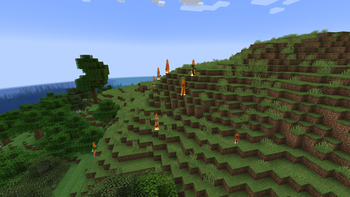
Hordium adds a custom raid system where configurable waves of mobs appear near players, either randomly or through commands. Every raid is defined entirely in JSON, allowing modpack authors to create new raids without writing code or rebuilding the mod.
Features
- Fully datapack-driven raids
- Weighted random raid selection
- Random wave variants for replayability
- Multiple independent spawn groups per wave
- Full entity NBT support (equipment, attributes, enchantments, passengers, custom data)
- Flexible trigger conditions (dimension, biome, weather, moon phase, in-game day, and more)
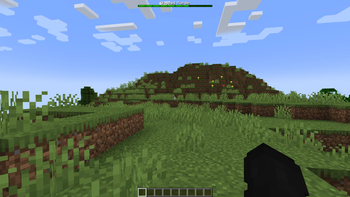
- Vanilla-style boss bar with wave progress and remaining attackers
- Sound cues and glow effects for wave starts and checkpoints
- Automatic raid expiration and cleanup
- Highly configurable global settings
- Built-in commands for starting, stopping, listing, and debugging raids
- English and Russian localization
Commands
/hordium list— list all loaded raids/hordium start <raid> [player]— start a raid near a player/hordium why <raid>— display why a raid can or cannot trigger/hordium stop— stop the nearest active raid
For Datapack Authors
Creating a new raid is as simple as adding a JSON file to:
data/<namespace>/custom_raids/
Each raid can define:
- Display name
- Spawn radius
- Boss bar color
- Weight
- Allowed dimensions
- Loot table
- Trigger conditions
- Multiple waves
- Random wave variants
- Spawn groups
- Fully customized entities using vanilla NBT
The mod includes an example Undead Horde raid as a starting point.
Requirements
- Minecraft 1.21.1
- NeoForge
Compatibility
Hordium uses standard vanilla entity NBT, attributes, and AI without modifying other mods' mobs, making it compatible with virtually any mod that adds entities, weapons, armor, or equipment.
- Edition: Minecraft Java
- File type: .jar
- Minecraft version listed: 1.21.1
- How to install: Install the matching mod loader (Forge, Fabric or NeoForge) for your Minecraft version. → Download the .jar. → Put it in the .minecraft/mods folder and launch that loader profile.
- Where to get it: Opens on Modrinth — not every file is mirrored on our own servers.
Install steps are the general flow for this file type — How to install Minecraft Java mods & modpacks walks through it step by step.
- Ships as hordium-1.0.3.jar — drop this file into the mods folder
- Download size: 71 KB
- Download link checked 29 Aug 2026 — working
These come from our own check of the pack file, not from the source page.