
Flashlight: Shader Light Engine
Java mod listed for Minecraft 26.x. File opened and checked on 2 Oct 2026; downloads from the MC Java Mods app on Android.
Handheld flashlight and work lantern with real dynamic lighting: a shader-driven beam that casts true shadows from actual block shapes, zooms with the…
⬇ Download on Modrinth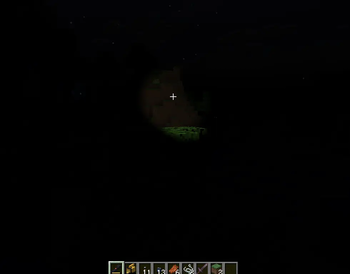
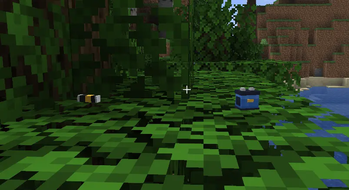
A real flashlight for Minecraft. Smooth beam, honest shadows, blinding glare.
Every flashlight mod does the same trick: invisible light blocks chasing your crosshair, chunky relights, light leaking through walls. Flashlight: Shader Light Engine doesn't. The beam is computed inside the game's own shaders — a smooth cone that updates every frame, stops at walls, casts real shadows from real block shapes, and blinds anyone who looks into the lens. Built as the companion to Enhanced Darkness: in its pitch black you'll need one.
Two lights, two jobs
| Flashlight | Work Lantern | |
|---|---|---|
| Role | cheap all-rounder | expensive floodlight |
| Beam | scroll to focus the lens: wide 25-block flood to a razor-thin 110-block spot | fixed wall of light, 55 blocks |
| Power | AA battery — 30 min | battery pack — 45 min |
| Recipe | iron + redstone + glass | gold, iron, redstone block |
| Loot | villages (+ AA batteries) | dungeons, mineshafts, strongholds (+ battery packs) |
- Right-click — on/off. R — slam a fresh battery in, gun-reload style, with a chest-pull animation.
- Mouse wheel (flashlight on, either hand) — zoom the lens. Every click of the wheel changes the width by the same factor, so the whole travel is useful.
- Batteries are consumables. Below 20% charge the beam visibly dies — reload or walk in the dark.
The beam is shaped like a real one
Not a flat disc of light. A bright hotspot from the reflector sits inside a wide, faint corona bounded by the bezel — exactly what a real torch throws on a wall.
Zooming in narrows the hotspot and steals light from the corona, because that is what a zoom head physically does; the corona barely changes width, because its width is set by the bezel, not the lens. At full zoom the centre is intense and collapses within a few degrees, then a long shelf of faint light runs out to the edge. At minimum zoom the shape matches the work lantern.
Brightness falls off with distance as inverse-square, modelling a virtual source behind the reflector — so the light fades smoothly along the whole beam instead of holding up and then cutting off.
Real shadows
Terrain is re-rendered from the flashlight's point of view into a depth atlas, so shadows follow the actual geometry: a slab casts a slab, stairs cast stairs, leaves cast a dappled mess. Reaches 64 blocks. Soft edges come from a rotated blur kernel — a kernel aligned to the texture axes would read as a staircase, because Minecraft walls are axis-aligned too. Entities cast sharp capsule silhouettes, and the beam dissolves the vanilla shadow circles it hits.
With Sodium installed, shadow maps are not possible. Sodium renders terrain with its own programs and never fills the vanilla draw list, so there is nothing to re-render from the light's point of view. Instead the beam is occluded by a bit-packed half-block voxel grid, 64 blocks across, ray-marched per pixel. Coarser and shorter-ranged than the shadow atlas — but it is real occlusion, and it costs Sodium nothing.
Night ops
- Night Vision Goggles — worn on the head, toggled with G. A real image-intensifier tube: ~3 s warm-up synced to the power-on sound, and a picture that visibly breaks into pixels. Edge sharpening draws a hard rim exactly one tube-cell wide around every silhouette, so the low resolution is obvious the moment you put them on — not something you have to squint for. Plus scanlines, sensor grain that thickens as the battery dies, bloom around hot spots, and honest overexposure: daylight, torches or a flashlight beam burn out to pale green per-pixel. Runs 30 min on an AA battery, hot-swapped with the same key. Craft-only — no loot.
- Signal Flare — hold right-click to wind up, release to throw in an arc (~35 blocks). Lands, burns for 60 s with a flickering red point light from the same engine and a column of red smoke. Single-use, can't be extinguished.
- Sounds — flashlight click, lens zoom, NVG on/off whine, the low hum of a running work lantern. Subtitled (en/ru).
Settings
ModMenu → gear, or config/flashlight.json. Three tabs — Shadows, Beam, Night vision — and every slider applies while you drag it, so you can tune the light while standing in it. Shadow resolution is the one exception: it sizes a GPU texture, so it takes effect on the next world join.
The engine
No light blocks. No chunk relights. The cone is computed inside the game's core shaders — terrain, entities, dropped items, particles and even vanilla mob shadow blobs are cloned on the fly with the beam math injected.
- Instant — the light moves the frame you move, with a subtle hand-lag inertia like a real torch.
- Honest — light is
albedo × cone: real textures, real colours, zero noise, works in absolute darkness. - Multiplayer-native — up to 128 sources at once, with no per-chunk cap: pile as many flares in one spot as you like and they all light. Everyone sees everyone's light, zoom level included.
- Blinding — glare is physics, not a sprite: its strength equals the actual cone intensity at your eyes, traced past blocks and mobs. Look into a lens up close and the screen whites out.
Installation
- Install Fabric Loader for Minecraft 26.1.x.
- Install Fabric API.
- Run Java 25.
- Drop the jar into
mods— on the client and the server (items and batteries are real). - Pairs best with Enhanced Darkness.
Iris shaderpacks replace the game's shaders entirely — with a pack enabled the beam won't light terrain. Sodium alone works out of the box.
License
MIT — source on GitHub.
- Edition: Minecraft Java
- File type: .jar
- Minecraft versions listed: 26.1, 26.1.1, 26.1.2
- How to install: Install the matching mod loader (Forge, Fabric or NeoForge) for your Minecraft version. → Download the .jar. → Put it in the .minecraft/mods folder and launch that loader profile.
- Where to get it: Opens on Modrinth — not every file is mirrored on our own servers.
Install steps are the general flow for this file type — How to install Minecraft Java mods & modpacks walks through it step by step.
- Ships as flashlight-0.3.0+26.1.2.jar — drop this file into the mods folder
- Download size: 1.4 MB
- Download link checked 9 Oct 2026 — working
These come from our own check of the pack file, not from the source page.