
Create Link expands your Create experience with a set of wireless tools that make automation setups smarter and cleaner.
Rather than handling everything block by block, Create Link lets you connect machines and behaviors over distance through simple channel based links. Whether you want to copy settings, sync filters, or share redstone strength, the mod gives you a more practical way to manage larger setups while keeping the feel of Create.
Currently included links:
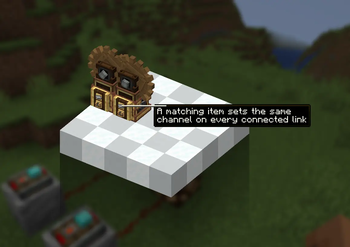
- Wireless Setting Link: Remotely control compatible Create settings and keep matching machines in sync across the same channel
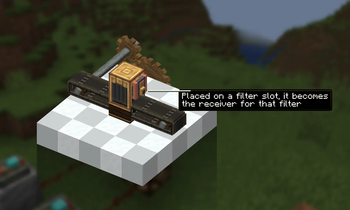
- Wireless Filter Link: Set filters from a distance and apply them wherever the same channel is connected
- Wireless Redstone Synchronizer: Gives an exact redstone strength across linked blocks
While playing Create Aeronautics, I often felt like something was missing. A way to change a block’s settings remotely. I got tired of having to run across entire contraptions just to change one setting on the right block. At some point I decided to make my own fix for that, and that idea eventually turned into this mod.
-> So Create Aeronautics support should be ensured
- Edition: Minecraft Java
- File type: .jar
- Minecraft version listed: 1.21.1
- How to install: Install the matching mod loader (Forge, Fabric or NeoForge) for your Minecraft version. → Download the .jar. → Put it in the .minecraft/mods folder and launch that loader profile.
- Where to get it: Opens on Modrinth — not every file is mirrored on our own servers.
Install steps are the general flow for this file type — How to install Minecraft Java mods & modpacks walks through it step by step.
- Ships as create_link-1.0.0.jar — drop this file into the mods folder
- Download size: 125 KB
- Download link checked 29 Aug 2026 — working
These come from our own check of the pack file, not from the source page.