
Hub Semitransparent
Transparent Interface is a resource pack designed to improve in-game visibility by transforming traditional menus and graphical user interfaces (GUIs)…
⬇ Download on Modrinth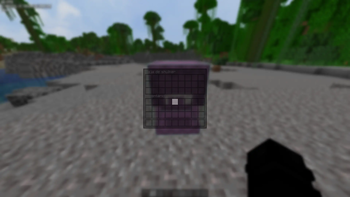
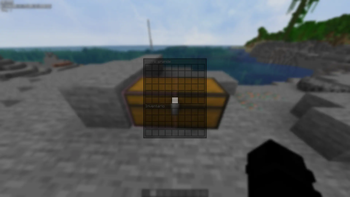
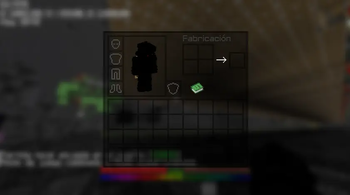
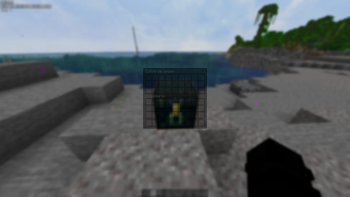
✨ Ultra Clean Semitransparent GUI Semitransparent Interface is a resource pack designed to improve in-game visibility by transforming traditional menus and graphical user interfaces (GUIs) into clean, semitransparent panels.
Ideal for both Survival and PvP gameplay, this texture pack lets you keep an eye on your surroundings while managing your inventory, crafting items, or interacting with chests. Never be surprised by a creeper while organizing your gear again! ✨
⭐ KEY FEATURES
- Semitransparent Menus: Inventory, crafting table, chests, furnaces, and more.
- Enhanced Visibility: Ideal for reacting quickly in combat or dangerous situations.
- Minimalist Style: Maintains a clean and modern aesthetic without losing the essence of the game.
- Compatibility: Designed to work seamlessly with other texture resource packs.
❓ WHAT DOES THIS RESOURCE PACK DO?
Semitransparent Interface completely transforms Minecraft's traditional menus and graphical user interfaces (GUIs) into clean, semitransparent panels. It modifies essential elements like the player's inventory, crafting table, chests, furnaces, dispensers, and other game interaction interfaces, removing the default opaque gray backgrounds.
📥 WHY SHOULD YOU DOWNLOAD IT?
This pack is designed to drastically improve your visibility and reaction time while playing. Whether you're in an intense PvP match or in your Survival world, it allows you to keep an eye on your surroundings at all times. Forget about being surprised by a creeper or an enemy from behind while organizing your chests or crafting tools! It also offers a minimalist, modern, and clean aesthetic without breaking the original essence of Minecraft.
⚠️ CRITICAL INFORMATION BEFORE DOWNLOADING
- Compatibility: This pack only modifies the interface (GUI) textures, so it is fully compatible with the vast majority of block and entity resource packs.
- Priority: To ensure transparency is applied correctly, remember to place this pack at the top of your active resource list in-game.
- Edition: Minecraft Java
- File type: .zip (resource pack)
- Minecraft versions listed: 24w12a, 24w13a, 24w14potato
- How to install: Download the .zip resource pack — do not unzip it. → Put it in .minecraft/resourcepacks. → Enable it in Options → Resource Packs.
- Where to get it: Opens on Modrinth — not every file is mirrored on our own servers.
Install steps are the general flow for this file type — How to install Minecraft Java resource packs walks through it step by step.
- Downloads as GUI RockyIzT.zip
- Download size: 381 KB
- Download link checked 19 Sept 2026 — working
These come from our own check of the pack file, not from the source page.