
🗡️ Custom Swords Texture Pack
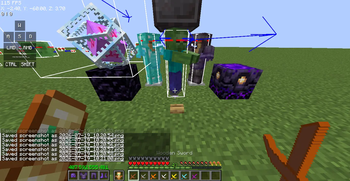
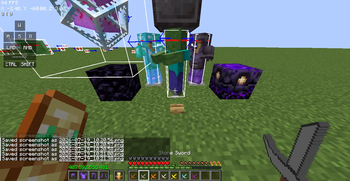
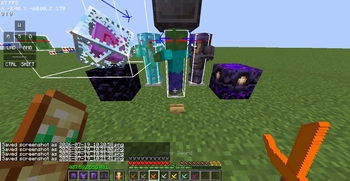
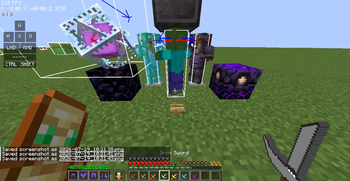
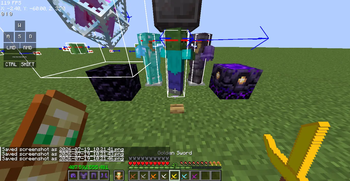
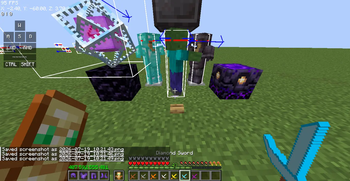
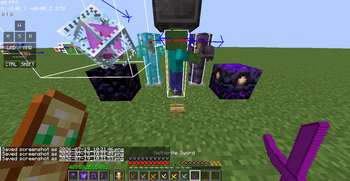
Welcome to Custom Swords, a streamlined Resource Pack for Minecraft that completely refreshes the look and design of all swords in the game!
If you are tired of the default vanilla sword textures but don't want to install heavy resource packs that alter the entire world, this is the perfect choice for you. This resource pack ONLY changes the textures of swords.
✨ Key Features
- 100% Focused: Only modifies melee weapons (Swords). Keeps 100% of all other Minecraft Vanilla blocks, items, and UI intact.
- Full Material Support:
- 🪵 Wooden Sword
- 🪨 Stone Sword
- 🟫 Copper Sword
- 🪙 Golden Sword
- ⚙️ Iron Sword
- 💎 Diamond Sword
- 🔥 Netherite Sword
- Performance Optimized: Extremely lightweight file size, ensuring absolutely no lag or FPS drops.
- High Compatibility: Can be easily stacked with other building Resource Packs or Shaders without any system conflicts.
📸 Pack Structure
The pack includes fully optimized core files:
pack.mcmeta: Version and metadata declaration.pack.png: The pack icon displayed in your in-game Resource Packs menu.assets/minecraft/textures/item/folder: Houses all the newly designed, sharp textures for each individual sword.
🚀 Installation Guide
- Download the
.zipfile from this Modrinth page. - Launch Minecraft and go to Options -> Resource Packs.
- Click on Open Pack Folder.
- Drag and drop the downloaded
.zipfile into this folder. - Go back to the game, activate the resource pack, and enjoy your fresh combat experience!
💡 If you love this texture pack, please hit Follow to stay updated with future versions! If you encounter any bugs or have suggestions, feel free to leave a comment below.
- Edition: Minecraft Java
- File type: .zip (resource pack)
- Minecraft version listed: 1.21.11
- How to install: Download the .zip resource pack — do not unzip it. → Put it in .minecraft/resourcepacks. → Enable it in Options → Resource Packs.
- Where to get it: Opens on Modrinth — not every file is mirrored on our own servers.
Install steps are the general flow for this file type — How to install Minecraft Java resource packs walks through it step by step.
- Downloads as §5Custom §3Swords.zip
- Download size: 8 KB
- Download link checked 28 Aug 2026 — working
These come from our own check of the pack file, not from the source page.