
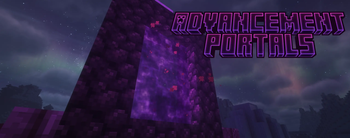

Advancement Portals
NOW With FTB Team integration and Advancement sharing !
Turn dimension access into meaningful progression.
Advancement Portals lets modpack creators lock travel to the Nether, the End, or nearly any modded dimension behind vanilla or custom advancements. Players receive clear feedback when a destination is locked, and the destination opens naturally once its configured requirements are complete.
Version 3.1 also adds optional FTB Teams advancement sharing, allowing cooperative groups to progress together without forcing every teammate to repeat the same boss kill or milestone.
Why use Advancement Portals?
Many progression packs rely on honor rules, quest text, disabled recipes, or custom portal replacements to control dimension access. Advancement Portals provides a focused alternative:
- Keep the original portal or travel method.
- Choose the advancement milestones that unlock each dimension.
- Use vanilla advancements, modded advancements, or datapack advancements.
- Require every configured milestone or allow multiple valid unlock paths.
- Explain exactly what a player is still missing.
- Support shared progression for FTB Teams parties.
It works especially well for expert packs, RPG packs, questing packs, staged exploration, multiplayer progression, and custom dimension packs.
Features
Gate nearly any dimension
Configure a destination using its normal dimension ID:
dimensionRequirements = [
  "minecraft:the_nether | ALL | minecraft:story/mine_diamond",
  "minecraft:the_end | ALL | minecraft:nether/obtain_ancient_debris",
  "twilightforest:twilight_forest | ANY | mypack:quests/twilight_access, minecraft:adventure/kill_a_mob"
]
Advancement Portals checks the destination of player dimension travel and blocks it when the configured gate is incomplete. Unconfigured dimensions remain unaffected.
Choose ALL or ANY
Create strict progression paths or offer alternate routes.
"minecraft:the_end | ALL | mypack:chapter_3, mypack:defeat_wither"
The player must complete both advancements.
"minecraft:the_end | ANY | minecraft:end/kill_dragon, mypack:quests/end_pass"
Either advancement can unlock the destination.
Clear locked-portal messages
A blocked player can be shown:
- The friendly destination name.
- Whether every advancement or any one advancement is required.
- The readable title of each missing advancement.
- Optional advancement descriptions.
- A warning when a configured advancement ID is unknown.
- An action-bar reminder that the destination is still locked.
The message cooldown is configurable to prevent portal spam.
Dimension unlock notifications
When the final requirement is completed, the player can receive a chat and action-bar message confirming that the destination is now available.
Optional FTB Teams progression sharing
Minecraft advancements normally belong to individual players. That can be frustrating when a team completes a group milestone but only one player receives the advancement—for example, when one teammate lands the Ender Dragon's final hit.
With FTB Teams sharing enabled:
- Eligible advancements are shared with members of the same party.
- Online teammates receive progress immediately.
- Offline teammates receive stored progress when they return.
- Gate progress is synchronized before travel is checked.
- Existing gate advancements can be detected from online teammates in upgraded worlds.
- FTB Teams is optional and is not required for normal dimension gating.
Share only the advancements used by portals:
[ftbTeams]
shareAdvancementsWithTeam = true
shareOnlyPortalAdvancements = true
Or share most newly earned advancements:
[ftbTeams]
shareAdvancementsWithTeam = true
shareOnlyPortalAdvancements = false
Recipe advancements are excluded by default to avoid large amounts of invisible recipe progress.
Administrator-friendly controls
The common/server config includes:
- Master gating toggle.
- Creative bypass.
- Spectator bypass.
- Operator bypass.
- Configurable operator permission level.
- Warning cooldown.
- Blocked portal retry delay.
- Advancement descriptions.
- Unlock messages.
- FTB Teams sharing behavior.
- Login synchronization.
- Shared-advancement notifications.
Safer pack development
At server startup, Advancement Portals validates its configured gates and reports missing dimensions, unknown advancements, malformed IDs, invalid modes, and duplicate destinations.
A typo does not silently unlock a destination. An unknown advancement remains a blocking requirement until the config or datapack is corrected.
Configuration
The config is generated at:
config/advancement_portals-common.toml
Recommended gate format:
dimension | ALL/ANY | advancement, advancement
Full example:
dimensionRequirements = [
  "minecraft:the_nether | ALL | minecraft:story/enchant_item, minecraft:story/mine_diamond",
  "minecraft:the_end | ANY | minecraft:end/kill_dragon, mypack:quests/end_access"
]

[dimensionGating]
enabled = true
creativePlayersBypassGates = true
spectatorPlayersBypassGates = true
operatorsBypassGates = true
operatorBypassPermissionLevel = 2
warningCooldownSeconds = 2
blockedPortalRetryDelayTicks = 20
showAdvancementDescriptions = true
showDimensionUnlockMessages = true

[ftbTeams]
shareAdvancementsWithTeam = true
shareOnlyPortalAdvancements = false
shareRecipeAdvancements = false
syncTeamAdvancementsOnLogin = true
notifySharedAdvancements = true
The older format remains supported for existing packs:
"minecraft:the_end=[minecraft:end/kill_dragon]"
Legacy entries behave as ALL gates.
Important note about shared rewards
FTB Teams sharing completes the receiving player's normal Minecraft advancement criteria. Rewards attached to that advancement may also be granted, including:
- Experience
- Recipes
- Loot
- Functions
For the safest progression-focused setup, use dedicated hidden advancements for dimension access or enable:
shareOnlyPortalAdvancements = true
Suggested uses
- Require diamonds before entering the Nether.
- Require Ancient Debris before entering the End.
- Unlock a dimension after completing a quest chapter.
- Offer two alternate bosses that can open the same destination.
- Keep an entire co-op party synchronized after a shared boss fight.
- Stage modded dimensions across a long progression tree.
- Use datapack advancements as invisible access flags.
Updating from older versions
Version 3.1 continues to read the original 3.0.x dimensionRequirements syntax. Existing gate entries can remain in place while you move to the new format at your own pace.
After updating, review the generated config and check the server startup log for validation warnings.

- Edition: Minecraft Java
- File type: .jar
- Minecraft version listed: 26.1.2
- How to install: Install the matching mod loader (Forge, Fabric or NeoForge) for your Minecraft version. → Download the .jar. → Put it in the .minecraft/mods folder and launch that loader profile.
- Where to get it: Opens on Modrinth — not every file is mirrored on our own servers.
Install steps are the general flow for this file type — How to install Minecraft Java mods & modpacks walks through it step by step.
- Ships as advancement_portals-3.1.0-26.1.2.jar — drop this file into the mods folder
- Download size: 36 KB
- Download link checked 30 Aug 2026 — working
These come from our own check of the pack file, not from the source page.