
Phoenix Tekk
Java mod listed for Minecraft 26.x. Downloads from the MC Java Mods app on Android.
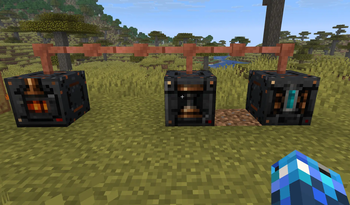
Phoenix Tekk adds powered machines to 2-4x ores, power generators, energy grids, fluid tanks, rechargeable tools, a mining laser, jetpack, Tesla coil…
⬇ Download on Modrinth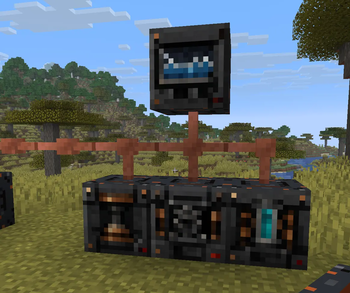
Phoenix Tekk
Revival of OG tech mod ideas in low-grind style! Look forward to the macerator, tree sap, rubber and jet packs!
Phoenix Tekk adds machines, power generation, three-tier ore processing and even Mining Lazers
Requirements
- Minecraft 26.2
- Fabric Loader 0.19.3+
- Fabric API
- Waters Gems strongly recommended
- JEI is strongly recommended
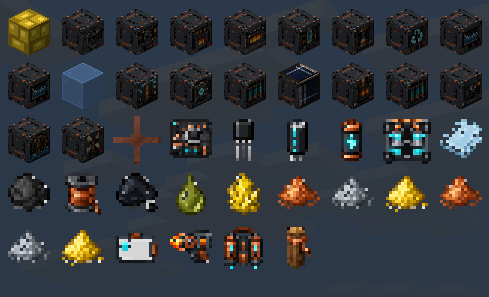
Search @phoenixtech in JEI to find Phoenix Tech items and recipes.
Getting Started
- Craft a Tree Tap.
- Collect Tree Sap from trees.
- Process Tree Sap into Black Tar with an Extractor.
- Compress Black Tar into Rubber with Compressor .
- Now you can make Coils, Capacitors, Transistors, and Motherboards.
- Build a Hand Crank generator and a Macerator, to get ores double.
- Work towards a Mining Lazer, Jetpack, and the higher tier machines
Power Grids
Place Wires between generators, machines, Energy Ports, and Energy Stations to create a connected power grid.
Energy Port
- Stores up to 8,000 E
- Charges batteries, tools, and Jetpacks
- Accepts Redstone and Electrite as energy fuel
- Converts quartz specimens into Electrite
- Counts toward the grid's five-battery limit
Energy Station
- Stores up to 50,000 E
- Provides large-scale grid storage
- Charges equipment
- Accepts Redstone and Electrite
- Converts quartz specimens into Electrite
- Counts toward the grid's five-battery limit limit
Power Generation
Solar Panel Generates power while it can see the sky and lighting conditions are suitable.
Heat Generator Burns ordinary furnace fuels or automatically draws lava from a nearby Fluid Tank.
Its interface displays an orange burn bar and a live minutes:seconds fuel countdown.
Tank lava is consumed in 0.25-bucket segments. Each segment provides 5,000 burn ticks.
Hand Crank Right-click to generate 25 E manually.
Sneak-right-click to open its interface.
Water Mill Generates energy while touching water.
Wind Mill Generates energy when it has access to the open sky.
Electrite Generator Generates energy using Electrite Blocks, Crystal Specimens, or Redstone Dust.
Fluid Tanks
A Fluid Tank stores up to 1,000 buckets of water or lava.
- Fill it using Water Buckets or Lava Buckets.
- Withdraw fluid using an empty Bucket.
- Water and lava cannot be mixed.
- Fluid levels are tracked in 0.25-bucket increments.
- Tanks look full after containing at least 10 buckets.
Place a tank within five blocks of a supported machine:
- Water tanks supply Ore Washers.
- Lava tanks supply Heat Generators.
- Transfer particles visually show the connection.
Machine Guide
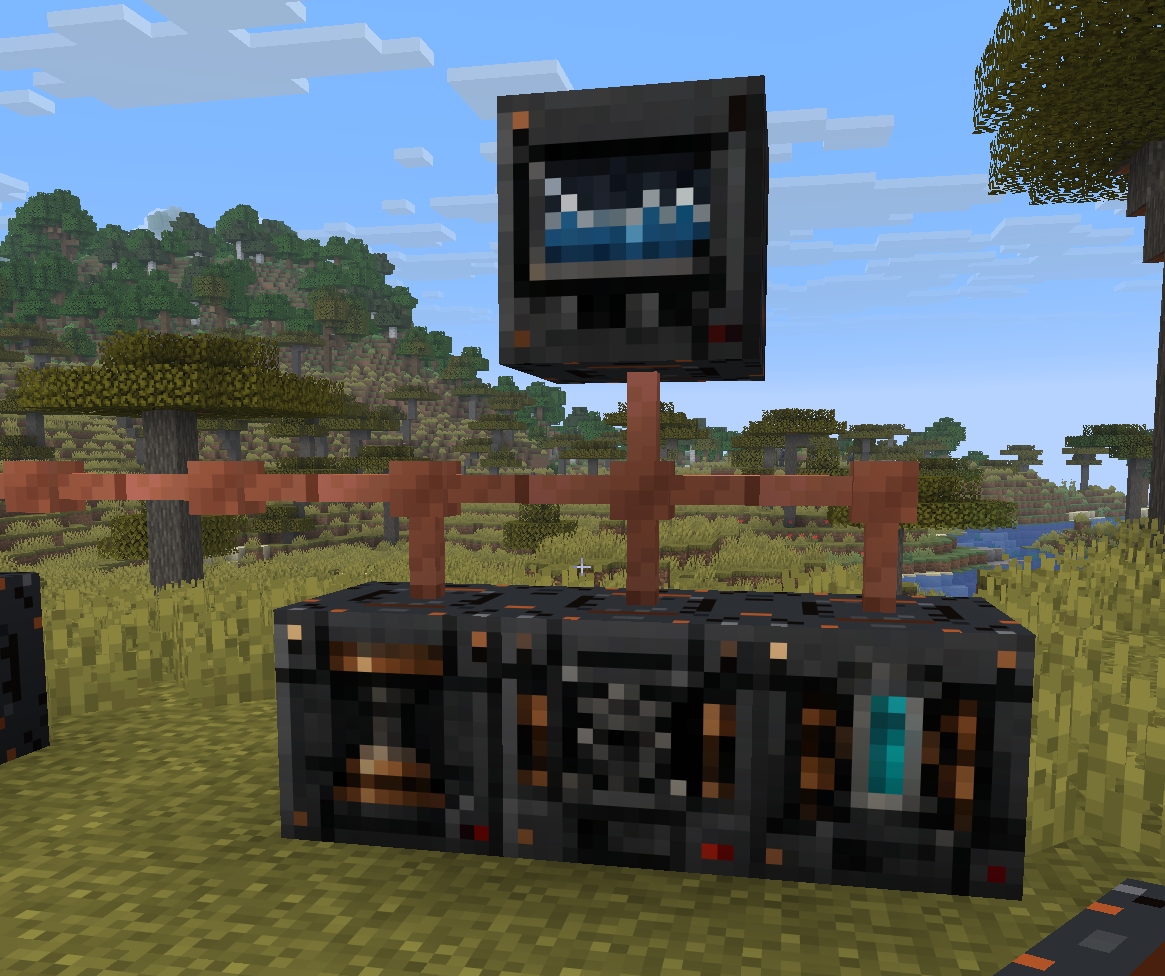
Macerator
Converts one supported ore or raw material into two outputs.
Examples:
- Raw Iron or Iron Ore → 2 Iron Dust
- Raw Copper or Copper Ore → 2 Copper Dust
- Raw Gold or Gold Ore → 2 Gold Dust
Factory Macerator
Processes five independent lanes
Electric Furnace
Smelts dust into ingots, and ordinary smeltable items using electricity.
Factory Furnace
Provides five simultaneous lanes with increased processing speed.
Extractor
Processes:
- Tree Sap → Black Tar
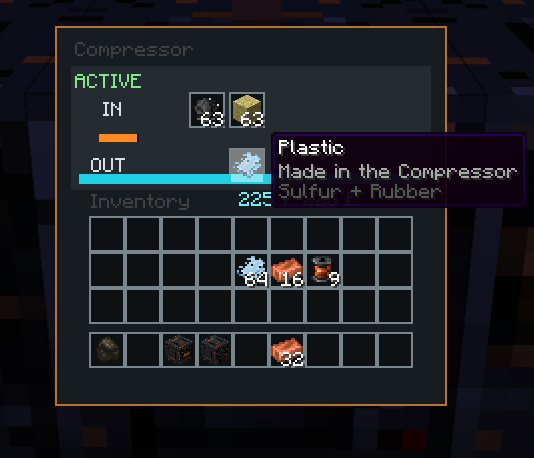
Compressor
Processes:
- Black Tar → Rubber
- 3 Copper Ingots → Coil
- Sulfur + Rubber → Plastic
Ore Washer
Processes 1 metal dust into 2x clean dust:
- Iron Dust → 2 Clean Iron Dust
- Copper Dust → 2 Clean Copper Dust
- Gold Dust → 2 Clean Gold Dust
Every completed item takes:
- 35 E
- 0.25 bucket of water
Factory Ore Washer
Processes up to five lanes at once
It consumes water for every completed lane.
Recycler
Requires five unique items or stacks in each 5 slots. Energy Intensive
Recycles them into:
- Cobblestone: 1 in 15
- Iron Dust: 1 in 100
- Copper Dust: 1 in 100
- Gold Dust: 1 in 1,000
- Diamond: 1 in 3,000
Each possible reward has its own dedicated output slot.
Materials
Important machine-produced materials include:
- Tree Sap: collected using a Tree Tap
- Black Tar: made from Tree Sap in an Extractor
- Rubber: made from Black Tar in a Compressor
- Coil: made from 3 Copper Ingots in a Compressor
- Plastic: made from Sulfur and Rubber in a Compressor
- Electrite: made by charging quartz specimens
Electrite
Electrite is a single-use energy-storage material containing 5,000 E.
To create Electrite:
- Place a Waters Gems quartz specimen in an Energy Port or Energy Station.
- Supply the machine with at least 5,000 E.
- The machine converts the specimen into Electrite.
Insert Electrite into a charging machine's burn slot to release 5,000 E.
Redstone can also be burned for 10 E each.
Electrite Blocks can be crafted from 9 Electrite Crystals. Electrite Blocks hold 45k E each and are great for storing energy away.
Rechargeable Equipment
Battery
- Stores 850 E
- Right-click to transfer energy to equipment
4×4 Cell Battery
- Stores 5,000 E
- Useful like a standard Battery
The durability-style bar represents stored energy, not physical damage.
Mining Laser
The Mining Laser stores up to 5,000 E.
Right-click to fire a red laser that:
- Breaks a 3×3 mining area
- Drops broken blocks
- Provides enhanced ore rewards
- Reaches approximately 48 blocks
- Damages and ignites entities
- Consumes 20 E per successful shot
Recharge it with a Battery, Energy Port, Electrite Crystals or a Energy Station.
Jetpack
Equip the Jetpack in the chest slot to enable flight.
- Consumes energy while flying off the ground
- Prevents fall damage during powered flight
- Stops working when depleted
- Never breaks from reaching empty charge
- Can be recharged using Batteries, Electrite, Energy Ports, or Energy Stations
Tesla Coil and ID Cards
The Tesla Coil damages unauthorized players within approximately six blocks while powered by a Redstone signal and electr
The player who places it becomes its owner
To authorize another player:
- Right-click the player with an ID Card.
- Right-click the Tesla Coil with the bound card.
- The player is added to the Coil's safety list.
JEI Integration
Phoenix Tech includes JEI integration and relies on it for recipe viewing.
Install JEI and search @phoenixtech to browse the available content.
- Edition: Minecraft Java
- File type: .jar
- Minecraft version listed: 26.2
- How to install: Install the matching mod loader (Forge, Fabric or NeoForge) for your Minecraft version. → Download the .jar. → Put it in the .minecraft/mods folder and launch that loader profile.
- Where to get it: Opens on Modrinth — not every file is mirrored on our own servers.
Install steps are the general flow for this file type — How to install Minecraft Java mods & modpacks walks through it step by step.
- Ships as phoenix-tech-1.6.10.jar — drop this file into the mods folder
- Download size: 172 KB
- Download link checked 11 Oct 2026 — working
These come from our own check of the pack file, not from the source page.