
Stats Overlay
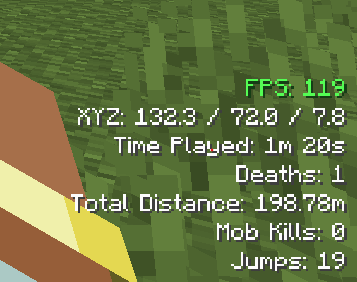
Minimalist in-game HUD to monitor your world statistics. Easily track your FPS, location, progress, and others.
⬇ Download on Modrinth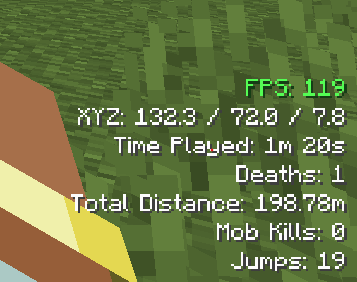
📊 Stats Overlay
A lightweight, highly customizable client-side mod that displays essential survival and gameplay statistics directly on your HUD in real-time. Keep track of your progress without ever breaking your immersion!
✨ Features
- Stats Tracking:
- FPS and XYZ Coordinates.
- Time Played, Deaths, and Distance Traveled.
- Mob Kills, Jumps, Sneak Time, Villager Interactions, and Fish Caught and many others.
- Customizations: Adjust the HUD screen position, scale, opacity, color and others.
🎮 Controls (Default Keybinds)
- [K] : Toggle HUD Display
- [F7] : Open Config Menu
🌐 Language Support
- English (US):
en_us - Tiếng Việt (Việt Nam):
vi_vn - Deutsch (Deutschland):
de_de - Español (España):
es_es - Français (France):
fr_fr - 日本語 (日本):
ja_jp - Русский (Россия):
ru_ru - 简体中文 (中国):
zh_cn
🛠️ Configuration Guide
You can fine-tune every feature either directly in-game by pressing [F7] or by modifying the config file manually. The configuration menu is neatly organized into three intuitive categories:
- Layout and Size Settings: Change scale, positioning, padding, and transparency.
- Color Settings: Pick color presets or toggle custom HEX colors for a personalized look.
- HUD Components Management: Toggle visibility for specific stats and manage the exact HUD ordering.
⚙️ Compatibility & Versions
- Current Supported Versions: Minecraft 1.21.1, 1.21.4 and 1.21.11
- Mod Loader: NeoForge (Fully Client-Side — no server installation required!)
💡 Note: Fabric support is currently planned and will be added in a future update. Stay tuned!
Preview:
- Edition: Minecraft Java
- File type: .jar
- Minecraft version listed: 1.21.11
- How to install: Install the matching mod loader (Forge, Fabric or NeoForge) for your Minecraft version. → Download the .jar. → Put it in the .minecraft/mods folder and launch that loader profile.
- Where to get it: Opens on Modrinth — not every file is mirrored on our own servers.
Install steps are the general flow for this file type — How to install Minecraft Java mods & modpacks walks through it step by step.
- Ships as statisticshud-0.1.2-alpha.jar — drop this file into the mods folder
- Download size: 1.3 MB
- Download link checked 31 Aug 2026 — working
These come from our own check of the pack file, not from the source page.