
All Items View
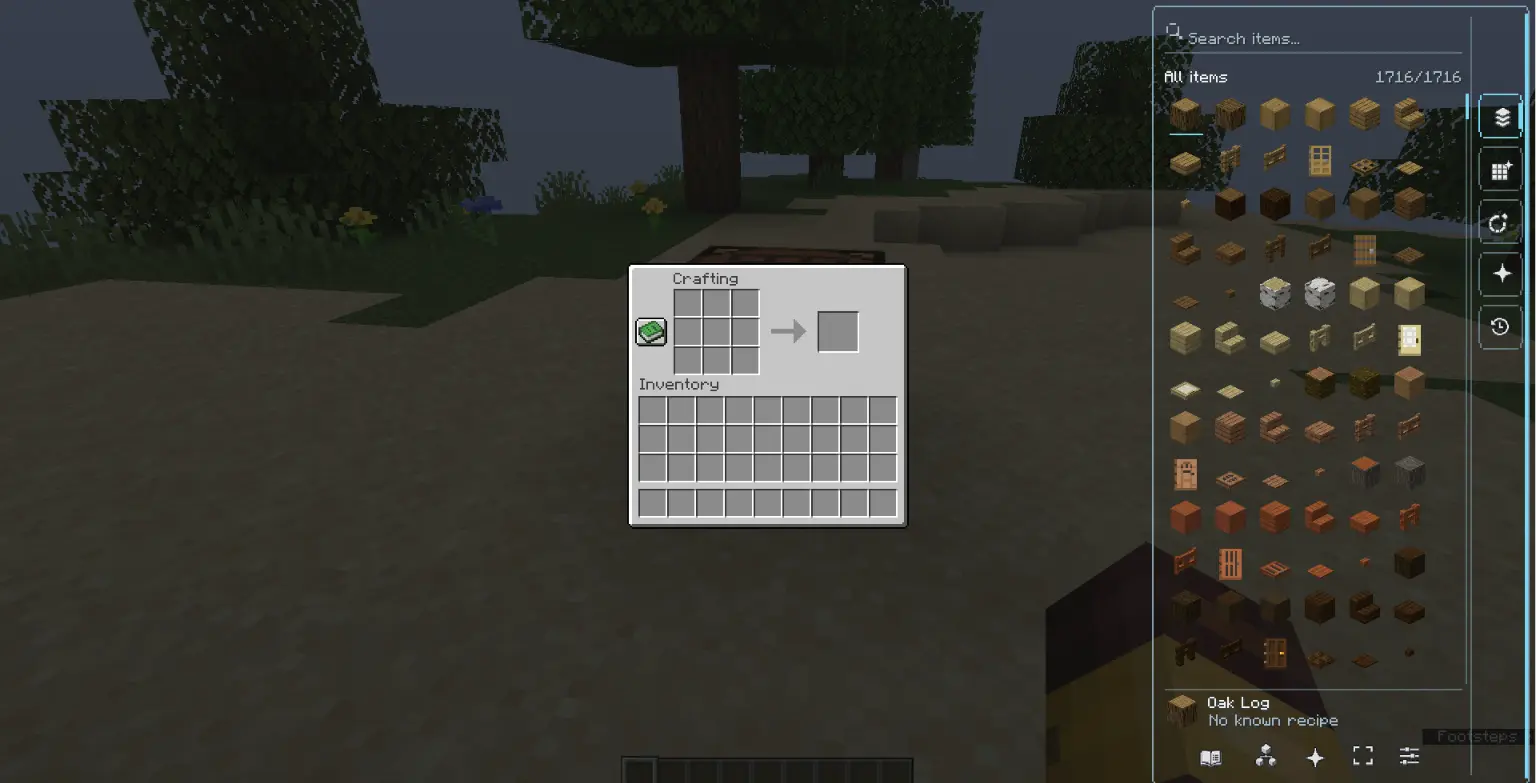
All Items View is a client-side item browser and crafting assistant for Minecraft Java Edition. It adds a permanent transparent item rail to inventory and container screens while keeping the original Minecraft interface usable.
Highlights
- Transparent, outline-focused interface with large item previews
- Fast search by item name, identifier, namespace, or tag
- Craftable-now, missing-one, favorites, recent, and recipe filters
- Recipe details and a dedicated “what can this item make?” view
- Smooth scrolling that only captures the mouse wheel over the mod's item list
- Optional classic full-screen browser
- Detailed appearance and behavior settings
- Persistent favorites and recent items
- English and Arabic localization
- Shared item index to avoid rebuilding the catalog every time an inventory opens
Controls
- K — Open the classic focus view
- O — Open settings
- R or double left-click — View recipes for the selected item
- U or right-click — Show what the selected item can make
- F — Toggle favorite
Quick facts
- Edition: Minecraft Java
- File type: .jar
- Minecraft version listed: 1.21
- How to install: Install the matching mod loader (Forge, Fabric or NeoForge) for your Minecraft version. → Download the .jar. → Put it in the .minecraft/mods folder and launch that loader profile.
- Where to get it: Opens on Modrinth — not every file is mirrored on our own servers.
Install steps are the general flow for this file type — How to install Minecraft Java mods & modpacks walks through it step by step.
Verified by MCModsHub
- Ships as All Items View-NeoForge-1.21-0.1.0.jar — drop this file into the mods folder
- Download size: 137 KB
- Download link checked 30 Aug 2026 — working
These come from our own check of the pack file, not from the source page.