
Rephrase
Java mod listed for Minecraft 26.x. Downloads from the MC Java Mods app on Android.
✨ Rename and restyle your items your way cool names, colors, particles, sounds Make your gear look the way it should.
⬇ Download on Modrinth
✨Rephrase
Ever wish your sword was called something cooler than “Diamond Sword”?
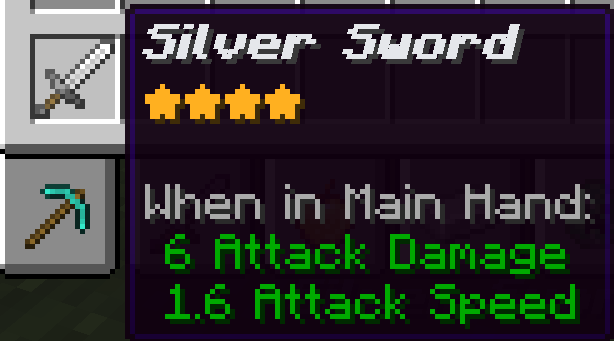
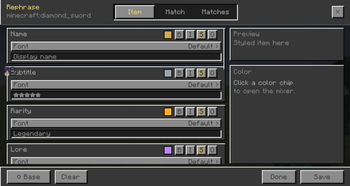
Rephrase lets you customize how items look in-game names, colors, glow, tags, particles, and a sound when you equip them. Open your inventory, hover over an item, press R, and make it yours.
(And your real item name stays underneath, so resource packs and CIT still work if you use them.)
✨ Features
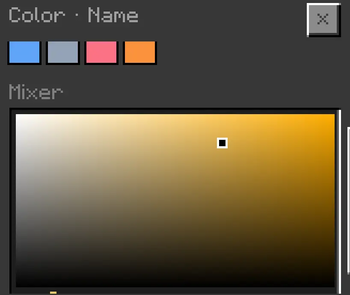
- Custom names & colors
- Gradients, glow, borders, and title tags
- Particles while held or equipped
- Sounds when you equip an item
- Save for one item, or everything that matches
- Profiles for different setups
- Share This Item names with friends if they (and the server) have Rephrase too
🎮 How to use
- Open your inventory
- Hover an item
- Press R
- Edit → Save
📦 Install
- Fabric Loader
- Fabric API (same Minecraft version)
- The Rephrase jar for your game:
- 26.2 →
…+26.2 - 26.1.2 →
…+26.1.2
- 26.2 →
ℹ️ Notes
- Rephrase only changes what you see — not the item’s real name
- Match saves are local shared names use This Item + server install
Make your gear look the way it should. 🗡️
- Edition: Minecraft Java
- File type: .jar
- Minecraft version listed: 26.1.2
- How to install: Install the matching mod loader (Forge, Fabric or NeoForge) for your Minecraft version. → Download the .jar. → Put it in the .minecraft/mods folder and launch that loader profile.
- Where to get it: Opens on Modrinth — not every file is mirrored on our own servers.
Install steps are the general flow for this file type — How to install Minecraft Java mods & modpacks walks through it step by step.
- Ships as rephrase-1.0.2+26.1.2.jar — drop this file into the mods folder
- Download size: 347 KB
- Download link checked 11 Oct 2026 — working
These come from our own check of the pack file, not from the source page.