
Rubybound
Java mod listed for Minecraft 1.21. Downloads from the MC Java Mods app on Android.
⬇ Download on ModrinthRuby Expansion adds a new ruby-based progression path to Minecraft while keeping the experience close to vanilla gameplay. Ruby Ore can be found deep underground in the Overworld, mainly in the lower parts of the world. It is rare and valuable, similar to diamond ore, and requires a strong pickaxe to mine successfully. When broken, Ruby Ore drops Raw Ruby.
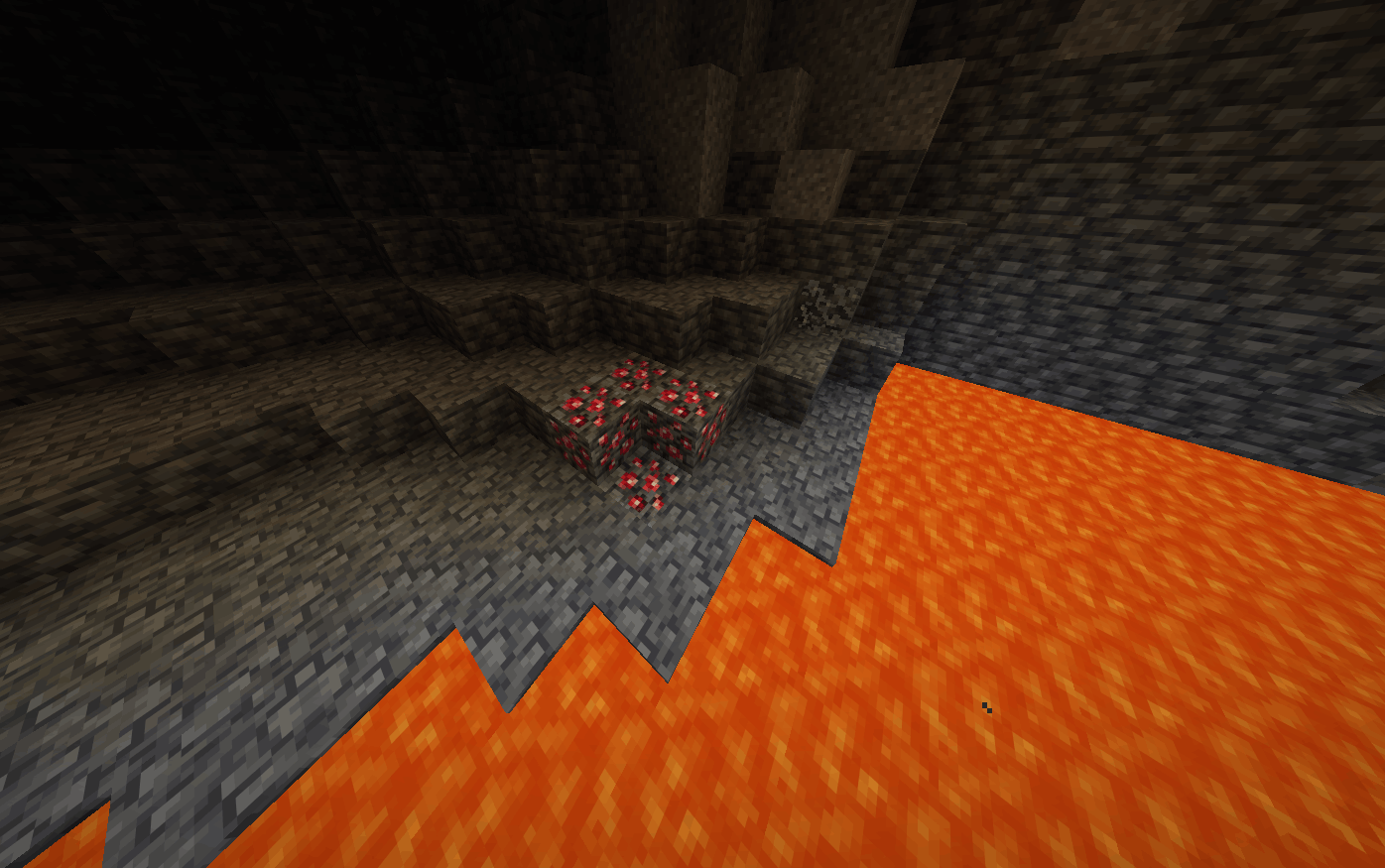
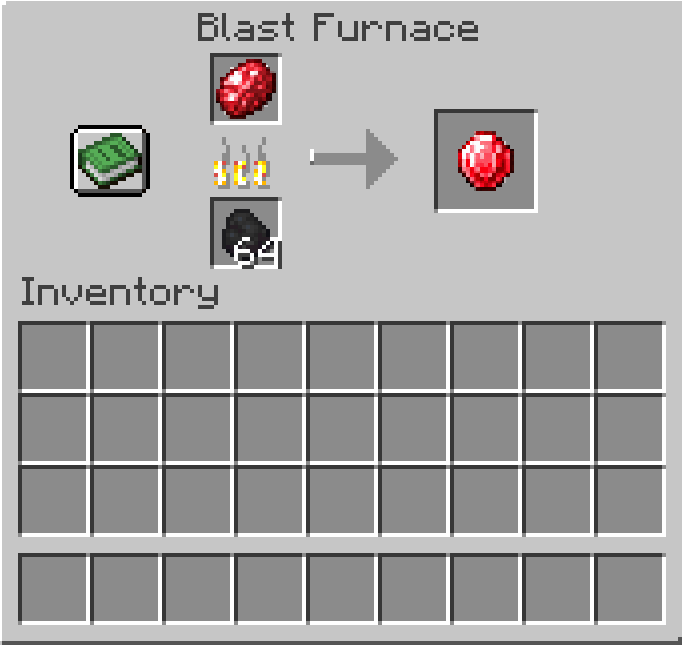
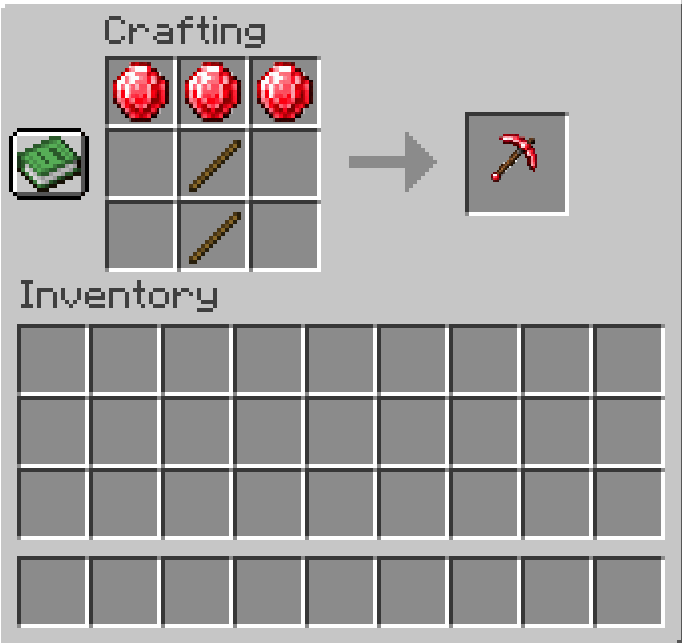
Raw Ruby must be smelted in a furnace or blast furnace before it can be used. Smelting it produces Ruby, the main crafting material in the mod. Rubies can be used to craft a complete set of equipment: a Ruby Sword for melee combat, a Ruby Spear for charged attacks, a Ruby Pickaxe for mining, a Ruby Axe for woodcutting and combat, a Ruby Shovel for digging, and a Ruby Hoe for farming. All Ruby tools can be enchanted using normal Minecraft enchantments.
Players can later create Polished Ruby, but this advanced material also requires Netherite, making it part of the endgame progression. Ruby tools can be upgraded in a smithing table using a Ruby Upgrade Template and Polished Ruby!
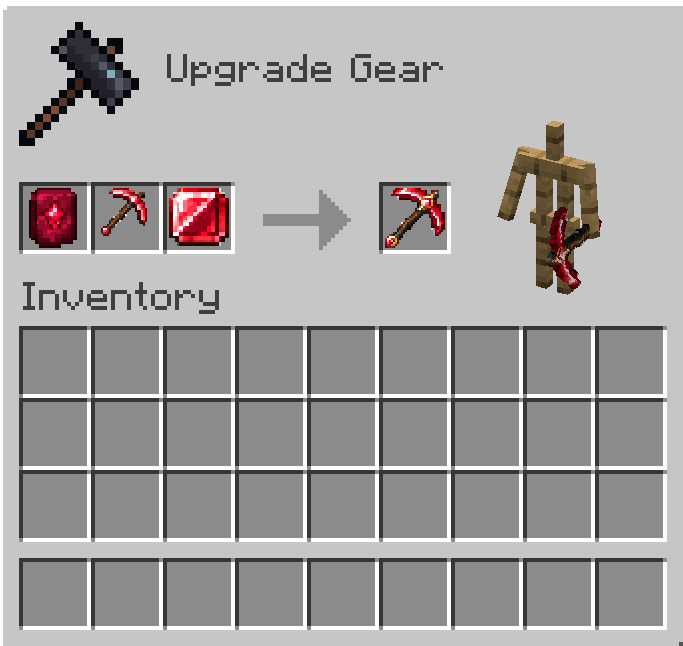
Polished Ruby tools inherit the abilities and traits of their normal versions, but improve them in every way. They deal more damage, mine faster, have greater durability, enchant better, and cannot be destroyed by fire or lava.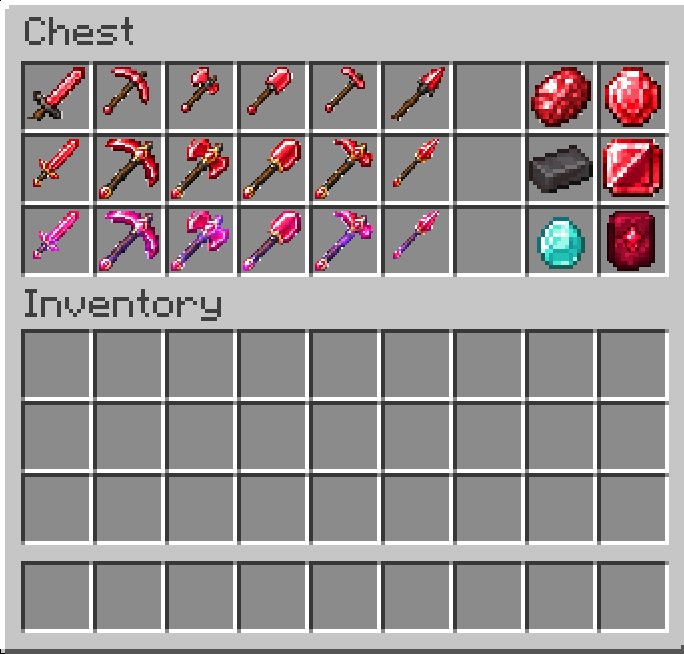
Creative commands: /give @p ruby:raw_ruby /give @p ruby:ruby /give @p ruby:polished_ruby /give @p ruby:ruby_upgrade_smithing_template /give @p ruby:polished_ruby_sword /give @p ruby:polished_ruby_pickaxe /give @p ruby:polished_ruby_axe /give @p ruby:polished_ruby_shovel /give @p ruby:polished_ruby_hoe /give @p ruby:polished_ruby_spear /give @p ruby:ruby_sword /give @p ruby:ruby_pickaxe /give @p ruby:ruby_axe /give @p ruby:ruby_shovel /give @p ruby:ruby_hoe /give @p ruby:ruby_spear
Keep in mind: Commands are the ONLY WAY to get these items in creative!
- Edition: Minecraft Java
- File type: .jar
- Minecraft version listed: 1.21.11
- How to install: Install the matching mod loader (Forge, Fabric or NeoForge) for your Minecraft version. → Download the .jar. → Put it in the .minecraft/mods folder and launch that loader profile.
- Where to get it: Opens on Modrinth — not every file is mirrored on our own servers.
Install steps are the general flow for this file type — How to install Minecraft Java mods & modpacks walks through it step by step.
- Ships as ruby-expansion-fabric-1.21.11-1.0.4.jar — drop this file into the mods folder
- Download size: 60 KB
- Download link checked 11 Oct 2026 — working
These come from our own check of the pack file, not from the source page.