
📡 Cilveli PingOverlay
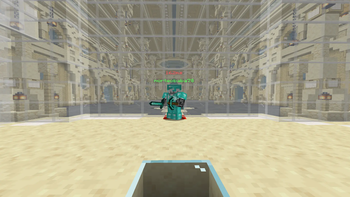
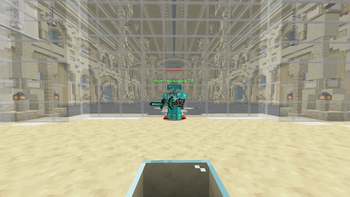
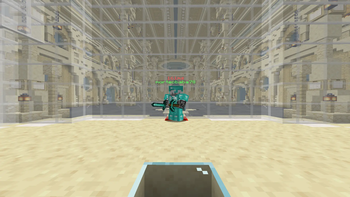
PingOverlay is a lightweight, purely client-side Minecraft mod designed to give you instant tactical awareness in PvP, Clan Wars, or casual multiplayer environments. It renders a beautiful, dynamically color-coded ping indicator and Wi-Fi icon directly above other players' nametags!
No more opening the Tab list mid-fight to check if your opponent is lagging. Just look at them, and you'll immediately know their network status.
✨ Features
- Perfect Positioning: Displays the network info precisely one level above the player's vanilla nametag. It respects vanilla line-of-sight (if you can't see their name, you won't see the ping).
- Smart Color-Coding: The ping text and Wi-Fi signal automatically shift colors based on connection quality:
- 🟢 0 - 60ms: Excellent connection (Green)
- 🟡 61 - 130ms: Moderate latency (Yellow)
- 🔴 131ms+: High lag / Disconnected feeling (Red)
- Wi-Fi Icon Integration: Features a clean, visual signal bar alongside the exact millisecond (
ms) counter. - 100% Client-Side: Works on ANY server (Hypixel, local servers, anarchy networks). It reads data directly from the server packets sent to your client's Tab list.
- Anti-Cheat Safe: It doesn't modify game physics or send illegal packets. Completely vanilla-friendly and safe to use.
🛠️ Requirements & Compatibility
- Loader: Fabric
- Minecraft Versions: 1.20.x - 1.21.x (or specify your exact target version)
- Dependencies: Fabric API
📝 License & Open Source
This project is licensed under the MIT License. Feel free to include it in your Modpacks! If you encounter any bugs or have feature suggestions, please open an issue on our tracker.


- Edition: Minecraft Java
- File type: .jar
- Minecraft version listed: 1.21.11
- How to install: Install the matching mod loader (Forge, Fabric or NeoForge) for your Minecraft version. → Download the .jar. → Put it in the .minecraft/mods folder and launch that loader profile.
- Where to get it: Opens on Modrinth — not every file is mirrored on our own servers.
Install steps are the general flow for this file type — How to install Minecraft Java mods & modpacks walks through it step by step.
- Ships as cilveli-pingooverlay-1.21.11-1.2.0+mc1.21.11.jar — drop this file into the mods folder
- Download size: 153 KB
- Download link checked 30 Aug 2026 — working
These come from our own check of the pack file, not from the source page.