Srkuls's Custom Blocks
Bedrock add-on listed for Minecraft 1.21–26.x. File opened and checked on 25 Sep 2026; installs from the MC Bedrock Mods app on Android.
Srkuls's Custom Blocks adds 8 high-quality, uniquely textured custom blocks to elevate your Minecraft builds. Includes carbon fiber, steel, heartwood…
⬇ Download on CurseForge
📦 Srkuls's Custom Blocks (RP)
Welcome to Srkuls's Custom Blocks! This resource pack enhances your Minecraft building experience by introducing 8 unique, premium block textures crafted for modern, industrial, rustic, and sci-fi architectures.
Whether you're building a sleek futuristic lab, a cozy wooden cabin, or an industrial factory, these custom textures will elevate your builds to the next level!
> ⚠️ **Disclaimer / Note on Logo Artwork**:
> Please note that the main logo artwork is promotional/concept art designed for display purposes.
✨ Features & Included Blocks
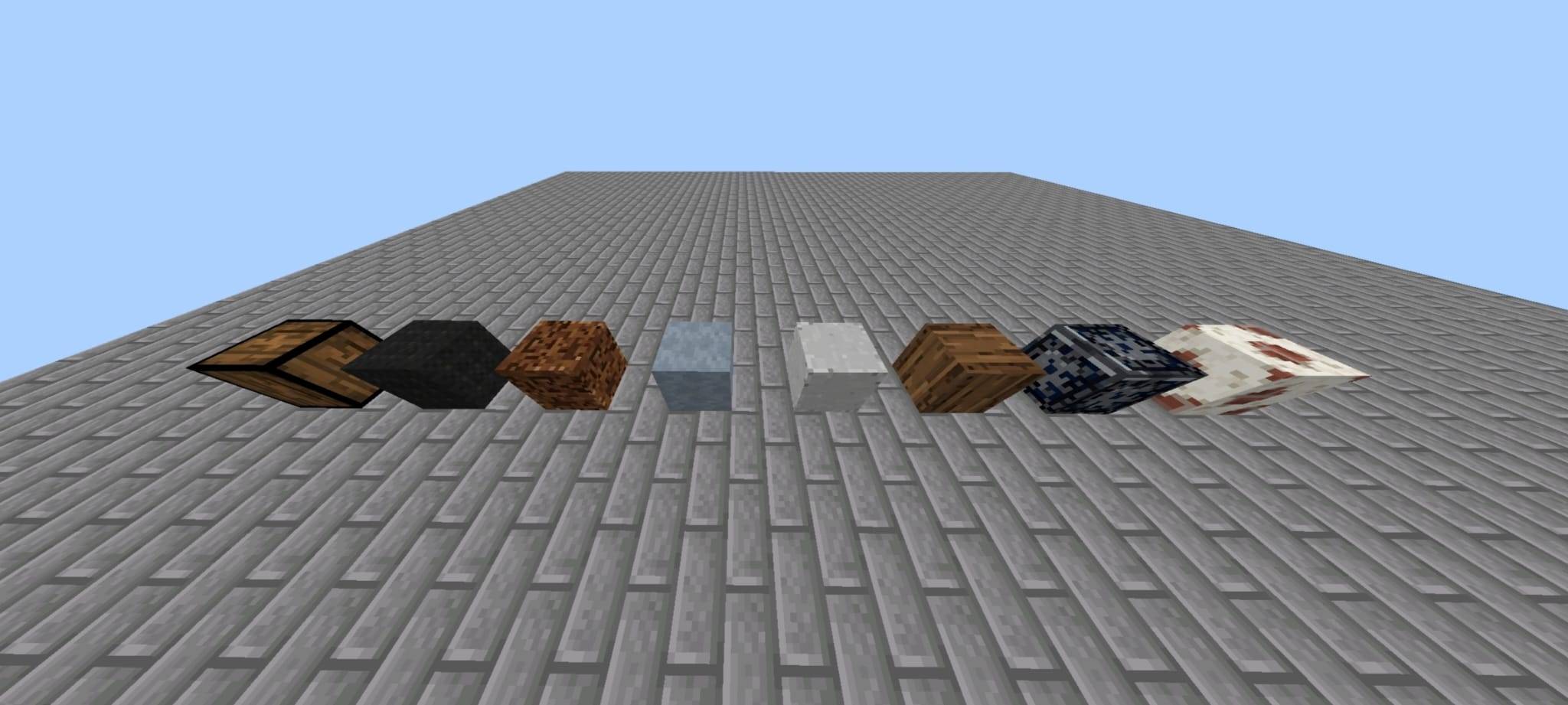
Here are the 8 custom textures included in this resource pack:
- 🌳 Aged Heartwood Plank — Deep, rich aged wood planks for cozy rustic structures and accents.
- 🪵 Parquet Flooring — Elegant, traditional patterned wooden flooring for interior designs.
- 🪵 Parquet 2 — A secondary wood parquet style for varied indoor flooring and ceiling patterns.
- 🧱 Polished Concrete — Smooth, clean architectural concrete for modern bases and pavements.
- 🏚️ Weathered Plaster — Textured plaster finish perfect for medieval cottages and rustic walls.
- ⚙️ Steel Riveted Block — Heavy industrial steel plates with realistic rivet details for bunkers and factories.
- 🖤 Carbon Fiber Plate — High-tech weave pattern for futuristic builds, vehicles, and sci-fi bases.
- 💻 System Panel — Detailed tech panel block for computer rooms, spaceship interiors, and machinery.
🛠️ Compatibility & Requirements
- Platform: Minecraft Bedrock Edition (PE / Windows 10 & 11 / Consoles)
- Game Version: 1.20.0 and newer
- Style: Vanilla+ (Seamlessly blends with default Minecraft textures)
📥 How to Install
- Download the
.mcpackor.zipfile. - Double-click the
.mcpackfile to automatically import it into Minecraft Bedrock. - Go to Settings > Global Resources (or World Settings > Resource Packs) and activate Srkuls's Custom Blocks.
- Enjoy building!
📜 Permissions & Terms of Use
- ✅ You MAY use this pack in your singleplayer worlds, multiplayer servers, and YouTube videos/streams.
- ❌ You MAY NOT re-upload or redistribute this pack on other websites without explicit permission or direct link back to this page.
Made with ❤️ for the Minecraft building community.
- Edition: Minecraft Bedrock
- File type: .mcpack or .mcaddon
- Minecraft versions listed: 1.21.130, 1.21.131, 1.21.132
- How to install: Download the .mcpack or .mcaddon file. → Open it — Minecraft imports it. → In your world: Behavior Packs → Available → Activate, then the same under Resource Packs.
- Where to get it: Opens on CurseForge — not every file is mirrored on our own servers.
Install steps are the general flow for this file type — How to install Minecraft Bedrock addons & mods walks through it step by step.
- Pack type: .mcaddon — behaviour and resource pack in one file
- Download size: 2.6 MB
- Download link checked 11 Oct 2026 — working
These come from our own check of the pack file, not from the source page.