Foreman Fortune
Bedrock add-on listed for Minecraft 1.21–26.x (behavior pack only). File opened and checked on 8 Oct 2026; installs from the MC Bedrock Mods app on Android.
Professional Builder Tool — Free flight, unlimited resources, and a smart copy system for your most complex structures. A fully customizable economy makes…
⬇ Download on CurseForgeForeman's Fortune: The Ultimate Builder's Mod for Minecraft Bedrock
Welcome to the complete guide for the Builder Golden Shovel mod! This addon is designed for Minecraft Bedrock servers to give trusted "Builders" the ultimate set of tools to create, copy, and manage their builds effortlessly. Whether you want to fly around your survival world or instantly clone a massive house, this mod has you covered.
🛠️ Main Features
1. The Golden Shovel (Building & Flying)
The Golden Shovel is your all-in-one building companion. It replaces the need to constantly switch back to creative mode or dig for basic materials.
- Instant Resources: By simply right-clicking with the shovel, you open a neat menu where you can instantly grab stacks (64x) of building blocks.
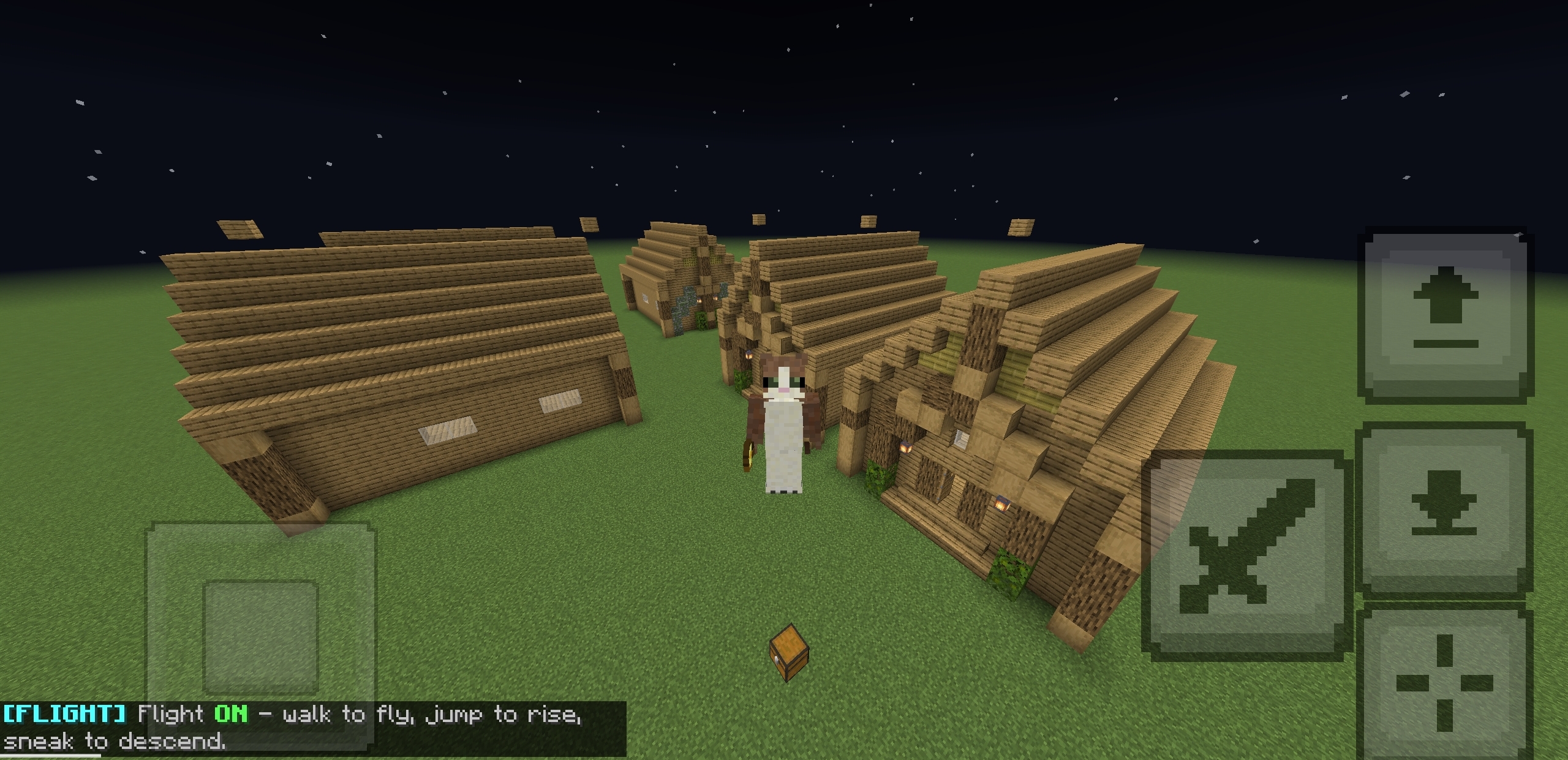
- Simulated Flight: Sneak and right-click to toggle flight mode! You can fly horizontally, ascend by jumping, descend by sneaking, and hover in place. The best part? This works perfectly in standard Survival mode without needing to turn on "Education Edition" features.
2. The Golden Hoe & Paste Stick (Copy / Paste System)
Ever built a beautiful house and wished you could just duplicate it? Now you can.
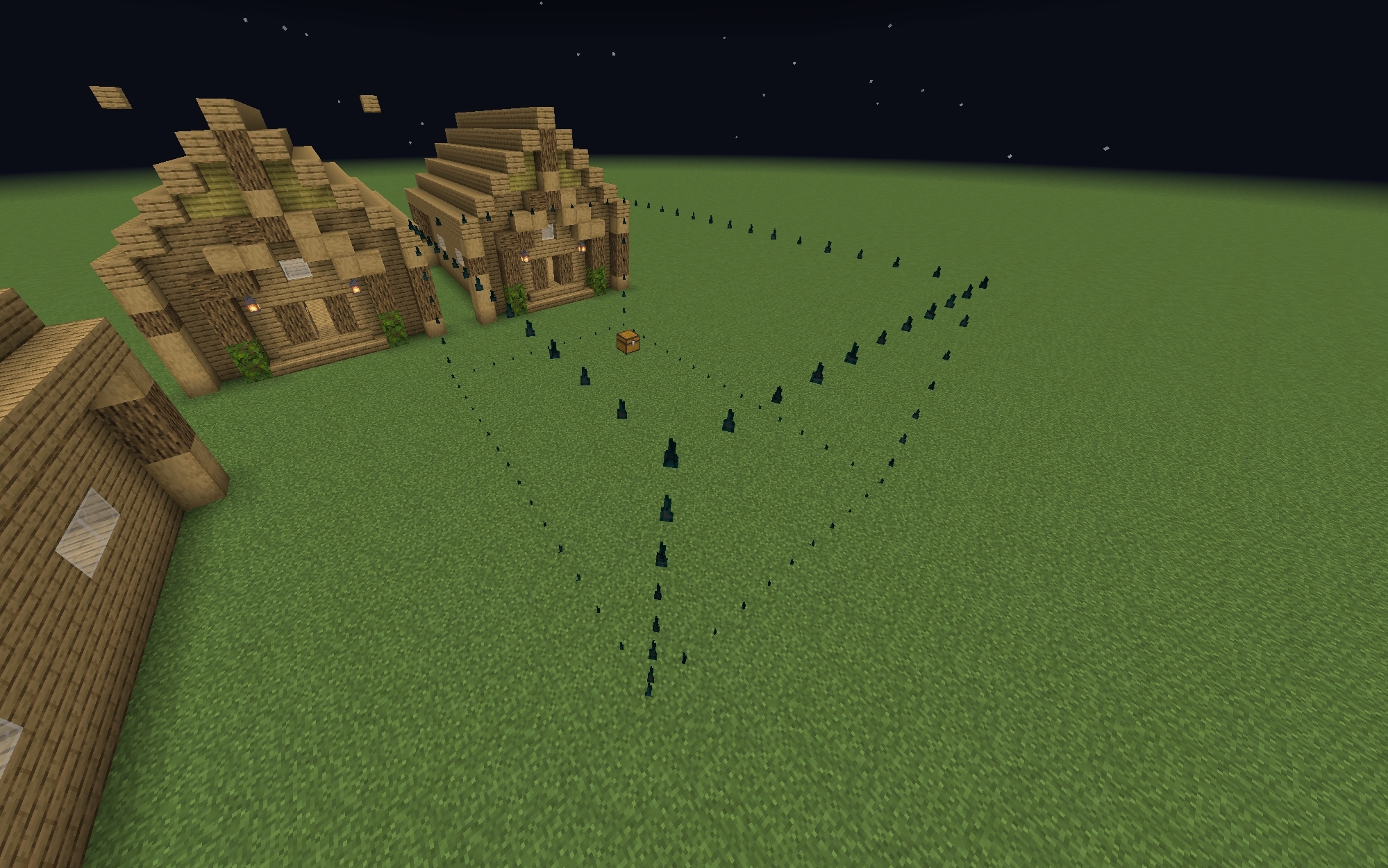
- Select & Preview: Use the Golden Hoe to click two corners of your building (creating a 3D box). The mod automatically calculates the space and shows you a glowing hologram outline of what you've selected!
- Easy Pasting: Once you accept the copy, you get a Paste Stick. Right-click the ground anywhere in the world to see a live 3D preview of your copied building. You can even rotate it in 90-degree steps before permanently placing it!
3. Optional Economy System
If you are running a server and don't want to give materials away for free, the mod includes a fully persistent economy system!
- Real Currency: You can charge players real in-game items (Iron, Gold, Emerald, or Diamond) for block stacks or for copying buildings.
- Smart Pricing: Copying a building gets more expensive the larger the footprint is (scaling up to the 64x64 maximum limit). The payment is deducted straight from the player's real inventory!
- Admin Control: Admins get a special "⚙ Admin Economy Panel" right inside the shovel to change prices or turn the economy completely on or off with a single tap.
🛡️ Anti-Cheat & Safety Features
To ensure this mod doesn't ruin the balance of your survival server, it comes with strict built-in safety rules:
- Forbidden Blocks: You cannot copy chests, barrels, furnaces, hoppers, or any storage blocks. It also blocks the copying of valuable ores (like Diamond or Netherite) and raw resource blocks.
- Safe Limits: You can only copy vanilla Minecraft blocks. If a block comes from another mod, the tool will safely reject the copy to prevent server crashes.
- Unbreakable Tools: The Shovel, Hoe, and Paste stick will never break or lose durability (ig)
🎮 How to Get Started (For Admins)
To give a player access to these amazing tools, simply type this command in the chat:
/tag <player name> add builder
To give yourself or another player the ability to change prices in the economy menu, use:
/tag <player name> add admin_builder
YouTube tutorial Click here for further explanat
Have fun building and creating like never before with the Builder Golden Shovel
- Edition: Minecraft Bedrock
- File type: .mcpack or .mcaddon
- Minecraft versions listed: 26.10, 26.11, 26.12
- How to install: Download the .mcpack or .mcaddon file. → Open it — Minecraft imports it. → In your world: Behavior Packs → Available → Activate, then the same under Resource Packs.
- Where to get it: Opens on CurseForge — not every file is mirrored on our own servers.
Install steps are the general flow for this file type — How to install Minecraft Bedrock addons & mods walks through it step by step.
- Pack type: .mcpack — a single pack
- Manifest requires Minecraft 1.21.20 or newer
- Complete pack — everything it depends on is inside the file
- Download size: 871 KB
- Download link checked 11 Oct 2026 — working
These come from our own check of the pack file, not from the source page.