
ModsJava
Shulker Layouts
Java mod listed for Minecraft 26.x. Downloads from the MC Java Mods app on Android.
⬇ Download on Modrinth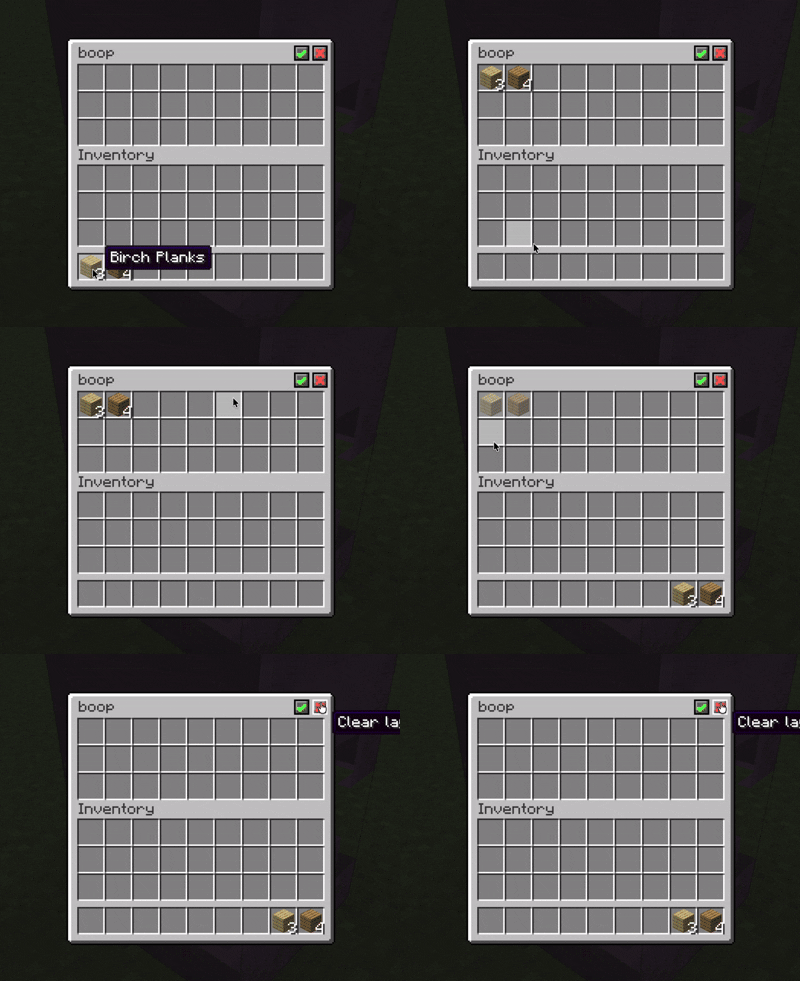

Shulker Layouts
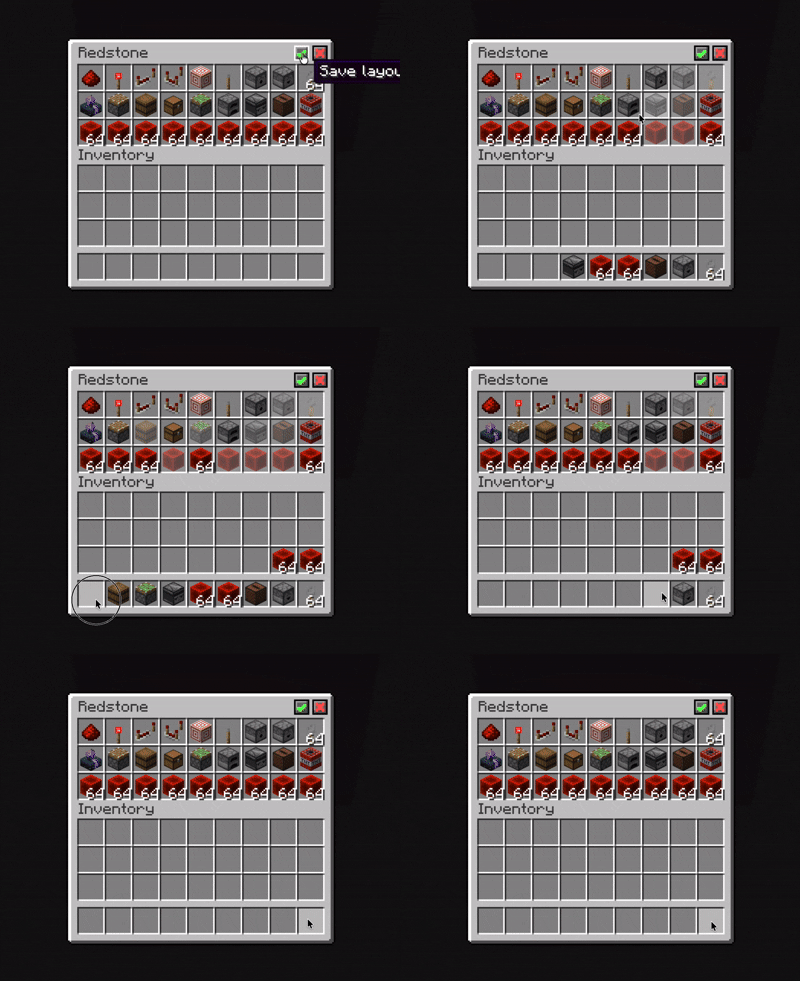
Client-side shulker box layouts with item previews, placement safeguards, and smart shift-click routing to keep your shulker boxes organised.
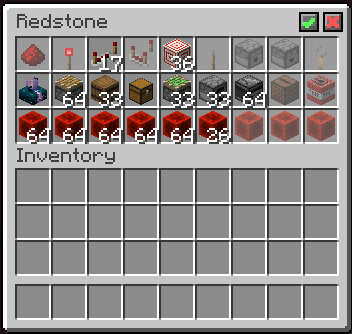
Check out the gallery to see the mod in use!
Features
- Save individual layouts per shulker box by their name
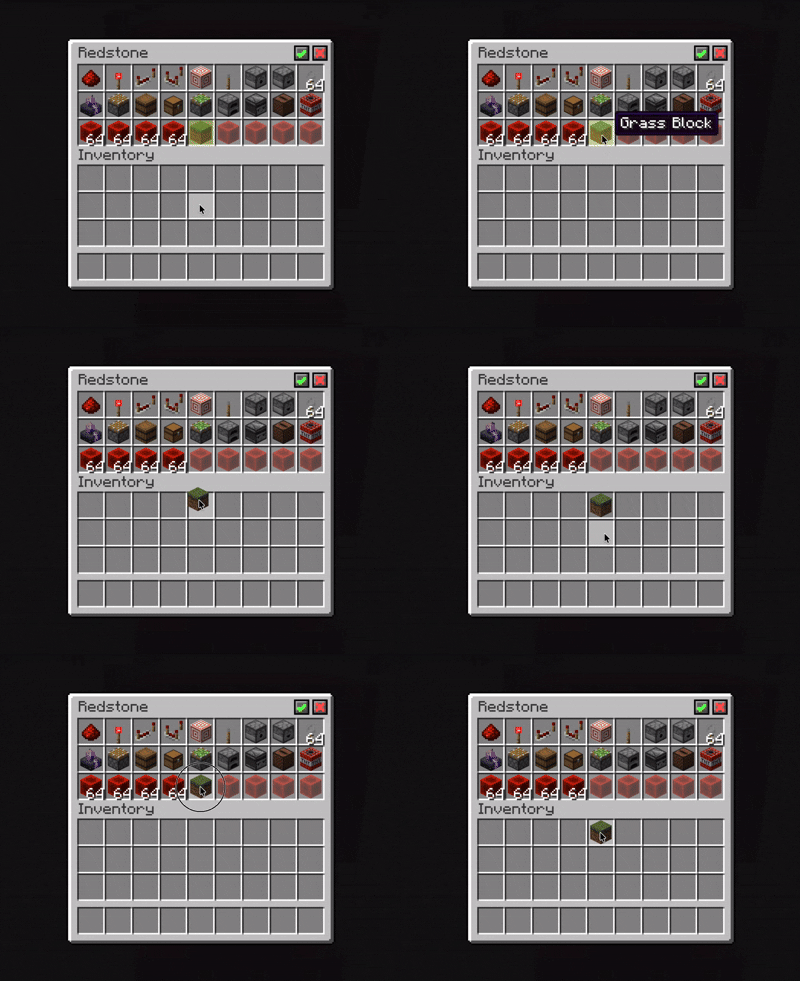
- Display preview items in empty layout slots
- Highlight misplaced items in layouts
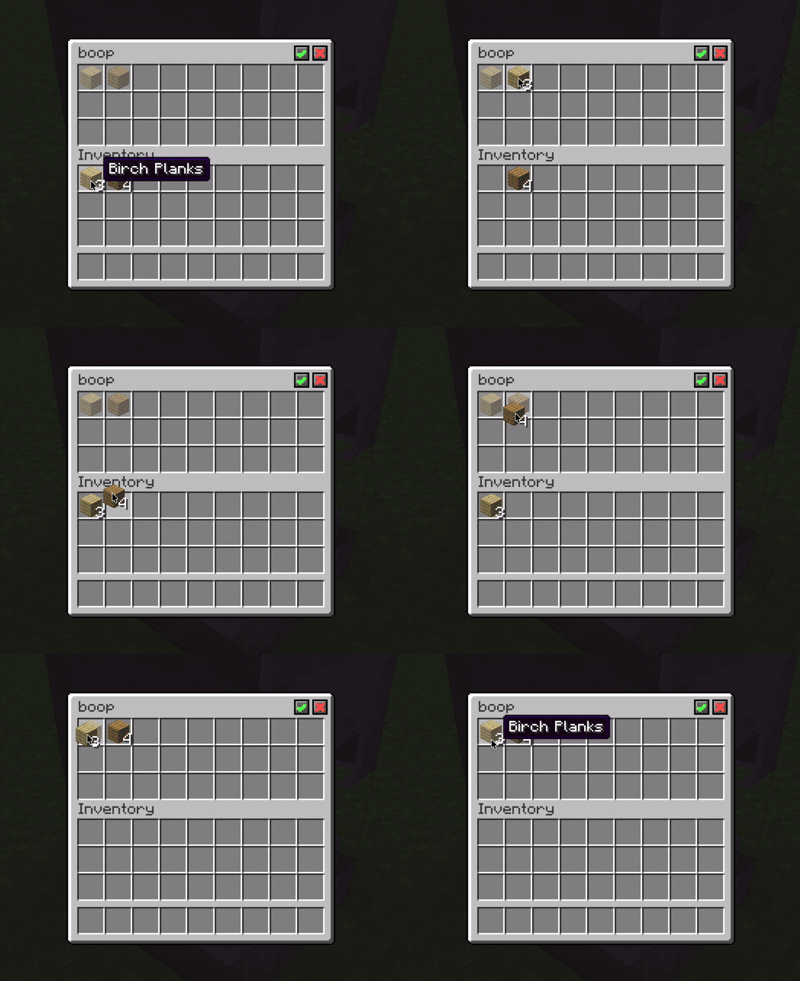
- Prevent items from being placed in the wrong assigned slots
- Route shift-clicked items into their assigned or available slots
How to use
- Rename a shulker box to your desired name
- Place some items inside, in the order you want
- Click
✓in the top right corner of the inventory to save your layout - Profit?
You should now be able to take items from the shulker box which will leave behind a preview of the layout.
Alternatively, click ⨯ in the top right corner to clear the layout.
Quick facts
- Edition: Minecraft Java
- File type: .jar
- Minecraft version listed: 26.2
- How to install: Install the matching mod loader (Forge, Fabric or NeoForge) for your Minecraft version. → Download the .jar. → Put it in the .minecraft/mods folder and launch that loader profile.
- Where to get it: Opens on Modrinth — not every file is mirrored on our own servers.
Install steps are the general flow for this file type — How to install Minecraft Java mods & modpacks walks through it step by step.
File checked by MCModsHub
- Ships as shulker-layouts-1.0+26.2.jar — drop this file into the mods folder
- Download size: 83 KB
- Download link checked 12 Oct 2026 — working
These come from our own check of the pack file, not from the source page.