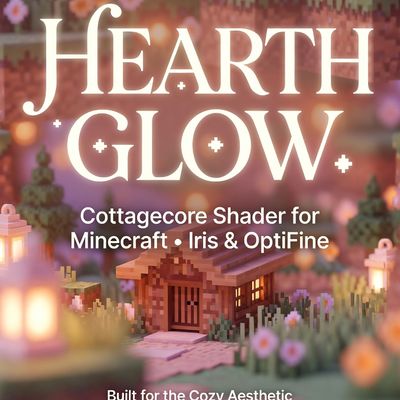
Hearthglow Cottagecore Shaders (Cozy )
Hearthglow is a cottagecore shader for Minecraft (Iris & OptiFine): warm ambient light, soft glow, pastel tones. No other shader is built specifically for…
⬇ Download on CurseForge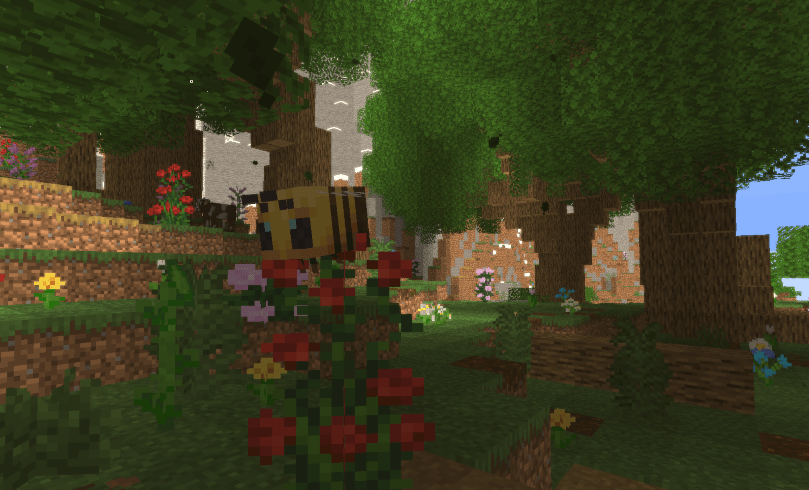
What is Hearthglow?
Hearthglow is a cottagecore/cozy-aesthetic shader for Minecraft, compatible with Iris and OptiFine. It is built specifically for warm, soft, "feel good" visuals — not photorealism.
Is there a cottagecore shader for Minecraft?
Before Hearthglow, no. Every major shader pack (BSL, Complementary, SEUS, Sildur's) is built around realism — accurate shadows, PBR water, ray-traced lighting. None of them target the cottagecore or cozy-gaming aesthetic specifically. Hearthglow is the first shader made for that look on purpose, not as a side effect of a realism preset.
What does Hearthglow do?
- Warm, lifted ambient lighting — no harsh dark corners
- Soft glow around windows, fire, and sunlight
- Gentle "dreamy" softness without making the image blurry
- Pastel color grade with reduced contrast
- Warm, soft vignette
- Every setting adjustable in-game (Shader Options): warmth, glow strength, pastel amount, vignette, softness
Who is it for?
Cottagecore builders, cozy let's-play creators, farm/cabin/village aesthetic screenshots, and anyone who wants their world to look like a warm afternoon in a storybook rather than a cinematic realism showcase.
- Edition: Minecraft Java
- File type: .zip (resource pack)
- Minecraft versions listed: 1.17.1, 1.21, 1.18.1
- How to install: Download the .zip resource pack — do not unzip it. → Put it in .minecraft/resourcepacks. → Enable it in Options → Resource Packs.
- Where to get it: Opens on CurseForge — not every file is mirrored on our own servers.
Install steps are the general flow for this file type — see the MC Java Mods guides for the full walkthrough.
Hearthglow Cottagecore Shaders (Cozy ) is a free Minecraft Java shader. Compatible with Minecraft 1.17.1, 1.21, 1.18.1, 1.19.3 and newer. Downloaded 2,387 times (via CurseForge). Download it and open it directly in the game.