
Aether shop
Q This add-on enhances your Survival experience by adding a shop to your Minecraft world. Simply hold a stick and use it (right-click on PC or tap on…
⬇ Download on CurseForge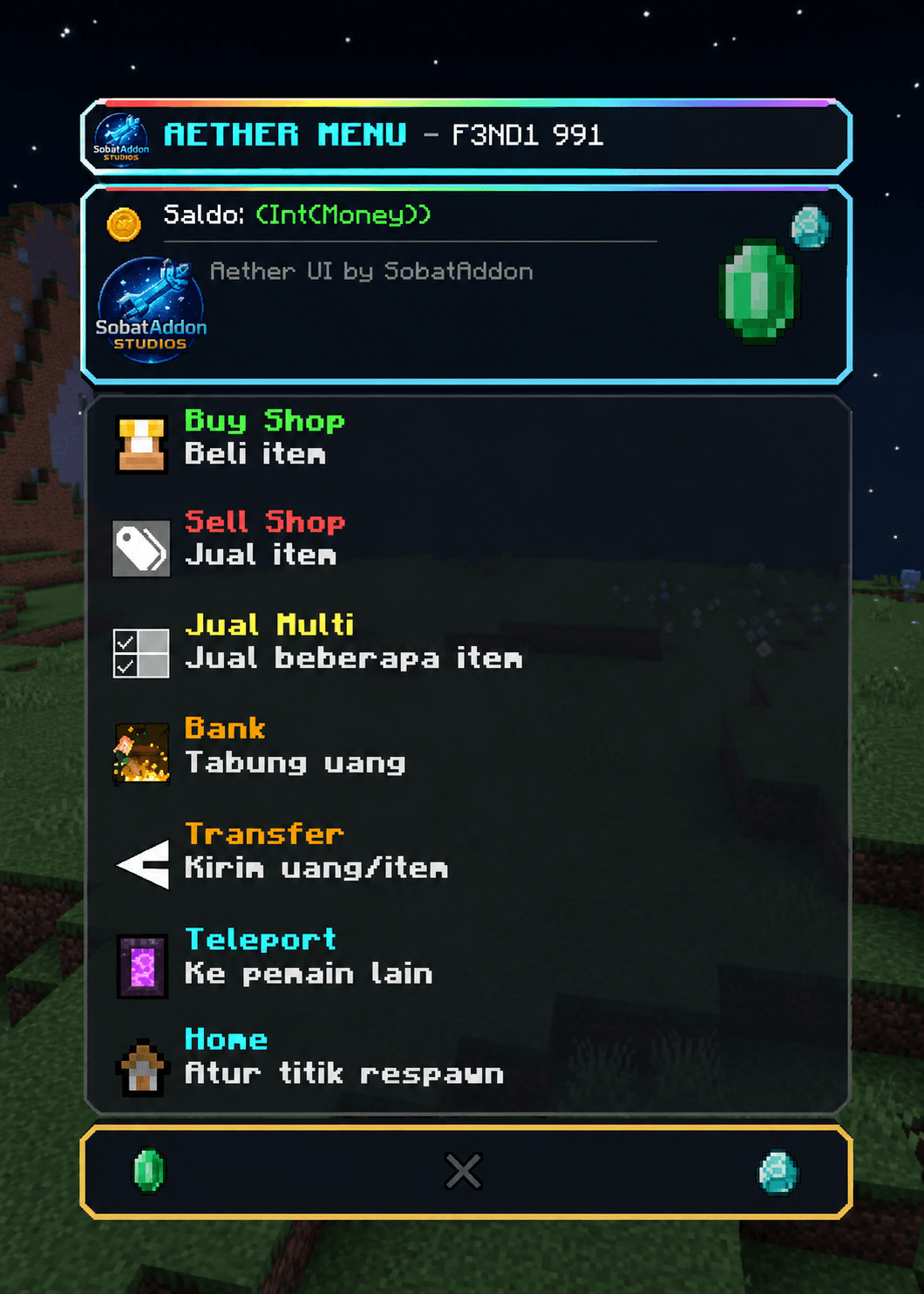
Aether shop Addon
Aether Shop Add-on
Upgrade your Minecraft Bedrock survival experience with Aether Shop!
This add-on adds a fully functional shop to your world, allowing you to access useful features through a simple and easy-to-use interface.
Features
- Easy-to-use Shop UI
- Open the shop using a Stick
- Multiple built-in utility features
- Designed for Survival gameplay
- Lightweight and easy to use
How to Use
1. Join your Minecraft world.
2. Hold a Stick in your hand.
3. Right-click (PC) or tap the screen (Mobile) to open the Shop UI.
4. Select the feature you want to use.
Requirements
- Minecraft Bedrock Edition
- Enable Holiday Creator Features (if required by your Minecraft version)
- Make sure both the Behavior Pack and Resource Pack are enabled.
Installation
1. Download the ".mcaddon" file.
2. Open it with Minecraft.
3. Activate the add-on in your world settings.
4. Enjoy!
If you encounter any issues or have suggestions for future updates, feel free to leave a comment. Thank you for downloading Aether Shop!
- Edition: Minecraft Bedrock
- File type: .mcpack or .mcaddon
- Minecraft versions listed: 26.10, 26.11, 26.12
- How to install: Download the .mcpack or .mcaddon file. → Open it — Minecraft imports it. → In your world: Behavior Packs → Available → Activate, then the same under Resource Packs.
- Where to get it: Opens on CurseForge — not every file is mirrored on our own servers.
Install steps are the general flow for this file type — How to install Minecraft Bedrock addons & mods walks through it step by step.
Aether shop is a free Minecraft Bedrock addon. Compatible with Minecraft 26.10, 26.11, 26.12, 26.20 and newer. Downloaded 102 times (via CurseForge). Download it and open it directly in the game.