
Fragile Feast
Java mod listed for Minecraft 26.x. Downloads from the MC Java Mods app on Android.
Remove hunger and recover health through food — but protect your unfinished healing, because taking damage cancels it
⬇ Download on Modrinth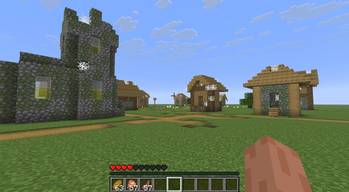
Fragile Feast
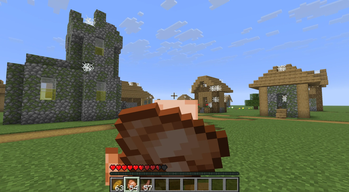
Fragile Feast replaces Minecraft’s hunger system with a simple food-based healing mechanic.
When you are injured, eating food adds health to a recovery reserve. Semi-transparent hearts show how much health is waiting to return, and gradually turn into normal hearts as you recover.
Taking real health damage cancels whatever recovery is still unfinished. Health that has already returned stays, but you will need to eat again to continue healing.
There is no hunger bar, starvation, or automatic health regeneration — including on Peaceful difficulty. Sprinting remains available, and regular healing sources such as potions, Regeneration, golden apples, beacons, and totems continue to work normally.
Most foods added by other mods are supported automatically through their existing food properties.
Features
- Removes hunger and starvation.
- Disables natural and Peaceful health regeneration.
- Makes food gradually restore health.
- Shows unfinished recovery with semi-transparent vanilla hearts.
- Cancels unfinished recovery when real health damage is taken.
- Allows additional food to extend the recovery reserve.
- Keeps sprinting independent of hunger.
- Preserves food effects, animations, sounds, statistics, and containers.
- Supports cake and most modded foods automatically.
- Preserves potions, Regeneration, beacons, golden apples, totems, and other healing sources.
- Available for Fabric and NeoForge.
How Recovery Works
- Take damage.
- Eat food.
- Semi-transparent hearts show your pending recovery.
- Health gradually returns after a short delay.
- Taking real damage removes the unfinished portion.
Attacks fully blocked by a shield do not interrupt recovery. Damage absorbed entirely by golden absorption hearts does not interrupt it either.
Compatibility
- Minecraft 26.2
- Fabric and NeoForge
- Java 25
- Fabric API is not required
- Required on both the client and server for multiplayer
Install only the file made for your loader. Do not install the Fabric and NeoForge JAR files together.
- Edition: Minecraft Java
- File type: .jar
- Minecraft version listed: 26.2
- How to install: Install the matching mod loader (Forge, Fabric or NeoForge) for your Minecraft version. → Download the .jar. → Put it in the .minecraft/mods folder and launch that loader profile.
- Where to get it: Opens on Modrinth — not every file is mirrored on our own servers.
Install steps are the general flow for this file type — How to install Minecraft Java mods & modpacks walks through it step by step.
- Ships as fragilefeast-neoforge-1.0.0.jar — drop this file into the mods folder
- Download size: 17 KB
- Download link checked 15 Oct 2026 — working
These come from our own check of the pack file, not from the source page.