
Funny Graveyards
Java mod listed for Minecraft 1.21. Downloads from the MC Java Mods app on Android.
Funny Graveyards captures the real moment of your death, stores your items and XP, and displays the photo on a grave for everyone on the server to…
⬇ Download on Modrinth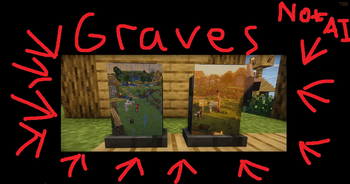
Funny Graveyards
Every death leaves a memory.
Funny Graveyards turns player deaths into cinematic memorials.
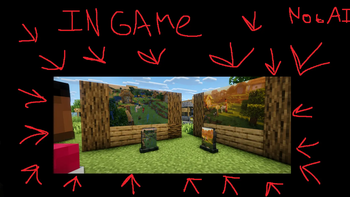
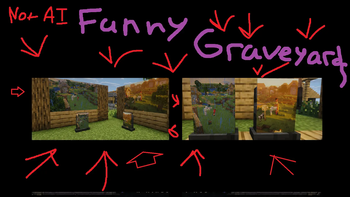
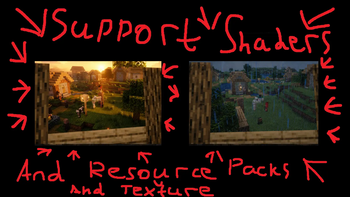
When you die, the mod captures the real moment of death from a third-person camera and displays it on your grave. The photo includes your actual skin, equipment, nearby mobs, weather, resource packs, and supported shaders.
On multiplayer servers, the image is uploaded and synchronized so everyone sees the same photograph, even with different visual settings.
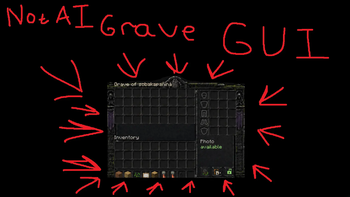
When keepInventory is disabled, the grave safely stores your items, armor, offhand equipment, experience, and supported Curios or accessory slots.
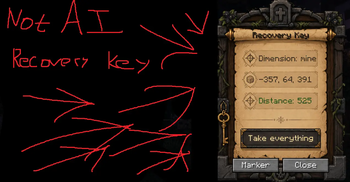
A linked Recovery Key shows the grave’s dimension, coordinates, and distance. It can create a waypoint or remotely return the grave’s contents.
Photos can also be extracted from graves, mounted on walls in multiple sizes, or attached to empty tombstones.
Features
- Real cinematic death screenshots
- Resource pack and supported shader capture
- Server-wide photo synchronization
- Item, equipment, accessory, and XP storage
- Remote recovery keys and waypoints
- Extractable wall-mounted memorial photos
- Explosion-resistant graves
- Safe recovery after Void deaths
- Singleplayer and dedicated server support
Die. Recover. Remember.
- Edition: Minecraft Java
- File type: .jar
- Minecraft version listed: 1.21.1
- How to install: Install the matching mod loader (Forge, Fabric or NeoForge) for your Minecraft version. → Download the .jar. → Put it in the .minecraft/mods folder and launch that loader profile.
- Where to get it: Opens on Modrinth — not every file is mirrored on our own servers.
Install steps are the general flow for this file type — How to install Minecraft Java mods & modpacks walks through it step by step.
- Ships as funny_graveyards-1.0.jar — drop this file into the mods folder
- Download size: 1.3 MB
- Download link checked 15 Oct 2026 — working
These come from our own check of the pack file, not from the source page.