
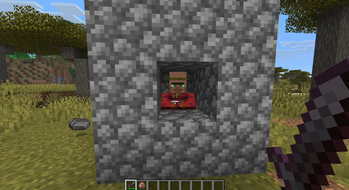
PvP Crosshair
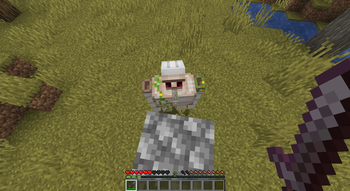
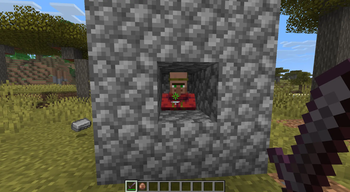
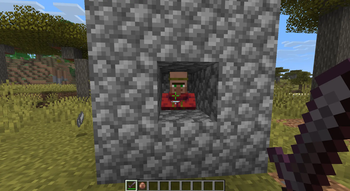
PvP Crosshair is a lightweight and customizable Fabric mod that enhances Minecraft combat by providing a dynamic crosshair.
Whether you're fighting players or mobs, the crosshair dynamically changes based on your target, giving you instant visual feedback without cluttering your screen.
✨ Features
🎯 Multiple Crosshair Styles
Choose from four built-in styles:
- Corner (Default)
- Star
- Chevron
- Vanilla
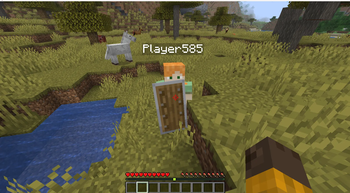
🛡 Shield Detection
When your target is actively blocking with a shield, the crosshair switches to a separate shield color, making it easy to identify defensive opponents.
🟢 Smart Target Detection
The crosshair automatically detects when you're aiming at a living entity and changes to your configured target color.
🎨 Fully Customizable
Customize the crosshair to match your preference:
- Crosshair style
- Crosshair size
- Idle opacity
- Target opacity
- Shield opacity
- Idle color
- Target color
- Shield color
⚙️ In-Game Configuration
Configure everything directly in-game using:
- Mod Menu (Optional)
- Cloth Config (Optional)
💾 Automatic Configuration Saving
All settings are automatically saved to a JSON configuration file and persist between game launches.
🎮 Vanilla-Friendly
PvP Crosshair is designed to improve combat without changing Minecraft's core gameplay.
It preserves:
- Vanilla attack cooldown indicator
- Vanilla spectator crosshair behavior
- Vanilla combat mechanics
📦 Requirements
Required
- Fabric Loader
- Fabric API
Optional
- Mod Menu
- Cloth Config (required only for the in-game configuration screen)
✅ Supported Version
- Minecraft 26.2
Support for additional Minecraft 1.21.x versions is planned in future releases.
❤️ Feedback
Found a bug or have a feature suggestion?
Please open an issue on GitHub or leave feedback on the project page. Community feedback helps shape future updates.
Enjoy!
- Edition: Minecraft Java
- File type: .jar
- Minecraft version listed: 1.21.11
- How to install: Install the matching mod loader (Forge, Fabric or NeoForge) for your Minecraft version. → Download the .jar. → Put it in the .minecraft/mods folder and launch that loader profile.
- Where to get it: Opens on Modrinth — not every file is mirrored on our own servers.
Install steps are the general flow for this file type — How to install Minecraft Java mods & modpacks walks through it step by step.
- Ships as pvp-crosshair-1.0.0.jar — drop this file into the mods folder
- Download size: 46 KB
- Download link checked 5 Sept 2026 — working
These come from our own check of the pack file, not from the source page.