
Vantage PVP
A PvP-optimized Minecraft shader (Iris & OptiFine): lifted shadows, sharpened image, vivid cinematic tones — see every enemy, look great doing it.
⬇ Download on Modrinth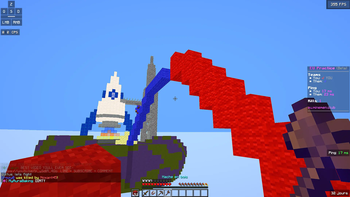
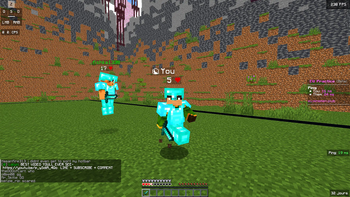
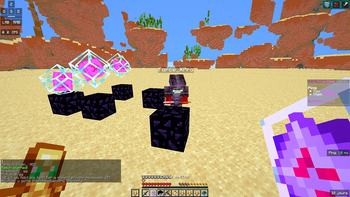
Vantage
Vantage is a PvP-optimized shader for Minecraft. Most shader packs are built to look pretty in a sunset over a mountain — Vantage is built to help you win a fight while still looking sharp.
Shadows are lifted so nothing hides in the dark, players and mobs are boosted even further than the terrain so an enemy never blends into a cave wall or a dim room, and the image is sharpened for cleaner target tracking at range. On top of that, a soft bloom on light sources and a cinematic color grade keep it feeling like a real shader pack — not a flat, washed-out competitive filter.
Features Lifted shadows — Dark areas are brightened so nothing can hide in a shadowed corner, cave, or dim room. Boosted entity visibility — Players and mobs get an even stronger light lift than the terrain, so an enemy never blends into the environment behind them. Image sharpening — A subtle sharpen pass makes it easier to track targets at range without over-processing the image. Soft, decorative bloom — Torches, lava, and the sky get a gentle glow. It's purely visual — it never brightens dark areas or reduces visibility. Cinematic color grade — A split-tone grade (cool shadows, warm highlights) gives the game a polished look instead of a flat combat filter. No visual clutter — No fog, no film grain, and a near-invisible vignette, so nothing blocks your peripheral vision in a fight. Lightweight — Built to stay smooth in fast-paced fights, with no unnecessary post-processing overhead. Fully configurable in-game — Sharpness, saturation, contrast, bloom, and shadow lift can all be adjusted from the in-game Shader Options menu. Who it's for
PvP servers, UHC, MCSG, and anyone who wants a shader that helps them actually see the fight — not just admire the scenery.
Compatibility Requires Iris or OptiFine Installation Install Iris (Fabric) or OptiFine. Download Vantage.zip and place it — without extracting — in your .minecraft/shaderpacks folder. In Minecraft, go to Options > Video Settings > Shaders, and select Vantage. Click Shader Options to adjust sharpness, saturation, contrast, bloom, and shadow lift.
- Edition: Minecraft Java
- File type: .zip (resource pack)
- Minecraft versions listed: 1.17, 1.17.1, 1.18
- How to install: Download the .zip resource pack — do not unzip it. → Put it in .minecraft/resourcepacks. → Enable it in Options → Resource Packs.
- Where to get it: Opens on Modrinth — not every file is mirrored on our own servers.
Install steps are the general flow for this file type — see the MC Java Mods guides for the full walkthrough.
- Downloads as ShaderPourPVP.zip
- Download size: 4 KB
- Download link checked 5 Sept 2026 — working
These come from our own check of the pack file, not from the source page.