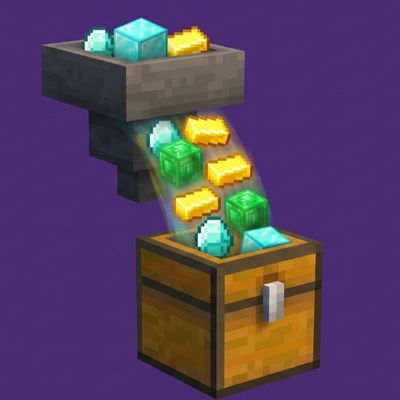

Fast Customizable Hoppers Add-on
Tired of your massive farms backing up because vanilla hoppers just can't keep up? This add-on completely overhauls hopper mechanics, allowing you to increase item transfer speeds up to a blistering 64 items per second (1 full stack per second), all while keeping your world completely achievement-friendly.
Why You Need This Mod
Vanilla hoppers transfer items at a hardcoded rate of 2.5 items per second. For late-game players building high-yield mob farms, gold farms, or super smelters, this creates a massive bottleneck, resulting in despawned loot and wasted effort. This mod solves the core logistics problem in Minecraft Bedrock by putting hopper speeds directly into your control.- Insane Transfer Rates: Push hopper limits from 1 item all the way up to 64 items per second.
- In-Game UI Customization: No need to tinker with files or commands. Adjust speeds on the fly using a clean, built-in slider menu.
- 100% Achievement Friendly: Built using native Bedrock Scripting APIs. The required internal tagging happens automatically when you join the world—no cheats or command blocks required.
- Optimized for Performance: The script specifically tracks placed hoppers rather than scanning the entire world, ensuring your server runs smoothly even with hundreds of active hoppers.
- Help Me -

How to Use ?
- Join the World: Upon joining, the system automatically grants you the necessary background permissions to configure the mod.
- Grab a Clock: Obtain a standard vanilla Minecraft Clock.
- Open the Menu: Use (Right-click or Long-press) the Clock to open the Hopper Configuration menu.
- Set Your Speed: Adjust the slider to your desired transfer rate (1 to 64 items per second) and submit.
- Place Hoppers: Place your hoppers as normal. They will automatically adopt the server's newly configured speed.
Important Note for Existing Worlds:
Because the script tracks hoppers at the exact moment they are placed by a player, any hoppers placed before installing this mod must be broken and replaced to register into the high-speed system.Quick facts
- Edition: Minecraft Bedrock
- File type: .mcpack or .mcaddon
- Minecraft versions listed: 1.21.120, 1.21.122, 1.21.121
- How to install: Download the .mcpack or .mcaddon file. → Open it — Minecraft imports it. → In your world: Behavior Packs → Available → Activate, then the same under Resource Packs.
- Where to get it: Opens on CurseForge — not every file is mirrored on our own servers.
Install steps are the general flow for this file type — How to install Minecraft Bedrock addons & mods walks through it step by step.
Verified by MCModsHub
- Save it as Fast_hopper.mcaddon before opening — it downloads as .mcpack, but it is a .mcaddon pack
- Manifest requires Minecraft 1.21.120 or newer
- Complete pack — everything it depends on is inside the file
- Download size: 443 KB
- Download link checked 4 Sept 2026 — working
These come from our own check of the pack file, not from the source page.