zack x tpagui
Java mod listed for Minecraft 1.21. Downloads from the MC Java Mods app on Android.
⬇ Download on Modrinth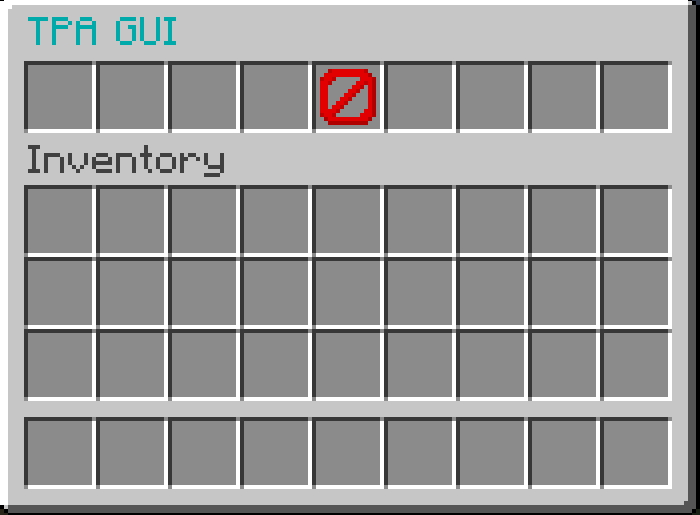
Zack x TpaGui
Zack x TpaGui is a lightweight Paper plugin that adds a simple chest GUI for teleport requests.
Instead of typing player names manually, players can run:
/tpagui
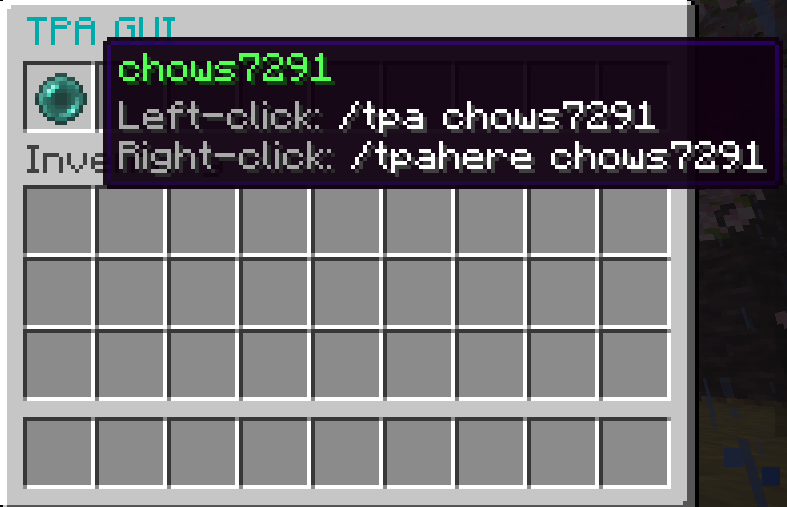
and choose an online player from a menu.
Left-clicking a player runs:
/tpa <player>
Right-clicking a player runs:
/tpahere <player>
This is especially useful for Geyser/Floodgate crossplay servers, where Bedrock players may find typing Java usernames annoying or difficult. Zack x TpaGui makes teleporting quicker, cleaner, and easier for both Java and Bedrock players.
Why I Made This
I made Zack x TpaGui because I needed a simple teleport GUI that worked well for my own server setup, especially with Geyser and Floodgate. I found it annoying trying to find a plugin that fit exactly what I needed, so I decided to make my own.
I am mainly putting this out there in case anyone else has the same problem and wants a simple, Bedrock-friendly TPA GUI without extra complicated features. It was made for my own use first, but hopefully it helps other server owners too.
Features
- Easy
/tpaguicommand - Chest GUI showing online players
- Left-click to send a
/tparequest - Right-click to send a
/tpahererequest - Bedrock-friendly by default
- Great for Geyser/Floodgate servers
- Uses normal items instead of forced player heads for better Bedrock support
- Auto-generates a customizable config
- Custom GUI title, item names, lore, materials, messages, and commands
/tpagui reloadsupport- Lightweight and simple
Commands
/tpagui
Opens the teleport request GUI.
/tpagui reload
Reloads the plugin config.
Permissions
tpagui.use
Allows players to open the GUI. Default: everyone.
tpagui.reload
Allows reloading the config. Default: operators.
Dependencies
Zack x TpaGui does not add /tpa or /tpahere by itself.
You need another teleport plugin installed, such as EssentialsX, CMI, or another plugin that provides /tpa and /tpahere.
Supported Versions
Built for:
Paper 1.21.11
It should also work on nearby Paper 1.21.x versions, but the intended version is 1.21.11.
Recommended Modrinth settings:
- Game version:
1.21.11 - Platform:
Paper - Environment:
Server-side
Geyser/Floodgate Friendly
Bedrock-friendly mode is enabled by default:
bedrock-friendly:
  enabled: true
  player-item-material: ENDER_PEARL

  This helps avoid player head display issues for Bedrock players and keeps the GUI simple and reliable.
- Edition: Minecraft Java
- File type: .jar
- Minecraft versions listed: 1.21, 1.21.1, 1.21.2
- How to install: Install the matching mod loader (Forge, Fabric or NeoForge) for your Minecraft version. → Download the .jar. → Put it in the .minecraft/mods folder and launch that loader profile.
- Where to get it: Opens on Modrinth — not every file is mirrored on our own servers.
Install steps are the general flow for this file type — How to install Minecraft Java mods & modpacks walks through it step by step.
- Ships as zack x TpaGui-1.0.0.jar — drop this file into the mods folder
- Download size: 8 KB
- Download link checked 15 Oct 2026 — working
These come from our own check of the pack file, not from the source page.