
Sub-Pixel Cushion Alignment
Java mod listed for Minecraft 26.x. Downloads from the MC Java Mods app on Android.
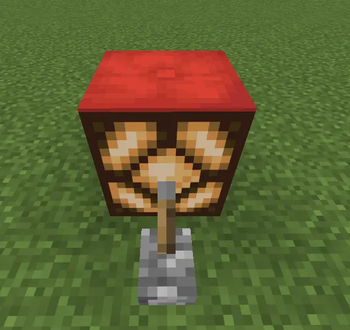
Brings back the beloved "sub-pixel cushion alignment" bug from 26.3-snapshot-3. free height cushion placement in cauldrons, hoppers, and composters…
⬇ Download on Modrinth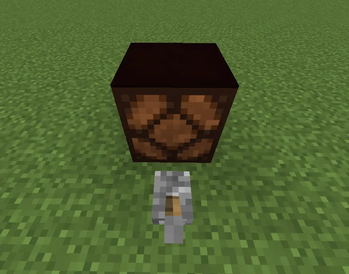
Sub-Pixel Cushion Alignment
Restores 26.3-snapshot-3's free-height cushion placement.
When cushions were first added in Minecraft snapshot 26.3-snapshot-3, players discovered they could place cushions at any height inside cauldrons, hoppers, and composters — not just fixed snap positions. This "sub-pixel" placement quickly became a favorite among builders for detail work and among redstoners for compact contraptions.
Snapshot 26.3-snapshot-4 patched this out (tracked as MC-309695) by restricting cushion placement in these blocks to snap strictly to their collision shape.
This mod reverts that restriction — bringing sub-pixel cushion placement back to cauldrons, hoppers, and composters, exactly as it behaved in snapshot-3.
Affected blocks
Cauldron (all fill states: empty, water, lava, powder snow) Hopper Composter
Technical details
This is a pure data fix — no code injection, no mixins. It overrides Mojang's own minecraft:cushion_uses_collision_shape block tag (introduced in snapshot-4 specifically to gate this behavior) back to empty, restoring the original interaction-shape-based placement raycast.
Installation notes
Singleplayer / LAN worlds: install client-side, works immediately. Multiplayer (dedicated servers): placement is server-authoritative — this mod (or just the bundled datapack) needs to be installed server-side. Client-only installs will not affect real multiplayer servers.
Requirements
Minecraft 26.3-snapshot-4 Fabric Loader ≥0.19.3
- Edition: Minecraft Java
- File type: .jar
- Minecraft version listed: 26.3-snapshot-6
- How to install: Install the matching mod loader (Forge, Fabric or NeoForge) for your Minecraft version. → Download the .jar. → Put it in the .minecraft/mods folder and launch that loader profile.
- Where to get it: Opens on Modrinth — not every file is mirrored on our own servers.
Install steps are the general flow for this file type — How to install Minecraft Java mods & modpacks walks through it step by step.
- Ships as sub-pixel-cushion-alignment-1.0.0.jar — drop this file into the mods folder
- Download size: 14 KB
- Download link checked 16 Oct 2026 — working
These come from our own check of the pack file, not from the source page.