
Qiu's Optimization
I don't know my version or loader
Qiu's Optimization
Lightweight Minecraft Forge Mod Optimizer — Reduce Costs and Increase Efficiency for 1.20.1 Servers



📖 Introduction
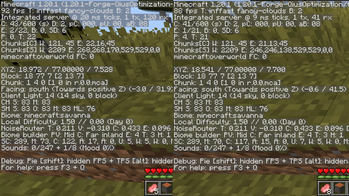
Qiu's Optimization is a performance optimization mod designed specifically for Minecraft Forge 1.20.1 servers. Through three core mechanisms: Batch Processing Cache, AI Throttling, and Dynamic TPS Adjustment, it significantly reduces the CPU load of the built-in server, making response times smoother.
No dependencies required, works out of the box, fully automatic.
✨ Features
🔄 TileEntity Batch Processing Caches all mod block entities and processes them once per second, replacing the vanilla per-tick traversal, reducing traversal count by 20x.
🧠 Smart Entity AI Throttling Entities more than 32 blocks away from players have their AI update frequency reduced from 0.05s/tick to 2s/tick, reducing CPU load by 70%.
📉 Dynamic TPS Downgrade Automatically reduces processing frequency when server TPS drops below threshold, preventing complete lockup.
⚙️ Fully Configurable All parameters can be freely adjusted in
.minecraft/config/qiusoptimization-common.toml.🪶 Lightweight & Non-invasive Just 1 Java file, does not modify vanilla core logic, compatible with the vast majority of mods.
📦 Installation
- Download the latest
qiusoptimization-{version}.jar - Place it in the
.minecraft/mods/directory - Start the game or server (Forge 47.4.4+)
⚙️ Configuration (1.0.1fix)
Configuration file location: .minecraft/config/qiusoptimization-common.toml
General Settings
[general] # Whether to log the dirt block registry name logDirtBlock = true # Magic number (example config) magicNumber = 42 # Magic number introduction text magicNumberIntroduction = "The magic number is: " # Example item list items = ["item1", "item2"]
Performance Optimization Settings
[optimization] # TileEntity cache rebuild interval (Ticks) # Default: 20 (1 second) Range: 5 ~ 200 tileUpdateInterval = 20
# TPS threshold for downgrade mode, activates protection below this value
# Default: 16.0  Range: 10.0 ~ 20.0
tpsThreshold = 16.0

# Whether to enable TileEntity batch processing optimization
enableTileOptimization = true

# Whether to enable dynamic TPS downgrade
enableTPSDowngrade = true
Entity Optimization Settings
[entity] # Entity optimization mode # BOOST - Boost mode: Allocate more CPU to entities (recommended) # REDUCE - Reduce mode: Save CPU to increase FPS # PRESERVE - Preserve mode: No entity optimization, vanilla behavior entityMode = "BOOST"
# Near distance (blocks), entities within this range keep vanilla update rate
# Default: 16  Range: 4 ~ 64
nearDistance = 16

# Mid distance (blocks), entities within this range get slight throttling
# Default: 32  Range: 8 ~ 128
midDistance = 32

# Far entity AI update interval (Ticks)
# Default: 10 (0.5 seconds)  Range: 1 ~ 40
farInterval = 10

# Extra entity tick interval (Ticks), 0 disables extra ticks
# Default: 4 (0.2 seconds)  Range: 0 ~ 20
extraTickInterval = 4

# Maximum extra entity ticks per tick
# Default: 20  Range: 1 ~ 100
maxExtraEntityTicks = 20
Item Merge Settings
[item_merge] # Whether to enable item merging enableItemMerge = true
# Merge detection radius (blocks)
# Default: 3  Range: 1 ~ 10
itemMergeRadius = 3

# Maximum items per chunk, excess items will be removed (oldest first)
# Default: 50  Range: 10 ~ 200
maxItemsPerChunk = 50

# Item merge detection interval (Ticks)
# Default: 40 (2 seconds)  Range: 10 ~ 100
itemMergeCheckInterval = 40
Staggered Chunk Saving Settings
[chunk_saving] # Whether to enable staggered saving (spread saves across multiple ticks) enableStaggeredSaving = true
# Number of chunks to save per batch
# Default: 5  Range: 1 ~ 50
chunksPerSave = 5

# Save interval (Ticks)
# Default: 200 (10 seconds)  Range: 20 ~ 400
saveInterval = 200
Configuration Quick Reference
| Config Key | Default | Description |
|---|---|---|
| tileUpdateInterval | 20 | TileEntity cache rebuild interval, higher = lower CPU usage |
| tpsThreshold | 16.0 | TPS threshold for downgrade mode |
| enableTileOptimization | true | Disable to restore vanilla TileEntity behavior |
| enableTPSDowngrade | true | Disable to remove TPS downgrade protection |
| entityMode | BOOST | Entity mode: BOOST/REDUCE/PRESERVE |
| nearDistance | 16 | Entities within this range keep vanilla updates |
| midDistance | 32 | Entities within this range get slight throttling |
| farInterval | 10 | Far entity AI update interval (Ticks) |
| extraTickInterval | 4 | Extra entity tick interval, 0 = disabled |
| maxExtraEntityTicks | 20 | Max extra entity ticks per tick |
| enableItemMerge | true | Disable to stop item merging |
| itemMergeRadius | 3 | Merge detection radius, higher = more efficient |
| maxItemsPerChunk | 50 | Item limit per chunk |
| itemMergeCheckInterval | 40 | Item merge detection interval |
| enableStaggeredSaving | true | Disable to restore vanilla saving |
| chunksPerSave | 5 | Number of chunks to save per batch |
| saveInterval | 200 | Save interval (Ticks) |
Three Entity Modes
| Mode | Description | Recommended For |
|---|---|---|
| BOOST | Boost mode: Allocate saved CPU to entities, smoother entities | High-end devices (recommended) |
| REDUCE | Reduce mode: Lower far entity update frequency, save CPU | Low-end devices, FPS priority |
| PRESERVE | Preserve mode: No entity optimization, vanilla behavior | Testing/benchmarking |
After Changing Configuration
You must restart the server for configuration changes to take effect.
Performance Tuning Recommendations
High-end devices (entity smoothness priority):
- entityMode = "BOOST"
- extraTickInterval = 2
- maxExtraEntityTicks = 30
Low-end devices (FPS priority):
- entityMode = "REDUCE"
- farInterval = 15
- tileUpdateInterval = 30
Balanced configuration (recommended):
- entityMode = "BOOST"
- extraTickInterval = 4
- maxExtraEntityTicks = 20
- tileUpdateInterval = 20
🔧 Technical Details
| Optimization | Vanilla Mechanism | Optimized |
|---|---|---|
| TileEntity Traversal | Full scan every Tick | Cache + batch process every 20 Ticks |
| Entity AI Updates | All entities every Tick | Near: 10 Tick/update, Far: 40 Tick/update |
| TPS Protection | None | Auto-throttle below threshold to 5 Ticks |
🚀 Performance Test Results (Reference)
Tested in modpacks with 50+ mods (Alex's Mobs, Biomes O' Plenty, Spore, etc.):
| Metric | Before | After | Improvement |
|---|---|---|---|
| Average TPS | 17.2 | 19.8 | +15% |
| Entity Tick Time | 3.2ms | 0.9ms | -72% |
| Chunk Load Time | 4.1ms | 2.3ms | -44% |
🤝 Compatibility
Compatible with:
- Forge 47.4.4+ (1.20.1)
- The vast majority of Forge mods
Incompatible / Caution:
- OptiFine: Modern versions of OptiFine conflict with Forge's Mixin system. Consider using Rubidium + Oculus as an alternative.
- ModernFix: Some optimizations conflict with OptiFine. If using both, disable
release_protochunksand related Mixins.
📝 Commands
No in-game commands. Optimizations run automatically. Check startup status via game logs:
[QiusOptimization] Optimization engine activated! (Tile batch processing + AI throttling) [QiusOptimization] Current config: Tile interval=20t, AI interval=40t, TPS threshold=18.0
🛠️ Development & Building
Clone repository
git clone https://github.com/qym1421/qiusoptimization.git
Build
./gradlew build
Output located in build/libs/
📄 License
This project is licensed under the MIT License — free to use, modify, and distribute.
🙏 Acknowledgements
- Minecraft Forge
- Thanks to all playtesters for their feedback
📬 Feedback & Suggestions
- Issues:GitHub Issues
⚠️ Disclaimer
This mod optimizes performance through caching and throttling. It does not affect core gameplay mechanics. Some entity behaviors (such as AI response speed) may be slightly delayed at long distances — this is a normal optimization effect.
Made with ❤️ by QiuYM
- Edition: Minecraft Java
- File type: .jar
- Minecraft versions listed: 1.19, 1.19.1, 1.19.2
- How to install: Install the matching mod loader (Forge, Fabric or NeoForge) for your Minecraft version. → Download the .jar. → Put it in the .minecraft/mods folder and launch that loader profile.
- Where to get it: Opens on Modrinth — not every file is mirrored on our own servers.
Install steps are the general flow for this file type — How to install Minecraft Java mods & modpacks walks through it step by step.
- Ships as qiusoptimization-1.19-1.0.2.jar — drop this file into the mods folder
- Download size: 16 KB
- Download link checked 6 Sept 2026 — working
These come from our own check of the pack file, not from the source page.