
Create: Shift For Gauge Outlines
Prevents FPS drops from Factory Gaugy highlights by hiding them by default. Highlights will now only show when holding Shift with a connected Factory…
⬇ Download on Modrinth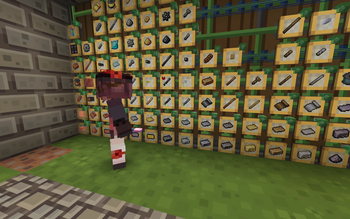
When holding a connected Factory Gaugy in your main hand, Create will attempt to render highlight boxes around all other Factory Gaugies on the same channel. These highlight boxes can severely impact frame rates. This mod modifies the rendering logic so that the highlights are hidden by default, and will only render when the Shift key is pressed. This is a client-side only mod. 当主手拿着已连接的工厂仪表时,机械动力会尝试为周边所有的相同频道的工厂仪表展示高亮框,该高亮框对帧率影响极大。本模组修改了其渲染逻辑,仅当按下shift时才会渲染高亮框,默认不显示高亮框。这是一个仅客户端模组。
- Edition: Minecraft Java
- File type: .jar
- Minecraft version listed: 1.20.1
- How to install: Install the matching mod loader (Forge, Fabric or NeoForge) for your Minecraft version. → Download the .jar. → Put it in the .minecraft/mods folder and launch that loader profile.
- Where to get it: Opens on Modrinth — not every file is mirrored on our own servers.
Install steps are the general flow for this file type — How to install Minecraft Java mods & modpacks walks through it step by step.
- Ships as createshiftgaugeoutliner-1.20.1-0.0.1.jar — drop this file into the mods folder
- Download size: 5 KB
- Download link checked 6 Sept 2026 — working
These come from our own check of the pack file, not from the source page.