HUDForge
Build your own HUD in-game — create custom widgets from templates with live data (coordinates, FPS, armor durability, and more), then drag and style them…
⬇ Download on ModrinthBuild your own HUD in Minecraft — no config files, no code.
HudForge is a client-side Fabric mod that lets you create custom HUD widgets from templates, drag them anywhere on screen, and style them live in an in-game editor. Show coordinates, FPS, armor durability, biome, real-world time, and much more — however you want it.
Features
- In-game editor — press H, drag widgets anywhere, no editing files by hand.
- Template widgets — build any widget from a text template with live data placeholders, e.g.
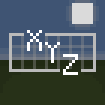
XYZ {x} {y} {z}or{helmet_icon} {helmet}. - Item icons — show armor and held-item icons right next to their durability.
- Multi-line widgets — combine several lines into one widget.
- Full styling — per-widget background opacity, text opacity, and scale, all with sliders.
- Presets — one-click ready-made widgets (Coordinates, Armor, Speed, Health, and more).
- Client-side — works on any server, and other players don't need the mod.
How to use
- Press H in-game to open the editor.
- Click + Add and pick a preset, or add an empty template.
- Select a widget to edit it: drag to move, right-click to toggle, use the panel to style it.
- For template widgets, type your own format or click placeholders from the list to insert them.
- Use
|(or the new-line button) to split a widget into multiple lines.
Available data
Coordinates, chunk position, direction, biome, day, in-game time, real-world time, FPS, speed, light level, difficulty, health, hunger, armor points, XP level, tool durability, armor durability per slot, distance walked — plus item icons for armor and held items.
Installation
- Install Fabric Loader for Minecraft 1.21.11.
- Install Fabric API.
- Drop the mod into your
modsfolder.
Compatibility
Minecraft 1.21.11, Fabric. Client-side only — safe to use on any server.
- Edition: Minecraft Java
- File type: .jar
- Minecraft version listed: 1.21.11
- How to install: Install the matching mod loader (Forge, Fabric or NeoForge) for your Minecraft version. → Download the .jar. → Put it in the .minecraft/mods folder and launch that loader profile.
- Where to get it: Opens on Modrinth — not every file is mirrored on our own servers.
Install steps are the general flow for this file type — How to install Minecraft Java mods & modpacks walks through it step by step.
- Ships as hudforge-1.0.0.jar — drop this file into the mods folder
- Download size: 54 KB
- Download link checked 6 Sept 2026 — working
These come from our own check of the pack file, not from the source page.