Ench Tell
Shows you what an enchantment does the moment you hover over it, adding a description of the enchantment directly to the tooltip.
⬇ Download on ModrinthEnch Tell
Ench Tell shows you what an enchantment does the moment you hover over it, adding a description of the enchantment directly to the tooltip.
Features
Display Mode
Choose when descriptions appear: ALWAYS, HOLD, or TOGGLE. For HOLD and TOGGLE, the default keybind is Left Shift.
| Hidden | Shown |
|---|---|
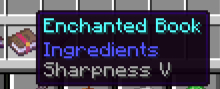 |
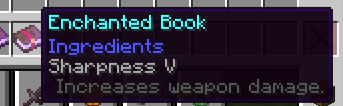 |
Show On Items
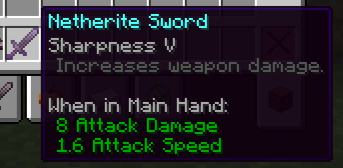
Toggle showOnItems: true/false to control whether enchantment descriptions appear on enchanted items.
showOnItems: false |
showOnItems: true |
|---|---|
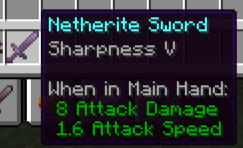 |
 |
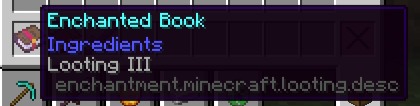
Debug Mode
Enable debug mode to customize existing enchantment descriptions or write your own translations from scratch. See the Wiki for details.
Required Dependencies
| Mod | Modrinth | CurseForge |
|---|---|---|
| Fabric API | Modrinth | CurseForge |
| ReLib | Modrinth | CurseForge |
Configuration
For a full configuration guide, see the Wiki.
Support
If you find this mod useful, consider supporting development via Ko-fi or PayPal.
- Edition: Minecraft Java
- File type: .jar
- Minecraft version listed: 26.2
- How to install: Install the matching mod loader (Forge, Fabric or NeoForge) for your Minecraft version. → Download the .jar. → Put it in the .minecraft/mods folder and launch that loader profile.
- Where to get it: Opens on Modrinth — not every file is mirrored on our own servers.
Install steps are the general flow for this file type — How to install Minecraft Java mods & modpacks walks through it step by step.
- Ships as enchtell-0.1.2+26.2.jar — drop this file into the mods folder
- Download size: 32 KB
- Download link checked 6 Sept 2026 — working
These come from our own check of the pack file, not from the source page.