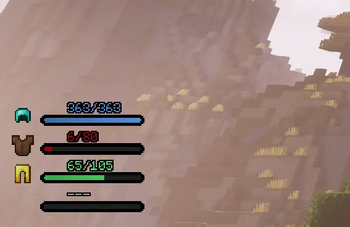
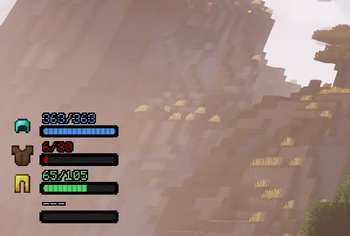
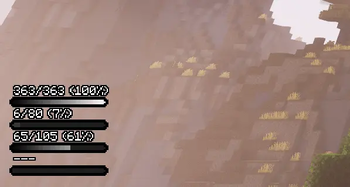
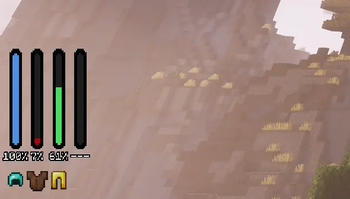
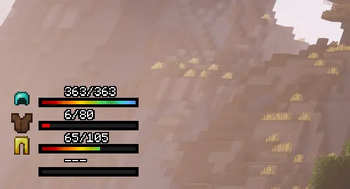
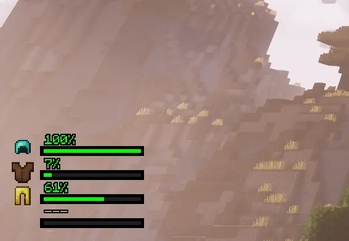
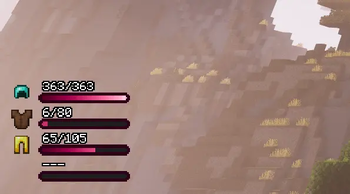
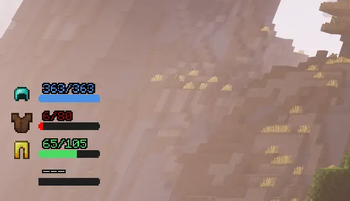
This mod adds four dynamic status bars to the bottom-left corner of your screen, providing a real-time view of your armor's current and maximum durability. The bar colors shift automatically based on remaining durability transitioning from blue to green, yellow, orange, and finally red. If an armor slot is empty, the bar remains gray. Also an icon of the equipped item is displayed on screen (by default to the left of each bar).
To prevent gear from breaking, the bars will begin to flicker when armor durability is low (under 20% by default). The lower the durability, the more intense the flickering becomes.
Configuration
The mod is fully customizable. Simply press the "Down Arrow" key (rebindable in settings) to open the configuration menu.
Choose from four built-in presets: Default, Vertical, Simple1, Simple2, Black_and_white, I_lines, One_color, Pinky, Rainbow and Mini.
Advanced Customization
You can also fine-tune the UI to your liking:
- Bar positioning
- Bar width and length
- Corner rounding
- Outline thickness
- Gradients
- Text format and alignment
- Bars flicker
- Custom bar colors based on durability (available only in text mode)
- Edition: Minecraft Java
- File type: .jar
- Minecraft version listed: 1.21.1
- How to install: Install the matching mod loader (Forge, Fabric or NeoForge) for your Minecraft version. → Download the .jar. → Put it in the .minecraft/mods folder and launch that loader profile.
- Where to get it: Opens on Modrinth — not every file is mirrored on our own servers.
Install steps are the general flow for this file type — How to install Minecraft Java mods & modpacks walks through it step by step.
- Ships as ArmorHudDurabilityBars-4.0.0 Neoforge-MC1.21.1.jar — drop this file into the mods folder
- Download size: 52 KB
- Download link checked 6 Sept 2026 — working
These come from our own check of the pack file, not from the source page.