
Hitbox Enchanced by Mayank (afkz studios)
Colored hitboxes for combat training and PvP
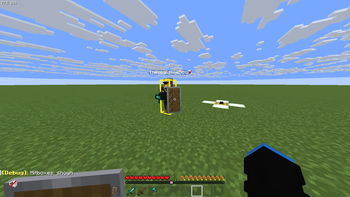
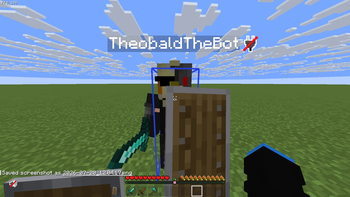
Hitbox Enchanced replaces Minecraft's vanilla F3+B hitboxes with fully customizable, color-coded hitboxes to help you visualize entity hitboxes during combat.
Features:
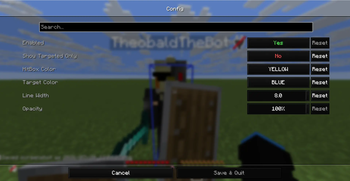
- Custom colors – Choose from 11 preset colors for both regular and crosshair-targeted entities
- Per-entity targeting – Option to show hitboxes only on the entity you're looking at, or all living entities at once
- Adjustable opacity & line width – Fine-tune visibility to your preference
- Toggle keybind – Press F3+B to show/hide hitboxes (replaces vanilla behavior)
- Quick-toggle targeted mode – Assignable keybind to switch between "All Entities" and "Targeted Only" mode on the fly
- Config GUI – Accessible via ModMenu or keybind for full control
Supported versions: 1.21.6, 1.21.11, 26.1, 26.1.1, 26.1.2, 26.2 (1.21.1 available separately)
Quick facts
- Edition: Minecraft Java
- File type: .jar
- Minecraft version listed: 26.2
- How to install: Install the matching mod loader (Forge, Fabric or NeoForge) for your Minecraft version. → Download the .jar. → Put it in the .minecraft/mods folder and launch that loader profile.
- Where to get it: Opens on Modrinth — not every file is mirrored on our own servers.
Install steps are the general flow for this file type — How to install Minecraft Java mods & modpacks walks through it step by step.
Verified by MCModsHub
- Ships as hitbox-enchanced-1.0.0+26.2.jar — drop this file into the mods folder
- Download size: 477 KB
- Download link checked 6 Sept 2026 — working
These come from our own check of the pack file, not from the source page.