
Aim Flower 🌸
Precision Blooms
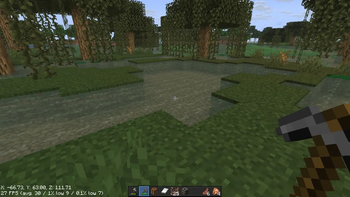
Replace the default crosshair with a clean, elegant flower-shaped design — giving you sharper, more precise aiming with a touch of style.
Features
- Custom flower/spark-shaped crosshair
- High precision with crisp, clear edges for better combat accuracy
- Lightweight — no impact on performance
- Compatible with
Installation
- Download the file
- Place it in your resourcepacks folder
- Enable it from Options → Resource Packs
Support
Found an issue or have a suggestion? Leave a comment below!
Quick facts
- Edition: Minecraft Java
- File type: .zip (resource pack)
- Minecraft versions listed: 1.20.5, 1.20.6, 24w18a
- How to install: Download the .zip resource pack — do not unzip it. → Put it in .minecraft/resourcepacks. → Enable it in Options → Resource Packs.
- Where to get it: Opens on Modrinth — not every file is mirrored on our own servers.
Install steps are the general flow for this file type — How to install Minecraft Java resource packs walks through it step by step.
Verified by MCModsHub
- Downloads as Aim Mark flower.zip
- Download size: 21 KB
- Download link checked 6 Sept 2026 — working
These come from our own check of the pack file, not from the source page.